

Sprout Social alternatives give you more ways to manage publishing, engagement, analytics, collaboration, and campaigns without forcing every business into the same workflow. That choice matters more than ever. By April 2026, global social media user identities had reached 5.79 billion and were up 5.4% year over year.
The challenge is no longer deciding whether social media deserves your attention. It is finding software that gives your team the features it actually uses at a sustainable price. This guide compares eight options based on practical features, costs, strengths, limitations, and the types of teams they suit.
Questions to Ask Before Buying a Sprout Social Alternative
Before switching platforms, identify exactly what is pushing you away from Sprout Social. Price alone should not determine your decision. A cheaper platform becomes expensive if it removes an essential workflow and forces your team to buy another product.
Start with your social accounts. Which networks do you manage, and how many profiles will you need six or twelve months from now? A platform that looks affordable for five profiles may become considerably more expensive when you add brands, clients, or users.
Next, examine the pricing model. Ask whether the provider charges per user, social profile, workspace, brand, or feature. Check whether analytics, social listening, approval workflows, AI tools, API access, additional historical data, and white-label reports require upgrades or add-ons.
You should also test collaboration. If several people create and approve posts, look for permissions, approval stages, comments, drafts, client access, and clear activity histories. Agencies should pay particular attention to how clients and brands are separated.
Reporting deserves the same scrutiny. Decide whether you need straightforward performance reports or deeper competitor, ROI, cross-channel, and custom reporting.
Finally, ask what migration involves. Can you preserve historical information, reports, workflows, and publishing schedules? How much onboarding help will you receive?
Sprout Social remains a capable platform, but its breadth can be unnecessary for teams with narrower needs. Some businesses also find that paying for sophisticated functionality makes less sense when their daily work centers on scheduling, approvals, analytics, or engagement.
Must-know Tip: Do not search for a tool that simply has the longest feature list. Find the product that replaces the Sprout Social workflows your team actually uses while removing the costs and complexity you do not need.
What Should You Look for in a Sprout Social Alternative?
Imagine a growing digital marketing agency we’ll call Agency A. It starts with a small social team, then wins several clients and needs more profiles, approvals, analytics, reporting, and user access.
The agency discovers that software cost is only one part of the problem. Its team also spends time moving between tools for campaign planning, approvals, engagement, and reporting. As more clients arrive, every unnecessary step becomes more expensive.
This is why choosing a Sprout Social alternative can be beneficial for your business. The best option should improve the way you work rather than simply reproduce a long list of Sprout features.
Pricing That Scales With Your Team
Study what happens to your bill when you add users, brands, profiles, or clients. Per-user pricing can work for a small team but become harder to justify as more employees need access.
Look beyond the advertised starting price. Calculate what your real configuration costs today and what it could cost after your team grows.
Publishing That Matches Your Content Volume
A useful platform should let you plan content efficiently, preview upcoming posts, and maintain a consistent publishing schedule. Bulk scheduling and reusable content can become especially valuable when you manage many accounts.
In 2026, this efficiency matters because social audiences continue expanding. Global social media user identities grew by 294 million in the 12 months to April 2026, an average of more than 800,000 additional users per day.
Collaboration Without Approval Bottlenecks
If several people touch a post before publication, approvals should make work safer, not slower. Look for permissions, comments, drafts, client review, approval stages, and clear visibility into who changed what.
Agencies should also check whether external clients require paid seats. A seemingly inexpensive plan can change quickly when every stakeholder becomes another chargeable user.
Analytics You Can Actually Use
Good analytics should help you decide what to publish next. Look for post-level performance, audience insights, cross-channel reporting, campaign measurement, and export options appropriate for your stakeholders.
Do not pay for enterprise-grade intelligence if you only need straightforward performance reporting. Conversely, basic analytics may become limiting when executives expect ROI, competitor, or custom reporting.
Integrations That Fit Your Workflow
Check the applications your team already uses. CRM, cloud storage, design, automation, analytics, and communication integrations can eliminate repetitive work.
Also examine API availability if you have custom reporting or automation requirements. Some providers reserve API access and enterprise integrations for their highest plans.
Support and Migration Assistance
Changing platforms can disrupt scheduled content, workflows, permissions, and reporting. Test the provider’s support before committing, especially if social media is central to customer service or revenue.
Must-know Tip: Run your finalists with real workflows during their trials. Create a campaign, invite a teammate, request approval, publish posts, answer engagement, and produce a report before deciding.
8 Best Sprout Social Alternatives
The best Sprout Social alternatives are not identical Sprout Social clones. Some prioritize scheduling, while others focus on collaboration, engagement, agencies, analytics, or affordability.
Your goal is to match capabilities with the work your team performs every week. The eight platforms below approach that problem differently, starting with SocialSchedulify, which combines publishing with campaign, sharing, collaboration, and analytics capabilities in one platform.
1. SocialSchedulify
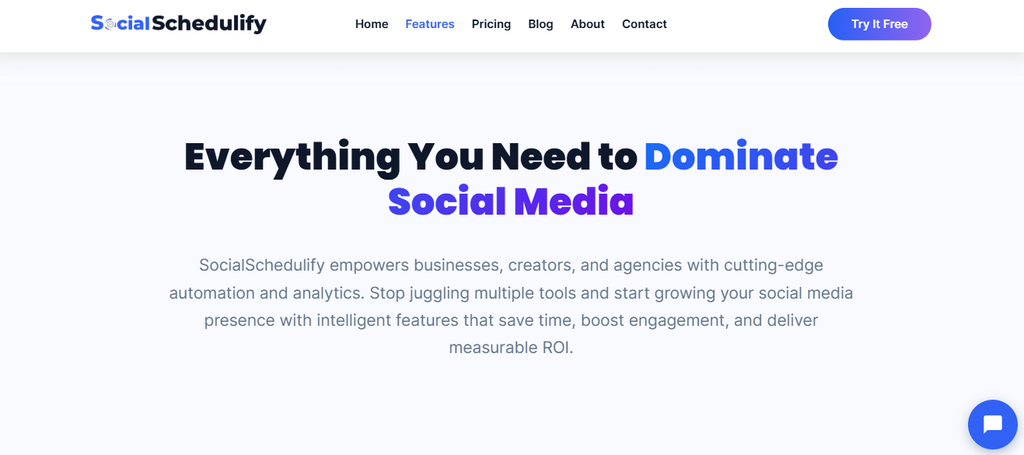
SocialSchedulify is an all-in-one social media management platform designed for businesses, creators, marketing teams, and agencies. Its feature set goes beyond ordinary post scheduling by combining a visual content calendar, smart publishing, campaign creation, share amplification, team workflows, and analytics.
You can schedule content across multiple social platforms from a centralized dashboard. Its visual calendar provides weekly and monthly views, while drag-and-drop scheduling makes it easier to reorganize campaigns without rebuilding your publishing plan.
A particularly interesting part of SocialSchedulify is its viral campaign toolkit. You can build contests, giveaways, and referral campaigns, use automated winner selection and fraud detection, track campaigns in real time, and connect campaign leads to CRM workflows.
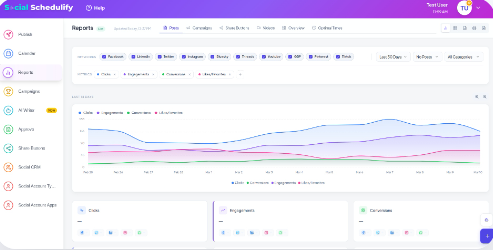
Analytics adds another layer to the platform. You can monitor performance, examine competitors, track ROI and attribution, and generate reports, giving you information you can use to adjust campaigns rather than relying on publishing volume alone.
SocialSchedulify Highlighted Features
- Smart publishing: Schedule and publish content across major social networks while managing upcoming posts from one place.
- Visual content calendar: Drag-and-drop scheduling with weekly and monthly views makes campaigns easier to organize and adjust.
- AI-assisted scheduling: AI-optimized posting-time functionality helps you plan content around periods when your audience is more likely to engage.
- Evergreen content recycling: Automatically reusing suitable evergreen content reduces the need to rebuild your publishing queue constantly.
- Viral campaign builder: Create contests, giveaways, and referral campaigns with winner selection, fraud detection, sharing mechanisms, and campaign analytics.
- Advanced analytics: Real-time monitoring, competitor benchmarking, ROI tracking, attribution, and automated reporting help turn performance data into decisions.
- Team collaboration: Approval workflows help teams review content before publication and maintain greater control over shared campaigns.
Pros of SocialSchedulify
- Combines scheduling, campaign creation, sharing tools, and analytics in one platform.
- Offers a visual drag-and-drop calendar for easier campaign planning.
- Includes dedicated tools for contests, giveaways, referrals, and viral campaigns.
- Supports team collaboration and approval workflows.
- Provides competitor analysis and ROI tracking for performance evaluation.
- Offers plans for individual creators through to agencies managing multiple clients.
- Agency capabilities include multi-client workspaces, white-label options, CRM integrations, and custom analytics reports.
Cons of SocialSchedulify
- The Starter plan supports only five social profiles, so growing teams may need to upgrade relatively quickly.
- Some of the most useful capabilities for agencies, including unlimited social profiles, multi-client workspaces, white-label options, and dedicated support, sit in the higher Agency plan.
Cost of Using SocialSchedulify
Starter costs $9 per month on monthly billing or $7 per month with the displayed yearly pricing. It supports up to five social profiles.
Professional costs $29 per month or $23 per month with yearly pricing. It supports up to 15 social profiles and adds capabilities such as smart publishing, AI content generation, campaign creation, and advanced analytics.
Business costs $59 per month or $47 per month with yearly pricing. It supports up to 30 social profiles and adds advanced scheduling, UGC management, viral campaigns, ROI tracking, and team collaboration.
Agency costs $99 per month or $79 per month with yearly pricing. It adds unlimited social profiles, multi-client workspaces, white-label options, CRM integrations, custom reports, and dedicated support.
2. Buffer:

Buffer is one of the most accessible choices if your priorities are publishing, straightforward analytics, and an interface that does not bury routine tasks under enterprise complexity. Its pricing model is channel-based, however, so your total bill grows as you connect more accounts.
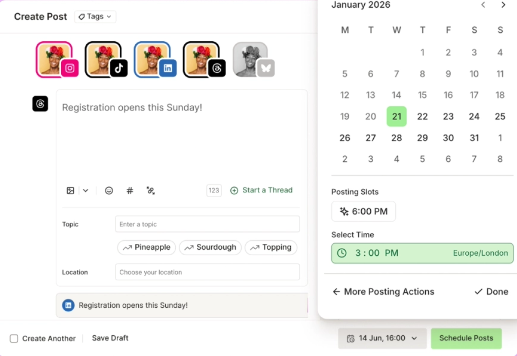
Buffer supports publishing across networks including Instagram, Facebook, LinkedIn, TikTok, X, Pinterest, Threads, Bluesky, Mastodon, YouTube Shorts, and Google Business Profile. It also includes an AI Assistant, analytics, content ideas, and community engagement functionality.
Buffer Features
- Publishing: Plan and schedule content across numerous social channels.
- AI Assistant: Generate and refine social content without leaving your workflow.
- Advanced analytics: Paid plans provide deeper performance insights.
- Community inbox: Manage supported audience conversations from Buffer.
- Approval workflows: The Team plan adds access levels and content approvals.
Pros of Buffer
- Free plan supports up to three channels.
- Clean approach works well for individuals and smaller teams.
- Paid plans provide unlimited scheduled posts.
- Team plan includes unlimited team members.
- Supports a broad mix of established and newer social networks.
Cons of Buffer
- Per-channel pricing can become more expensive as your account portfolio expands.
- Free users are limited to 10 scheduled posts per channel.
- Approval workflows require the Team plan.
- Teams requiring sophisticated enterprise listening may need another platform.
Cost of Using Buffer
Free costs $0 and supports up to three channels with 10 scheduled posts per channel.
Essentials starts at $5 per month for one channel when billed yearly.
Team starts at $10 per month for one channel when billed yearly and includes unlimited team members, access levels, and content approval workflows.
3. Hootsuite
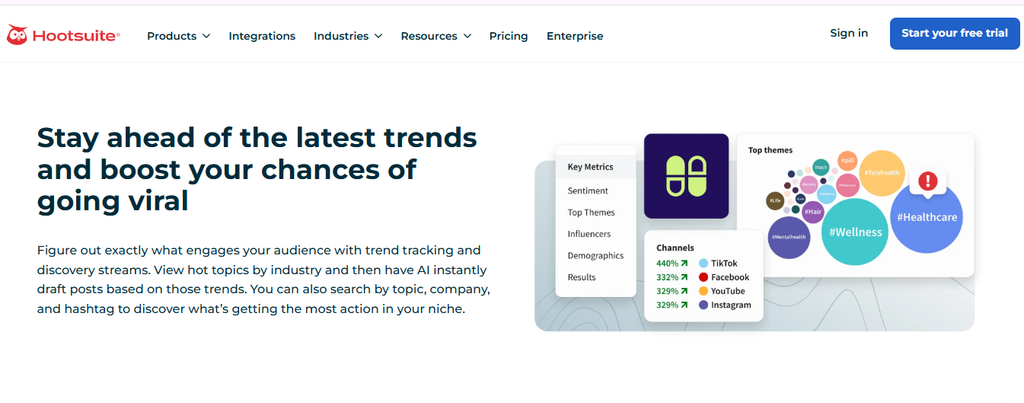
Hootsuite is a mature social media management suite with publishing, inbox management, analytics, monitoring, AI-assisted creation, and team functionality. Its breadth makes it useful for businesses with substantial social operations, but pricing can be difficult to justify when you only need straightforward scheduling.
The platform lets you schedule content, respond through a centralized inbox, monitor brand activity, and analyze results. Higher tiers expand automation, forecasting, custom reporting, and collaboration.
Hootsuite Features
- Social scheduling: Schedule and manage posts from a centralized calendar.
- Unified inbox: Respond to social messages without constantly switching platforms.
- AI creation: Generate social posts and images with AI.
- Monitoring: Follow conversations around your brand and competitors.
- Custom reporting: Higher plans let teams create tailored performance reports.
Pros of Hootsuite
- Broad social media management functionality.
- Centralized inbox reduces platform switching.
- Strong reporting capabilities on higher tiers.
- Supports team approval workflows.
- Professional tier supports unlimited social accounts.
Cons of Hootsuite
- Paid plans start considerably higher than lightweight scheduling alternatives.
- Important collaboration capabilities sit in higher tiers.
- Its broad feature set may be excessive for solo creators and small businesses.
- Per-user pricing can increase costs as your team expands.
Cost of Using Hootsuite
Standard starts at $99 per user per month.
Professional starts at $199 per user per month.
Advanced reaches $399 per user per month.
Enterprise uses custom pricing.
4. Agorapulse:
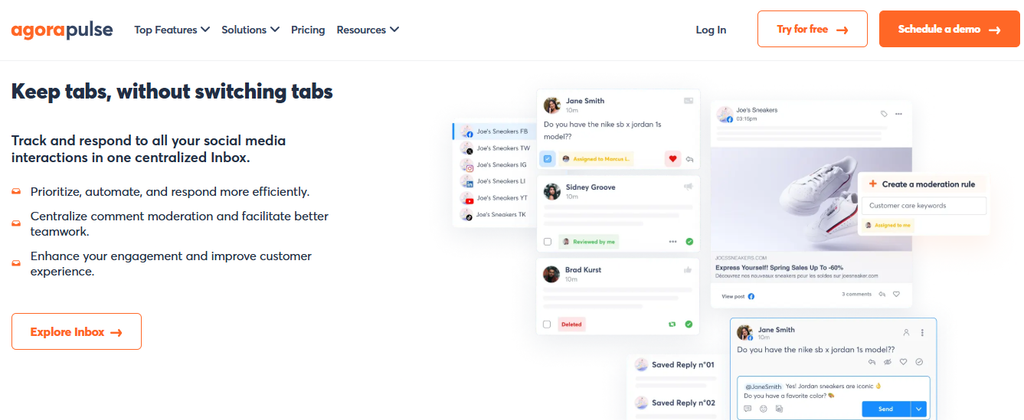
Agorapulse combines publishing, engagement, reporting, and team management in a platform aimed at businesses and agencies. Its social inbox and reporting capabilities are strong reasons to consider it, although its paid plans use per-user pricing and advanced functionality moves into increasingly expensive tiers.
You can schedule unlimited posts on paid plans, manage conversations through its inbox, automate inbox actions, and export reports. Advanced plans add bulk publishing, content queues, saved replies, stronger ad-comment management, and customized reporting.
Agorapulse Features
- Unified publishing calendar: Plan scheduled content across supported networks.
- Social inbox: Bring messages and comments into a central engagement workflow.
- Inbox Assistant: Automate selected inbox-management tasks.
- Reporting: Export reports and monitor social media ROI.
- Team workflows: Professional and higher plans improve collaborative publishing.
Pros of Agorapulse
- Free plan provides an entry point for basic use.
- Paid plans support unlimited posts.
- Strong combination of publishing and engagement.
- White-label reporting is available.
- Advanced plans offer substantial reporting and inbox functionality.
Cons of Agorapulse
- Paid plans use per-user pricing.
- Advanced costs $149 per user per month when billed annually.
- Some collaboration features require Professional or higher.
- Additional social profiles create extra charges on paid tiers.
Cost of Using Agorapulse
Free costs $0 per month for one user and three social profiles.
Standard costs $79 per user per month when billed annually or $99 when billed monthly.
Professional costs $119 per user per month annually or $149 per user per month when billed monthly.
Advanced costs $149 per user per month annually or $199 monthly.
Custom pricing is available for organizations requiring enterprise-level capabilities.
5. SocialPilot:
SocialPilot is built around publishing, analytics, engagement, collaboration, and agency workflows. It is particularly relevant if you manage numerous accounts because its plans bundle multiple social profiles rather than pricing every profile individually.
One concern is feature distribution. Capabilities such as client approvals, white-label reports, custom reports, and competitor reports are not included in its entry Standard tier, so agencies may need a higher plan.
SocialPilot Features
- Bulk scheduling: Upload and schedule content at scale.
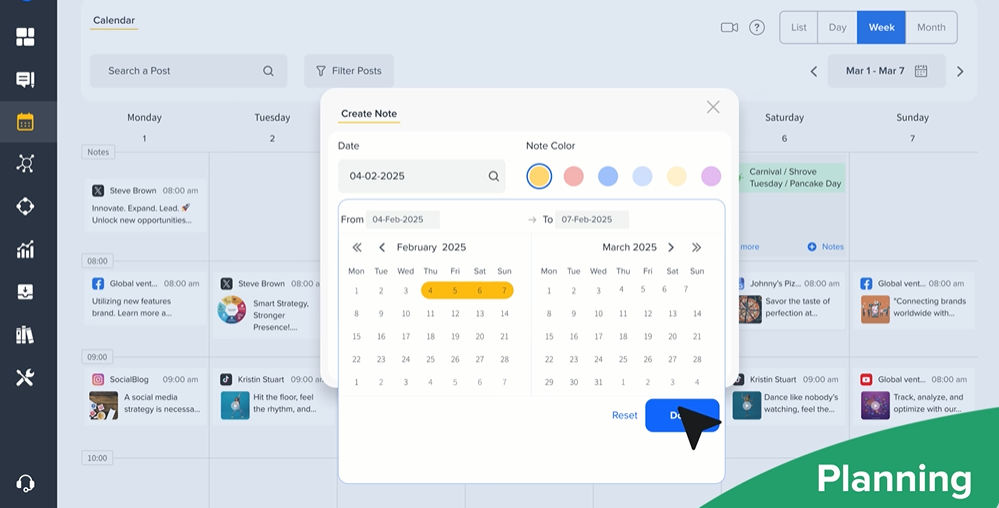
- Social calendar: See scheduled activity through a centralized planning interface.
- AI Pilot: Assist with content creation and social workflows.
- Social inbox: Manage supported messages and engagement.
- Analytics: Measure post and account performance and produce reports.
Pros of SocialPilot
- Standard includes 10 social accounts.
- Supports bulk scheduling and CSV uploads.
- Provides a content library.
- Premium adds client approvals and white-label reports.
- Supports major networks including Facebook, Instagram, TikTok, LinkedIn, Threads, Bluesky, YouTube, Pinterest, and Google Business.
Cons of SocialPilot
- Standard supports only one user.
- Standard does not include client seats.
- Custom and competitor reports require Premium or Enterprise.
- API access is reserved for Enterprise.
Cost of Using SocialPilot
6. Planable:
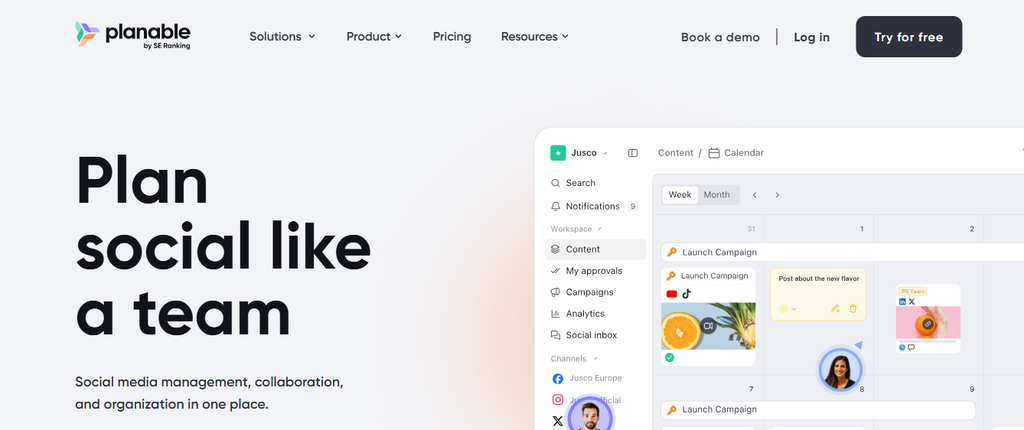
Planable puts content collaboration and approvals at the center of its experience. That makes it attractive when your biggest Sprout Social problem is getting writers, marketers, managers, and clients to review content efficiently.
The tradeoff is that analytics and social inbox functionality are available as paid add-ons rather than being central to every subscription. Teams seeking an all-inclusive listening and engagement suite should therefore calculate the complete configuration rather than comparing only the base price.
Planable Features
- Visual planning: View social content through feed, calendar, grid, and other planning views depending on the plan.
- Approval workflows: Configure approval processes for different brands or clients.
- Real-time collaboration: Teams can review content and exchange feedback.
- AI content tools: Generate and rewrite social posts.
- Campaign management: Organize strategy, assets, posts, and related campaign information.

Pros of Planable
- Strong focus on content collaboration.
- Unlimited users are included in Basic and Pro.
- Workspace structure helps separate brands and clients.
- Multiple approval options support controlled publishing.
- Supports nine major social platforms.
Cons of Planable
- Basic limits you to 60 posts per workspace each month.
- Pro limits you to 150 posts per workspace monthly.
- Analytics is a separate paid add-on.
- Social inbox functionality is also an additional cost.
Cost of Using Planable
Basic starts at $33 per workspace per month.
Pro starts at $49 per workspace per month.
Enterprise uses custom pricing.
Analytics and social inbox functionality can add additional per-workspace charges, so calculate the total cost based on the modules your team needs.
7. Statusbrew:
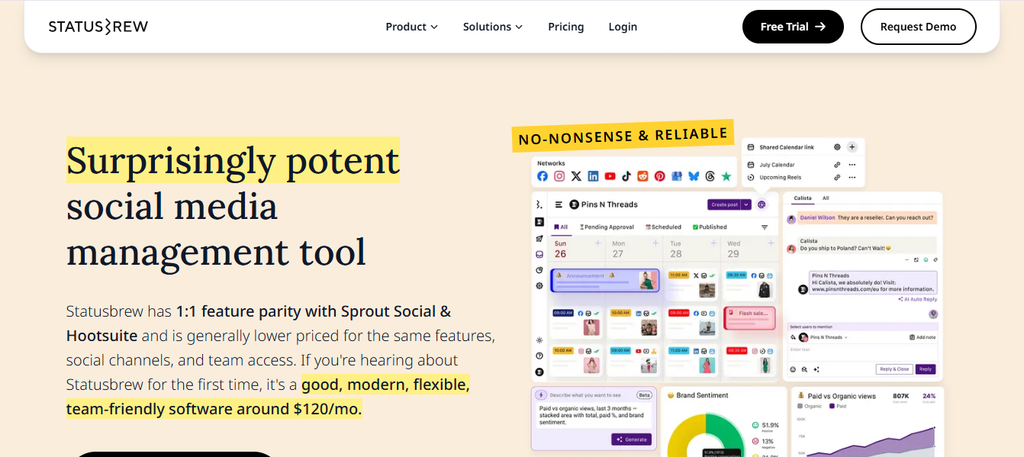
Statusbrew combines publishing, engagement, analytics, automation, and social listening. It is designed for teams that need more than a scheduler, particularly when comment management, reporting, approvals, and engagement workflows matter.
Its main limitation for comparison shopping is pricing transparency. Although its site describes Lite, Standard, Premium, and Enterprise tiers, it doesn’t consistently display public pricing for the core tiers, which makes immediate budget comparisons harder.
Statusbrew Features
- Publishing: Schedule unlimited posts and use bulk scheduling.
- Unified social inbox: Centralize engagement and message management.
- Rule Engine: Automate selected comment-management actions.
- Social reporting: Analyze social performance and historical data.
- Social and web listening: Premium adds listening alongside competitor benchmarking.
Pros of Statusbrew
- Unlimited publishing is included in Lite.
- Provides bulk scheduling.
- Combines publishing with engagement functionality.
- Premium includes approval workflows and AI sentiment analysis.
- Enterprise supports unlimited profiles and users.
Cons of Statusbrew
- Core tier prices are not consistently displayed publicly.
- Premium is required for social and web listening.
- Enterprise integrations such as Salesforce and HubSpot are available only at the Enterprise level.
- Teams needing unlimited users and profiles must move to Enterprise.
Cost of Using Statusbrew
Statusbrew publicly lists Lite, Standard, Premium, and Enterprise plans, but the pricing information reviewed did not show clear dollar figures for the first three. Enterprise uses custom pricing.
The company separately advertises agency arrangements starting from $49 per month per client.
8. Zoho Social:
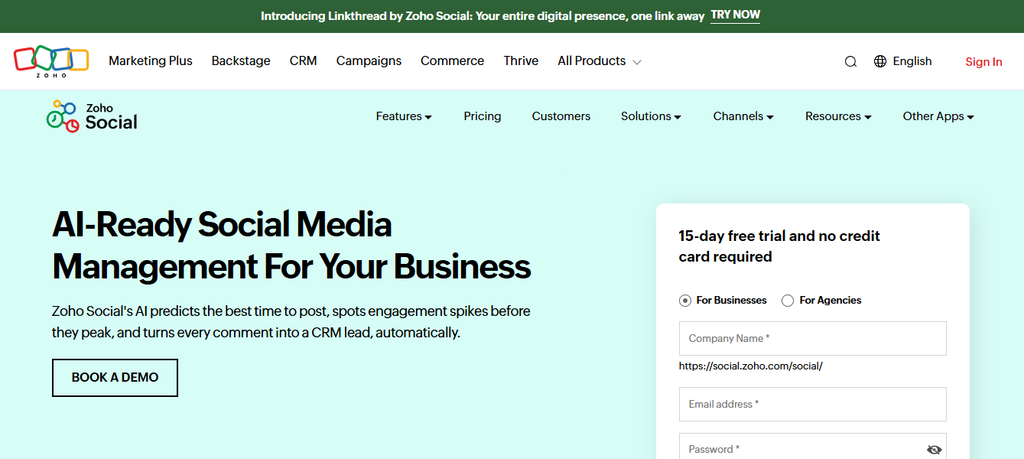
Zoho Social is particularly relevant if your business already operates within the wider Zoho ecosystem. It combines scheduling, monitoring, analytics, collaboration, and CRM-connected workflows, giving Zoho users a natural way to connect social activity with other business processes.
The drawback is that its more advanced collaboration and agency functionality is tier-dependent. Features such as content approvals, custom roles, custom reports, and deeper CRM-related capabilities require higher plans.
Zoho Social Features
- Multi-channel publishing: Create and schedule posts across supported social networks.
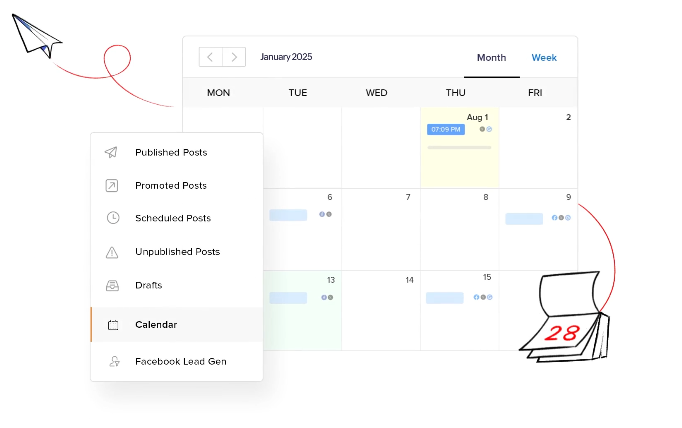
- Publishing calendar: Organize upcoming content from a centralized calendar.
- Bulk scheduling: Professional and higher tiers support larger scheduling workflows.
- Monitoring: Follow relevant social activity from monitoring dashboards.
- CRM integration: Higher tiers connect social workflows with Zoho CRM.
Pros of Zoho Social
- Offers a permanent free plan with limited functionality.
- Integrates naturally with other Zoho products.
- Supports a broad range of social networks.
- Higher tiers include collaboration and reporting capabilities.
- Agency plans provide client-oriented workflows.
Cons of Zoho Social
- Many advanced capabilities require higher tiers.
- The free tier supports a limited brand configuration.
- Premium functionality may be unnecessary if you only need publishing.
- It is most compelling when your organization already uses the Zoho ecosystem.
Cost of Using Zoho Social
How to Choose the Best Sprout Social Alternative for Your Team
You now have eight options, but the longest feature list should not decide the winner. Your best platform is the one that removes the specific problems your team faces while fitting your budget and expected growth.
Identify Why You Want to Leave Sprout Social
Write down your top three reasons for switching before starting trials. They may include cost, complexity, collaboration, listening, reporting, client management, or simply paying for features you rarely use.
This prevents an impressive demo from distracting you. Every finalist should solve those three problems first.
Calculate Your Real Cost
Do not compare starting prices. Build the configuration you actually need, including users, social profiles, workspaces, brands, analytics, listening, and additional modules.
This becomes particularly important as your team expands. Social media itself is still growing rapidly. By April 2026, 94.7% of global internet users were using social media each month, so your social operations may become more important rather than less important.
Decide Between an All-in-One Tool and a Specialized Stack
You may not need another giant social suite. If your team mainly needs publishing and approvals, a focused collaboration platform plus a separate listening tool could make more sense.
The reverse also applies. Managing several subscriptions can create fragmented data and extra administrative work, making a capable all-in-one platform more attractive.
Test Your Real Workflow
Do not spend your trial simply clicking through menus. Schedule a week’s content, invite teammates, request approval, respond to engagement, run a report, and reproduce one real campaign.
Measure how long common tasks take. The platform that saves your team several hours each month can create more value than one with dozens of rarely used features.
Examine Your Growth Requirements
Think twelve to twenty-four months ahead. Check how much additional users, profiles, brands, clients, storage, analytics, and automation will cost.
Also inspect account limits. A plan that fits five profiles today may require an upgrade when your company adds another brand or wins a major client.
Check Migration and Support Before Committing
Ask how existing content, historical information, workflows, and team permissions will move. Some platforms provide onboarding or migration assistance, while others expect you to configure most of the environment yourself.
Support matters after purchase too. Test response quality during the trial instead of discovering limitations during a publishing emergency.
Must-know Tip: Pick your software using a weighted score. Weight essential capabilities more than “nice-to-have” features, then score each finalist on cost, usability, scalability, support, and workflow fit.
What Do Sprout Social Alternatives Really Cost?
The advertised subscription is only part of your total cost.
Check whether the platform charges for additional users, channels, profiles, workspaces, brands, clients, analytics, social listening, AI usage, API access, historical data, or premium support. Two platforms with similar starting prices can produce very different bills after you configure them for a five-person team.
Pricing structure matters as much as price. Buffer charges by channel on paid plans. Planable prices around workspaces. Hootsuite and Agorapulse use per-user pricing across key paid plans. SocialSchedulify’s plans instead bundle different profile and team limits.
Social media’s scale makes this planning important. At the start of 2025, there were 5.24 billion active social media user identities worldwide. By April 2026, that figure had reached 5.79 billion.
Global internet use has also crossed 6 billion people. Social media therefore remains too important for many businesses to choose management software purely by whichever option has the cheapest introductory price.
What Will You Lose by Switching Away From Sprout Social?
Every migration involves tradeoffs.
A cheaper scheduler may handle your publishing perfectly while offering less sophisticated analytics, listening, governance, or reporting. A collaboration-first product may dramatically improve approvals but require an add-on or separate platform for engagement.
You should document every Sprout workflow your team currently uses before cancelling. Include publishing queues, reports, saved responses, tags, permissions, approval stages, integrations, listening queries, and historical information.
Then divide those capabilities into three groups: essential, useful, and unused.
This exercise often reveals an important truth. You do not necessarily need to replace every Sprout Social feature. You only need to replace the capabilities that create business value for your team.
Must-know Tip: Export important historical information before ending your subscription. Never assume your replacement platform can import every report, tag, conversation, workflow, or historical metric from your previous system.
How to Test a Sprout Social Alternative During a Free Trial
Treat a free trial like a controlled business test.
On day one, connect the social profiles you use most. Check connection limits and confirm that the platform supports the post formats your team publishes regularly.
Next, build a real content calendar. Schedule posts for several platforms, customize content for individual networks, move posts around the calendar, and test any bulk-publishing functions.
Then invite your team. Give users different permissions, send content for approval, leave comments, reject a post, revise it, and approve it again.
Test engagement next. Reply to real comments and messages where supported, apply filters or automation, and see whether the inbox remains manageable.
Finally, create the reports your manager or clients actually receive. Do not settle for attractive dashboards if you cannot reproduce the information stakeholders require.
At the end of the trial, compare task completion time, subscription cost, missing functionality, ease of adoption, and support quality. That gives you a far stronger basis for a decision than a feature checklist.
Conclusion
Choosing among Sprout Social alternatives comes down to fit, not finding a platform that copies every Sprout Social feature. Start with the problems you need to solve, then compare publishing, engagement, collaboration, analytics, integrations, scalability, and total cost.
SocialSchedulify stands out when you want social scheduling alongside visual planning, campaign-building, share amplification, team workflows, and analytics. Buffer offers a simpler publishing experience, Planable emphasizes collaboration, while Hootsuite, Agorapulse, SocialPilot, Statusbrew, and Zoho Social address different combinations of scale, engagement, reporting, and agency requirements.
Test your shortlist with real work before buying. The right platform should make your social operation easier to manage today without creating a new pricing or workflow problem as your business grows.
Frequently Asked Questions
What is the best alternative to Sprout Social?
The best option depends on your workflow. SocialSchedulify is worth considering when you want scheduling, campaign-building, sharing, analytics, and team functionality together. Buffer suits straightforward publishing, while Planable is particularly strong for approval-focused workflows.
Is there a cheaper alternative to Sprout Social?
Yes. Buffer, SocialSchedulify, Zoho Social, and other platforms offer lower entry points than many enterprise-focused social media management packages. Compare the final configuration rather than starting prices because users, channels, and add-ons affect total cost.
Are there free Sprout Social alternatives?
Yes. Buffer offers a free plan for up to three channels, Agorapulse offers a limited free plan, and Zoho Social provides a limited free tier.
Which Sprout Social alternative is best for agencies?
Your answer depends on client volume and workflow. SocialSchedulify offers an Agency tier with unlimited social profiles, multi-client workspaces, white-label options, CRM integrations, and custom reporting, while Planable emphasizes client collaboration and approval workflows.
Which alternative is best for content approvals?
Planable places collaboration and approvals at the center of its product. SocialSchedulify, Agorapulse, SocialPilot, and other platforms also provide approval capabilities on qualifying plans.
Is Buffer a good Sprout Social alternative?
Buffer is a strong option when you primarily need publishing, content planning, analytics, and straightforward team workflows. Businesses requiring deep enterprise social listening may need a broader platform or an additional listening solution.
Is Hootsuite similar to Sprout Social?
Yes. Both target substantial social media management workflows and provide publishing, engagement, analytics, monitoring, and collaboration capabilities. Your decision should consider pricing, account requirements, reporting needs, and workflow preferences.
Can I replace Sprout Social with more than one tool?
Yes. You could combine a publishing and collaboration platform with a specialized listening product. This can provide deeper functionality in specific areas, although managing several subscriptions creates additional administrative work.
What should I export before leaving Sprout Social?
Preserve reports, historical data available to you, publishing information, content assets, workflow documentation, tags, and other information your team will need. Also document permissions and approval processes before rebuilding them elsewhere.
Should small businesses use Sprout Social?
Sprout Social may fit a small business with sophisticated requirements and sufficient budget, but many small teams do not need every enterprise-oriented capability. A simpler platform may provide better value when scheduling, basic engagement, and reporting are the main priorities.
Which Sprout Social alternative is best for social media scheduling?
Buffer is particularly straightforward for scheduling. SocialSchedulify, Hootsuite, Agorapulse, SocialPilot, Planable, Statusbrew, and Zoho Social also provide scheduling capabilities, so the better choice depends on what you need beyond publishing.
Which Sprout Social alternative offers social listening?
Statusbrew includes social and web listening on its Premium tier. Hootsuite also offers monitoring capabilities. Always distinguish between basic monitoring and advanced social listening before comparing platforms.
How important are AI features in social media management software?
AI is useful when it removes repetitive work rather than simply adding another content generator. Look for practical applications such as content creation, rewriting, posting-time recommendations, sentiment analysis, response assistance, and workflow automation.
How long should I test a Sprout Social alternative?
Use the entire available trial whenever possible. SocialSchedulify and several competitors provide trial periods long enough to test actual campaigns, publishing, collaboration, and reporting rather than relying on a short product tour.
What is the biggest mistake when choosing social media management software?
Choosing based on feature count is one of the biggest mistakes. A tool with 100 capabilities does not create more value if your team regularly uses only ten of them.