
Hootsuite Alternatives are getting more attention as social teams demand lower costs, faster workflows, and tools that fit how they actually work. In 2025, 76% of social users said social content influenced a purchase, while 73% said they would buy from a competitor if a brand failed to respond on social.
Meanwhile, 41% of Gen Z users said social platforms were their first stop for online information. That means your social media software now affects publishing, customer care, reporting, and revenue opportunities. In this guide, you’ll compare eight practical options, including pricing, real features, strengths, limitations, and the business sizes each platform suits.
Here, we looked into several Hootsuite alternatives that stand out from the crowd. Read to learn more!
How to Choose a Hootsuite Alternative Based on Business Size
The right social media platform changes as your operation grows. A freelancer needs speed and affordability, while an agency may need client approvals, separate workspaces, reporting, and stronger collaboration controls.
Case Study: A Mid-Sized Agency Workflow
Consider Mr. Brian, a social media manager at a mid-sized marketing agency. His team had tried several social management tools, relied on spreadsheets and email-based approvals, and needed a system clients could use without complicated training.
The agency eventually moved its workflow into a collaboration-focused platform. It managed more than 15 clients, so keeping content, feedback, approvals, and scheduling in one place mattered more than having the longest feature list.
The case highlights an important buying lesson. When several people touch the same post, every extra handoff creates another opportunity for confusion, delay, or an incorrect publication.
The agency’s experience also shows why “more features” does not automatically mean “better fit.” Your social media tool should reduce the specific bottleneck that consumes your team’s time, whether that is scheduling, approvals, engagement, analytics, or client communication.
Freelancer
If you work alone, your first priority is usually simplicity. You need scheduling, basic analytics, content organization, and enough platform support without paying for enterprise functionality you will rarely touch.
A free plan can also matter. Buffer, for example, offers a free plan for up to three channels, while SocialSchedulify starts with paid plans but provides a 14-day full-featured trial.
Startup
Startups usually need more than scheduling. You may have one person creating content, another reviewing it, and a founder or manager checking campaigns before publication.
That makes collaboration and analytics important. A tool with approval workflows, shared calendars, and performance reporting can prevent your social process from becoming another collection of spreadsheets and messages.
Small Business
For a small business, pricing needs to match actual usage. Paying a high per-user fee makes less sense if you only manage a handful of social accounts.
You should also examine channel limits carefully. A low monthly price can become less attractive when every additional social profile increases the bill.
Agency
Agencies have different requirements because you are managing someone else’s brand. Client approvals, workspace separation, permissions, reporting, and white-label capabilities can become operational necessities.
SocialPilot, Planable, CoSchedule, and SocialSchedulify all offer agency-oriented capabilities, although their pricing structures and workflow models differ. SocialPilot, for example, includes client approval and white-label reports on higher tiers, while SocialSchedulify’s Agency plan includes multi-client workspaces and white-label options.
Enterprise
Enterprise teams generally need governance rather than simple scheduling. You may require SSO, advanced permissions, customer-care workflows, deeper analytics, security controls, and integrations.
Hootsuite itself remains focused on this segment, with Enterprise providing custom pricing, unlimited social accounts and users, SSO, advanced analytics, advanced listening, and compliance capabilities. Alternatives such as Sprout Social, SocialPilot, and CoSchedule also provide higher-tier enterprise functionality.
Why Choose Hootsuite Alternatives?
You do not need to replace Hootsuite simply because another platform exists. The better reason is that your current workflow, budget, team structure, or feature requirements have changed.
Lower Entry Costs
Hootsuite’s current paid plans start at $99 per user per month when billed annually. Professional is $199 and Advanced is $399, while Enterprise uses custom pricing.
Several alternatives use different pricing models. Buffer starts with a free plan, while SocialPilot, SocialBee, Zoho Social, Planable, and CoSchedule provide lower entry points for specific types of users.
Simpler Workflows
Your platform should make publishing easier, not create another administrative layer. This becomes especially important when several people create, review, approve, and publish content.
Planable, for example, is built around visual planning and approvals. CoSchedule emphasizes a calendar-first workflow, while SocialSchedulify combines scheduling, campaigns, AI content creation, analytics, and collaboration in one environment.
Specialized Strengths
Not every alternative tries to copy every part of Hootsuite. Some focus on scheduling, others on approvals, evergreen publishing, analytics, or agency workflows.
That specialization can make a platform more appropriate for your actual needs. SocialBee emphasizes content categories and evergreen recycling, Planable emphasizes collaboration, and Sprout Social emphasizes advanced analytics, engagement, and social intelligence.
Better Fit as You Grow
Your needs can change quickly. A freelancer can become a small team, a small team can become an agency, and an agency can eventually need enterprise governance.
A platform that fits your current workflow and has a sensible upgrade path can reduce unnecessary migration work. The goal is not simply to find a cheaper dashboard, but to find a system that continues to make sense as your social operation becomes more complex.
Hootsuite Alternatives: 8 Platforms Worth Comparing in 2026
If you are searching for Hootsuite Alternatives, you will quickly discover that the tools are not interchangeable. Each one emphasizes a different part of social media management, from lightweight publishing and evergreen content to enterprise analytics and client approvals.
The eight platforms below give you a practical cross-section of the market. SocialSchedulify leads the list because its published feature set combines multi-platform publishing with AI content creation, campaign management, UGC tools, share amplification, analytics, and agency workflows. The remaining platforms are included because each has established strengths that may fit a particular workflow.
1. SocialSchedulify
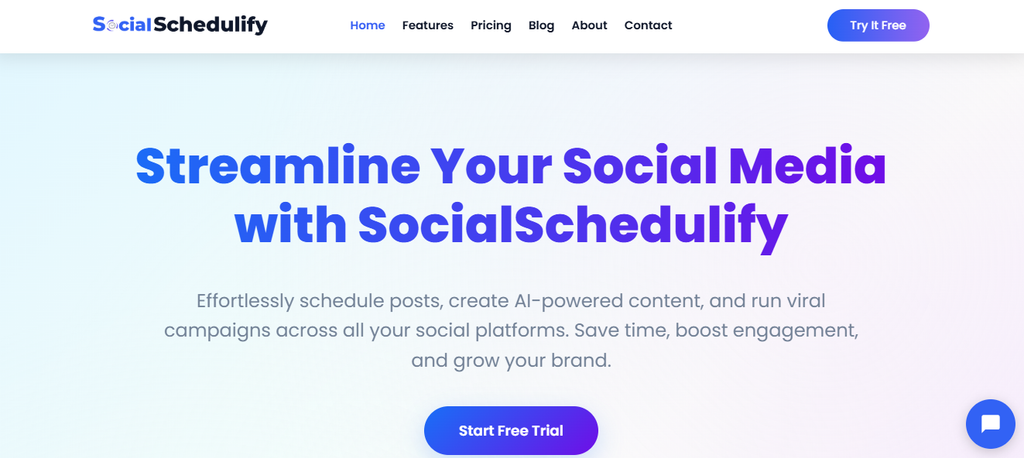
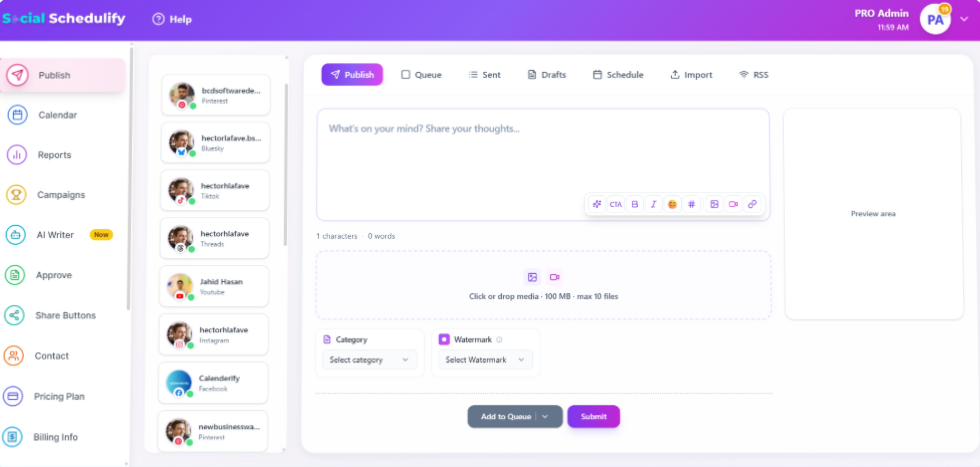
SocialSchedulify takes a broader approach to social media management by combining scheduling, AI-assisted content creation, campaign management, analytics, user-generated content, sharing tools, and collaboration. Its visual content calendar lets you organize campaigns and publishing dates, while its analytics tools provide engagement, reach, impressions, click-through rates, audience information, and best-posting-time data.
The platform is also built around campaign execution rather than only post scheduling. Its published capabilities include viral campaign tools, UGC management, RSS-based content sharing, share buttons, campaign analytics, and automation, giving you more ways to connect routine publishing with audience growth activities.
For teams, the approval workflow can help you review, reject, edit, and reschedule posts before they go live. That creates a controlled publishing process, while saved contacts, notifications, campaign history, and reporting can help keep related activities inside one workspace.
Must-know Tip: Scott Morris, CMO of Sprout Social, said, “The social spotlight is shifting from mass reach to meaningful connection.” That matters when evaluating a management platform because publishing more content is not the same as creating more useful interactions.
SocialSchedulify Key Features
- Smart multi-platform publishing: Lets you create and schedule content across multiple social platforms from one centralized workflow.
- AI content generation: Helps you draft social posts faster when you need ideas, captions, or platform-ready content.
- Visual content calendar: Gives you a visual way to organize publishing dates, campaigns, and upcoming social activity.
- Viral campaign builder: Supports contests, giveaways, referrals, rewards, and campaign workflows designed around audience participation.
- User-generated content tools: Helps you collect, approve, and share customer-created content to add authentic material to your social strategy.
- Advanced analytics and ROI tracking: Gives you performance data such as engagement, reach, clicks, campaign results, and ROI-related reporting.
SocialSchedulify Pros
- Multi-platform workflow: You can manage publishing across major networks without repeatedly switching between separate dashboards.
- Campaign functionality: You can connect social publishing with contests, giveaways, referrals, and audience-building campaigns.
- AI assistance: AI content generation can reduce the time required to start and refine social posts.
- UGC support: Customer-created content can become part of your publishing workflow instead of being handled separately.
- Analytics depth: Engagement, reach, clicks, campaign performance, and audience information provide more context than a simple publishing queue.
- Agency capabilities: The Agency plan includes unlimited social profiles, multi-client workspaces, white-label options, CRM integrations, and custom analytics reports.
- Content automation: RSS sharing, reposting, and automated campaign functions can reduce repetitive publishing work.
SocialSchedulify Cons
- No permanent free plan: You get a 14-day full-featured trial rather than a forever-free plan.
- Advanced capabilities are tier-dependent: Features such as unlimited profiles, white-label options, CRM integrations, and custom reporting require the Agency tier.
SocialSchedulify Pricing Plans
Starter: $9/month, or $7/month when billed annually. It supports up to 5 social profiles and includes basic scheduling, a content calendar, share-button integration, basic analytics, and email support.
Professional: $29/month, or $23/month when billed annually. It supports up to 15 profiles and adds smart publishing, automation, AI content generation, UGC tools, campaign creation, advanced analytics, and priority support.
Business: $59/month, or $47/month when billed annually. It supports up to 30 profiles and adds advanced scheduling automation, UGC management, viral campaigns, share amplification, ROI tracking, and team collaboration.
Agency: $99/month, or $79/month when billed annually. It provides unlimited profiles, multi-client workspaces, white-label options, advanced campaign automation, CRM integrations, custom reports, and dedicated support. A 14-day full-featured trial is available, and annual billing provides a 20% discount.
Why Choose SocialSchedulify?
SocialSchedulify is particularly interesting if you want more than a publishing calendar. You can combine scheduling, AI content creation, campaigns, UGC, sharing, and analytics instead of treating each activity as a separate workflow.
Its agency structure also lets you scale from a few profiles to unlimited social profiles and multi-client workspaces. For a business that wants social publishing to support campaigns and measurable growth, the combination of automation, analytics, collaboration, and campaign tools gives you several capabilities in one platform.
2. Buffer
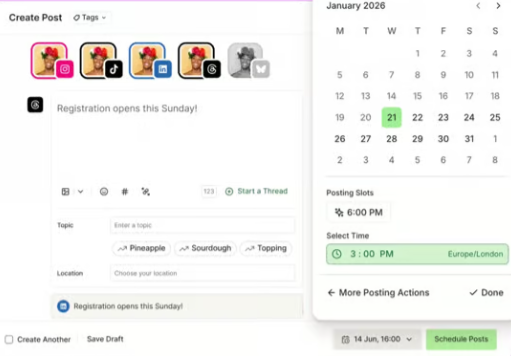
Buffer remains a straightforward option if your priority is publishing without paying enterprise-level prices. Its current plans use channel-based pricing, and the free plan supports up to three channels, while paid tiers add unlimited scheduled posts, advanced analytics, collaboration, approvals, and other publishing features.
The main limitation is its pricing model. Because you pay by connected channel, your monthly cost can rise as your social footprint expands, even though the model can be attractive when you only manage a few profiles.
Buffer Key Features
- Channel-based scheduling: Lets you pay according to the social channels you actually connect.
- AI Assistant: Helps you refine, repurpose, and develop social content.
- Visual content calendar: Gives you a clearer view of upcoming social posts and campaigns.
- Community inbox: Lets you reply to comments and interactions from supported networks in one place.
- Content approval workflows: Available on the Team plan for teams that need review before publishing.
Buffer Pros
- Forever-free plan: Manage up to three channels without a recurring subscription.
- Simple pricing model: Channel-based pricing makes small-scale usage easy to understand.
- Strong publishing workflow: Scheduling, queues, drafts, calendars, and first-comment scheduling support regular publishing.
- Broad network coverage: Buffer supports networks including LinkedIn, Instagram, TikTok, YouTube, Pinterest, Threads, Bluesky, Google Business Profile, and others.
- Team collaboration: The Team plan provides unlimited team members and approval workflows.
Buffer Cons
- Channel-based costs: Your bill increases as you add more social channels.
- Free-plan limits: The free tier is limited to three channels and 10 scheduled posts per channel.
- Advanced analytics require paid access: The free tier provides insights, while advanced analytics are included with paid plans.
- Not an enterprise listening platform: Its published feature set focuses more heavily on publishing, engagement, and analytics than deep enterprise social intelligence.
Buffer Pricing Plans
Free: $0 and up to 3 channels, with 10 scheduled posts per channel.
Essentials: $5 per channel/month when billed annually, or $6 per channel/month when billed monthly.
Team: $10 per channel/month when billed annually, or $12 per channel/month when billed monthly, with unlimited team members.
3. Sprout Social
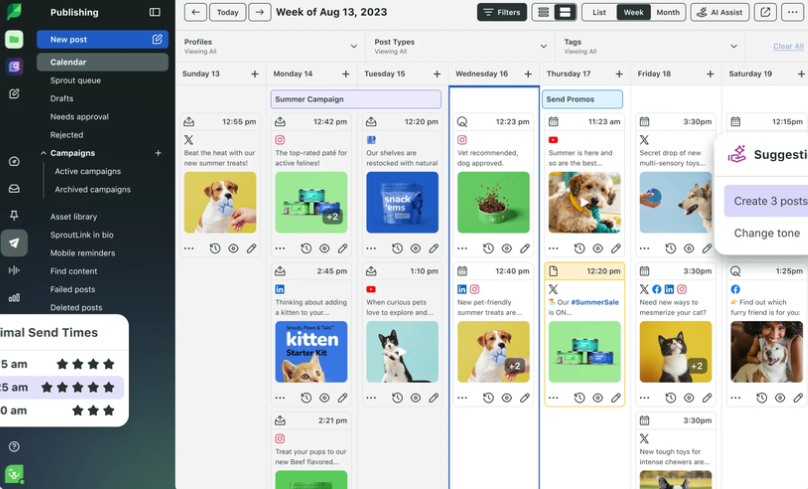
Sprout Social targets teams that need deeper analytics, engagement, monitoring, and social intelligence. Its current pricing is significantly higher than lightweight scheduling tools, so the concern is straightforward: you need to make sure your workflow actually uses the capabilities you are paying for.
The platform becomes more compelling when you need advanced reporting, competitor insights, sentiment analysis, customer-care workflows, or enterprise-level controls. Its higher tiers add capabilities such as unlimited profiles, competitor and paid insights, message tagging, API access, helpdesk integrations, and advanced reporting.
Sprout Social Key Features
- Smart Inbox: Centralizes social conversations and customer interactions across supported networks.
- Social monitoring: Standard and higher plans include keyword and location monitoring.
- Competitive insights: Professional adds extensive competitor, tag, and paid insights.
- Sentiment analysis: Advanced adds sentiment analysis within the Smart Inbox and reviews.
- AI-powered tools: Trellis and AI Assist features support publishing, replies, analysis, and social workflows.
Sprout Social Pros
- Deep analytics: Strong reporting capabilities help you connect social activity with business performance.
- Social intelligence: Monitoring and sentiment capabilities support more detailed audience and brand analysis.
- Customer care workflows: The Smart Inbox and advanced routing features can support social customer service.
- Enterprise options: Enterprise adds SSO, tailored implementation, priority support, and other governance capabilities.
- AI integration: Trellis and AI Assist extend automation and analysis beyond simple post scheduling.
Sprout Social Cons
- High cost: Pricing begins at $79 per seat/month annually for Essentials and rises sharply on higher tiers.
- Per-seat pricing: Adding more users can increase your recurring cost.
- Entry-tier profile limit: Essentials is limited to five social profiles.
- Advanced capabilities require higher tiers: Features such as unlimited profiles, advanced sentiment analysis, API access, and helpdesk integrations are not available across every plan.
Sprout Social Pricing Plans
Essentials: $79 per seat/month when billed annually.
Standard: $199 per seat/month when billed annually.
Professional: $299 per seat/month when billed annually.
Advanced: $399 per seat/month when billed annually.
Enterprise: Custom pricing.
4. SocialPilot
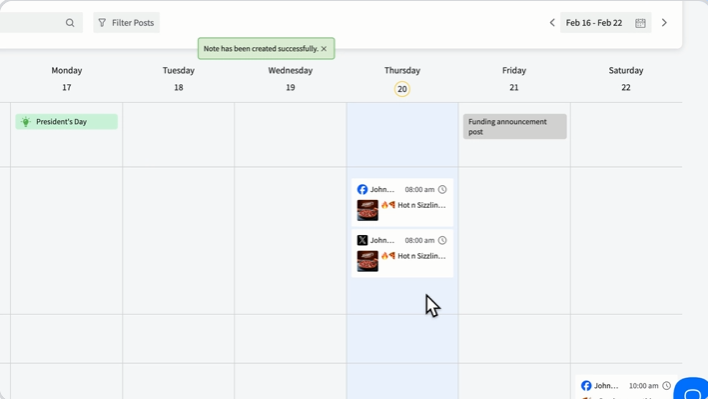
SocialPilot is designed around publishing, analytics, collaboration, engagement, and agency management. Its pricing is tier-based rather than Hootsuite’s per-user structure, and higher plans add client approval, white-label reporting, advanced security, and dedicated account management.
One important limitation is that you should distinguish social publishing from specialist social listening. SocialPilot’s published feature set centers on scheduling, engagement, analytics, collaboration, reporting, AI, and white-label capabilities, so teams looking for a dedicated listening system may need another solution.
SocialPilot Key Features
- Bulk scheduling: Lets you schedule large batches of social posts and manage content at scale.
- AI Pilot: Helps generate social content and overcome content-creation bottlenecks.
- Unified inbox: Brings social interactions into one engagement workflow.
- Advanced analytics: Provides reports for measuring social performance across accounts.
- White-label reporting: Lets agencies provide branded reports and, on higher tiers, branded platform experiences.
SocialPilot Pros
- Agency-friendly pricing: Higher plans bundle multiple accounts and users rather than charging every user as a separate Hootsuite seat.
- Client approvals: Premium adds client approval workflows.
- White-label reporting: Agencies can produce branded reports for clients.
- Broad integrations: SocialPilot connects with tools and platforms including Canva, Google Drive, Dropbox, Zapier, Slack, WordPress, Shopify, and major social networks.
- Mobile access: Scheduling, publishing, and engagement are available through iOS and Android apps.
SocialPilot Cons
- Account limits vary by tier: You move from 7 accounts on Essentials to 50 on Ultimate before Enterprise.
- Extra accounts cost more: Additional accounts are charged separately.
- Advanced agency capabilities require higher plans: White-label and client approval capabilities are not available across the entry tiers.
- Enterprise features require sales contact: API access, SSO, unlimited clients, and other enterprise capabilities require a custom Enterprise plan.
SocialPilot Pricing Plans
Essentials: $30/month, or $25.50/month when billed annually.
Standard: $50/month, or $42.50/month when billed annually.
Premium: $100/month, or $85/month when billed annually.
Ultimate: $200/month, or $170/month when billed annually.
Enterprise: Custom pricing.
5. SocialBee
SocialBee stands out for content categories, evergreen recycling, AI content creation, scheduling, engagement, and analytics. Instead of treating every post as a one-time publication, you can organize content into categories and use recurring schedules to keep evergreen material circulating.
The main concern is scale economics. The lower plans are suitable for smaller operations, but larger agencies can move into significantly higher-priced Pro50, Pro100, and Pro150 plans as their number of profiles and workspaces grows.
SocialBee Key Features
- Content categories: Organizes posts by themes, campaigns, or content pillars for structured publishing.
- Evergreen recycling: Automatically requeues selected evergreen content so useful posts can continue working.
- AI Copilot: Helps create content strategies, posting plans, ideas, and platform-specific posts.
- Social inbox: Lets you manage comments, mentions, and direct messages from connected networks.
- Analytics and reports: Tracks reach, engagement, growth, top posts, and content performance.
SocialBee Pros
- Strong evergreen workflow: Recycling can reduce the need to continually rebuild a publishing queue.
- AI content support: Copilot can help create strategies and ready-to-use posts.
- Category-based planning: Content categories help maintain a balanced publishing mix.
- Engagement tools: Comments, mentions, and DMs can be managed from one inbox.
- Broad network support: SocialBee supports Facebook, Instagram, Threads, X, LinkedIn, Pinterest, TikTok, YouTube, Bluesky, and Google Business Profile.
SocialBee Cons
- Profile-based scaling: The number of included social profiles varies significantly by plan.
- Higher agency costs: Larger profile requirements move you into Pro50, Pro100, or Pro150 pricing.
- Analytics depth varies: Bootstrap provides up to three months of analytics, while higher plans extend historical access.
- Some collaboration/reporting capabilities are tier-dependent: Features such as branded reports, advanced analytics, and certain approval functions require higher plans.
SocialBee Pricing Plans
Bootstrap: $29/month or $290/year.
Accelerate: $49/month or $490/year.
Pro: $99/month or $990/year.
Pro50: $179/month or $1,790/year.
Pro100: $329/month or $3,290/year.
Pro150: $449/month or $4,490/year. SocialBee also provides a 14-day trial and a 30-day money-back guarantee.
6. Zoho Social
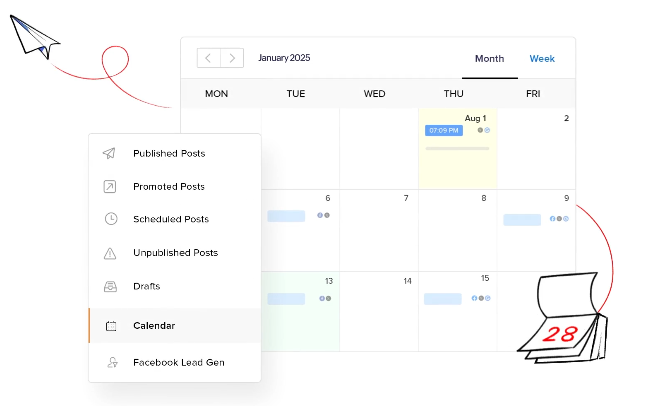
Zoho Social is useful when you want social publishing connected to a wider business software ecosystem. Its capabilities include scheduling, monitoring, analytics, AI-assisted content, publishing calendars, repeat posting, bulk scheduling, collaboration, and Zoho CRM integration.
The pricing model deserves careful attention because Zoho organizes business plans around brands and team members rather than simply charging for each social profile. If you manage multiple brands, your actual cost can therefore differ considerably from the headline entry price.
Zoho Social Key Features
- SmartQ scheduling: Helps determine appropriate posting times for your connected social channels.
- Bulk scheduling: Lets you schedule multiple posts through supported bulk-upload workflows.
- Monitoring dashboard: Helps you track social activity and relevant conversations.
- Zia AI: Assists with social content creation and reply drafting.
- CRM integration: Connects social activity with Zoho’s broader CRM ecosystem.
Zoho Social Pros
- Forever-free plan: A free version remains available after the trial.
- Strong platform coverage: Higher plans support networks including YouTube, Pinterest, TikTok, Mastodon, Threads, Bluesky, WhatsApp Business, and Telegram.
- Zoho ecosystem integration: Useful if your business already relies on Zoho CRM and related products.
- Repeat posting: You can schedule recurring posts instead of manually recreating them.
- Agency plans: Agency and Agency Plus support multiple brands and team members.
Zoho Social Cons
- Brand-based pricing: Your cost can rise when you need additional brands.
- Entry plans are limited: Standard and Professional each include one brand and one team member.
- Advanced features require higher tiers: Inbox, approvals, CRM integrations, and broader channel support vary by plan.
- Regional pricing can vary: Zoho states that pricing can adjust according to region and data-center location.
Zoho Social Pricing Plans
Free: $0.
Standard: $15/month, or $10/month when billed annually.
Professional: $40/month, or $30/month when billed annually.
Premium: $65/month, or $40/month when billed annually.
Agency: $320/month, or $230/month when billed annually.
Agency Plus: $460/month, or $330/month when billed annually.
7. Planable
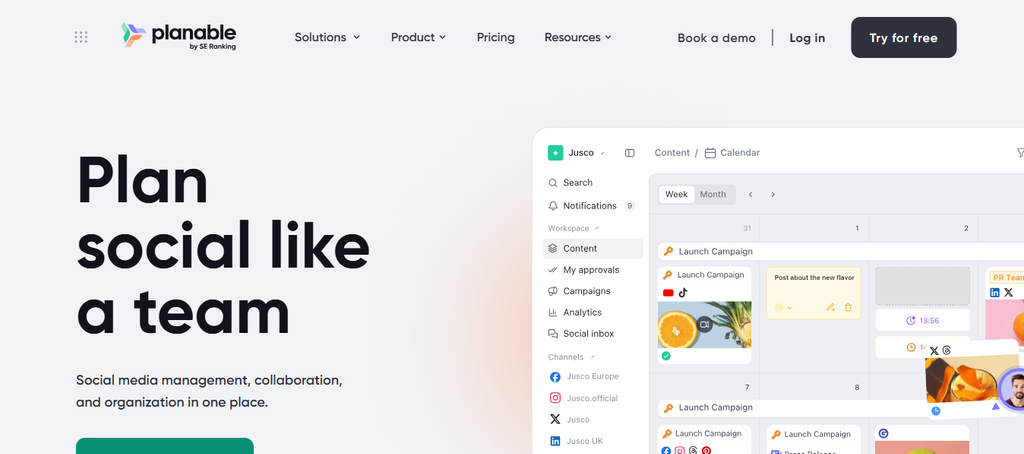
Planable is built around collaboration rather than trying to be everything to everyone. Its strongest workflow is the journey from creating content to reviewing it, collecting feedback, approving it, and scheduling it.
That makes it especially relevant to agencies and marketing teams with multiple stakeholders. The limitation is that some advanced functions are paid add-ons or reserved for higher plans, and its pricing is based on workspaces rather than simply giving you an unlimited collection of brands under one low subscription.
Planable Key Features
- Visual content calendar: Lets you organize social content through feed, calendar, list, and grid views.
- Approval workflows: Supports structured review and approval before publication.
- Platform-specific previews: Shows content in formats designed to resemble the native social platforms.
- Collaboration tools: Comments, suggestions, annotations, and internal feedback keep review work together.
- Multi-network scheduling: Supports nine social platforms, including Facebook, Instagram, LinkedIn, TikTok, YouTube, Pinterest, Threads, X, and Google Business Profile.
Planable Pros
- Excellent approval workflow: Teams can send posts for approval individually or in bulk.
- Client-friendly collaboration: Clients can review content without having to manage the entire internal workflow.
- Visual planning: Calendar and grid views make campaign organization easier.
- Workspace structure: Separate workspaces help keep different brands or clients organized.
- Strong feedback controls: Comments, annotations, and approval statuses reduce scattered email and spreadsheet communication.
Planable Cons
- Workspace-based pricing: Costs can rise as you create more workspaces.
- Free-plan limit: The free plan allows 50 total posts, and that limit does not reset.
- Advanced approval levels require higher plans: Multi-level approvals are available on Enterprise.
- Analytics and listening are paid add-ons: These are not simply included in every base subscription.
Planable Pricing Plans
Free: $0 for up to 50 total posts.
Basic: $39 per workspace/month, or $390 per workspace/year.
Pro: $59 per workspace/month, or $590 per workspace/year.
Enterprise: Custom pricing, with published guidance indicating plans can start around $2,500/year depending on requirements.
Must-know Tip: Planable CEO Xenia Muntean has argued that AI should be used “as a tool rather than as a substitute for human creativity and experience.” That distinction matters when you compare AI features because automation should support your content strategy rather than remove human judgment from it.
8. CoSchedule
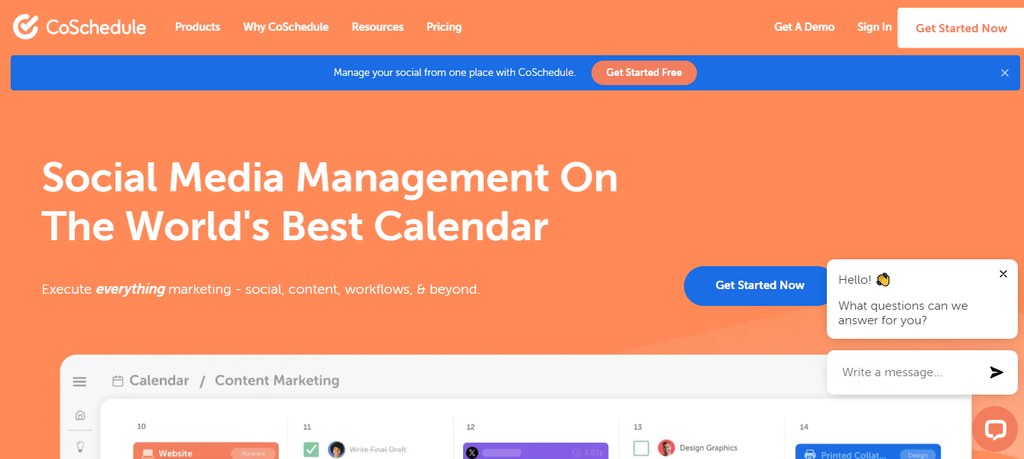
CoSchedule takes a calendar-first approach to social media management. Its Social Calendar combines publishing, campaigns, automation, analytics, AI assistance, and an inbox, while its broader platform can also connect social activity with other marketing work.
The main limitation is that some capabilities are tier-dependent. Starter is designed for one user and three social profiles, while Professional expands collaboration and agency functions, and Suite introduces unlimited users and profiles with custom pricing.
CoSchedule Key Features
- Drag-and-drop calendar: Lets you move social messages and campaigns around the calendar without rebuilding the workflow.
- ReQueue automation: Continuously republishes selected content and recurring promotions.
- Best Time Scheduler: Helps schedule posts around recommended publishing times.
- Social Inbox: Centralizes incoming comments, DMs, and mentions from supported networks.
- AI Social Writer and Campaign Builder: Helps create social copy, ideas, and campaign structures.
CoSchedule Pros
- Calendar-first workflow: Useful when your social strategy is closely tied to broader marketing campaigns.
- Evergreen automation: ReQueue can keep selected content circulating.
- Campaign planning: Social campaigns help organize related messages and activities.
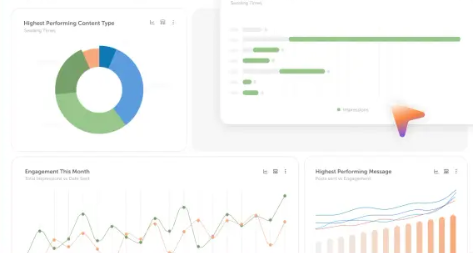
- Analytics: Social engagement, campaign, and profile reports provide multiple ways to measure performance.
- Broader marketing integration: You can manage social alongside blogs, emails, events, and other marketing activities.
CoSchedule Cons
- Profile limits on lower tiers: Starter includes three social profiles and Professional includes five.
- Extra profiles cost more: Additional profiles are charged separately on Starter and Professional.
- Starter is single-user: Team collaboration requires Professional or Suite.
- Advanced enterprise functionality is custom-priced: Suite starts at $69/month but requires a sales conversation for the final plan.
CoSchedule Pricing Plans
Starter: $29/month when billed annually, or $39/month monthly. It includes one user and three social profiles.
Professional: $49/month when billed annually, or $59/month monthly. It includes two users and five social profiles, with additional seats available for $29/month.
Suite: Custom pricing starting at $69/month, with unlimited user seats and social profiles plus broader team management and marketing capabilities.
Why Checking Instagram Followers and Unfollowers Matters When Choosing a Social Media Tool
Follower growth can look impressive on a dashboard, but raw follower totals do not tell you everything. You also need to understand whether your audience is staying, engaging, discovering your content, and moving toward meaningful business actions.
Here, we discussed the reasons to start checking your Instagram followers and unfollowers occassionally. Read on!
Follower Growth Shows Whether Your Content Is Reaching New People
A steady increase in followers can indicate that your content is reaching people outside your existing audience. It can also help you identify which campaigns, topics, formats, or collaborations are attracting attention.
That makes follower tracking useful for comparing campaigns over time. If one campaign generates thousands of impressions but almost no new followers, while another produces fewer impressions and stronger audience growth, you have two very different outcomes.
Unfollower Changes Can Reveal Audience Friction
Unfollows are not automatically bad. People leave accounts for many reasons, including changing interests, reducing the number of accounts they follow, or cleaning up their feeds.
However, a sudden increase in unfollows after a particular content pattern can deserve investigation. If you repeatedly see audience losses after promotional campaigns, excessive posting, or irrelevant topics, your content strategy may need adjustment.
Follower Quality Matters More Than Follower Count
Social media users are becoming more selective. Sprout Social reported in its Q1 2026 Pulse Survey that 66% of consumers are more selective about the content they engage with than they were 12 months earlier. That means simply increasing your follower number does not guarantee stronger attention.
The same research found that 83% of consumers encounter AI-generated “slop” on social media at least sometimes. For your strategy, this reinforces the need to monitor not just audience size but also the type of content that earns genuine engagement.
Use Follower Data With Engagement and Conversion Data
Follower changes become much more useful when you connect them with other metrics. Compare follower growth with engagement, reach, clicks, conversions, and top-performing posts instead of evaluating the number in isolation.
You should also remember that not every social management platform provides a dedicated follower-versus-unfollower tracker. Before switching from Hootsuite, check exactly which audience analytics the alternative includes and whether you need another specialized tool to fill the gap.
What the 2026 Social Media Data Means for Your Tool Choice
Social media management has moved beyond simply scheduling posts. The platform you use now affects how quickly you can react, how well you understand audience behavior, and how effectively your team can turn social activity into measurable outcomes.
Social Search Is Changing Discovery
In 2025, 41% of Gen Z respondents in a Sprout Social survey said they turn to social platforms first when searching for information. The same research found that 37% of consumers across age groups prefer social platforms first for product reviews and recommendations.
That means your content has to work as both social content and discoverable information. A useful management tool should therefore help you publish consistently while giving you enough analytics to understand which topics and formats attract attention.
Social Content Can Influence Revenue
Sprout Social reported that 56% of marketing leaders say social media drives revenue for their businesses. Its 2025 research also found that 58% of teams considered experts at measuring social impact rely on social media management tools.
This changes how you should evaluate software. Scheduling efficiency still matters, but so do analytics, campaign reporting, engagement monitoring, and the ability to connect activity with business goals.
Authenticity Is Becoming More Important
The 2025 Sprout Social Index found that 93% of consumers believe brands need to keep up with online culture. At the same time, 33% said it is embarrassing when brands participate in trends.
That creates a difficult balance. You need a system that helps you respond quickly without encouraging you to publish content simply because something is trending.
AI Needs Human Oversight
AI is now present across social management platforms, from caption generation to scheduling recommendations and analytics. But the quality of the workflow still depends on how you review what the technology produces.
Sprout Social reported that 55% of social users are more likely to trust brands that commit to publishing human-created content. Another 52% said they are concerned about brands posting AI-generated content without disclosure.
Must-know Tip: Jamie Gilpin, former CMO of Sprout Social, said AI is “supporting social teams in streamlining workflows, delivering personalized insights, and creating memorable experiences.” Use that principle when evaluating AI features: the useful question is what work they improve, not whether a platform simply has an AI label.
Emerging Platforms Are Increasing Complexity
Social audiences are no longer concentrated on only a few networks. Sprout Social reported that 48% of global social users planned to spend more time on emerging platforms such as Bluesky, Threads, and Mastodon over the following six months.
This makes platform coverage important. If your audience is active across several networks, managing each account natively can quickly create repetitive work, so centralized publishing becomes more valuable.
What Should You Check Before Replacing Hootsuite?
Switching platforms is easier when you evaluate the workflow before the feature list. A tool can have dozens of impressive features and still be the wrong choice if its pricing model or account limits do not match your operation.
Check the Pricing Unit
First, identify whether the vendor charges per user, channel, profile, brand, or workspace. Hootsuite uses per-user pricing, Buffer uses channel-based pricing, Planable uses workspaces, and Zoho Social structures business plans around brands and team members.
This distinction matters because the cheapest headline price may not remain the cheapest option after you add users or social profiles.
Check Your Approval Workflow
If several people review content, approval functionality can save substantial administrative time. Look for required approvals, client approvals, comments, annotations, permissions, and automatic scheduling after approval.
Planable, SocialPilot, SocialSchedulify, Buffer Team, Sprout Social Professional and CoSchedule Professional all provide different forms of collaboration or approval functionality.
Check Analytics Depth
Do not stop at follower counts and likes. Check whether the platform provides reach, impressions, engagement, clicks, audience information, campaign performance, reports, and ROI-related data.
Your reporting requirements should determine the appropriate tier. A freelancer may only need basic analytics, while an agency or enterprise team may need branded reports, competitor comparisons, attribution, or advanced dashboards.
Check Platform Support
Your current social channels should not be the only consideration. Think about where your audience is moving and whether your chosen platform supports the networks you may need next year.
Buffer, SocialBee, SocialPilot, Zoho Social, Planable, and CoSchedule all support a broad collection of major and emerging networks, but the exact networks and functionality vary by platform and plan.
How to Make the Switch From Hootsuite Without Disrupting Your Workflow
Moving from one social media management platform to another does not need to become a major operational problem. The safest approach is to treat the migration as a workflow project rather than simply opening a new account.
Audit Your Existing Social Accounts
Start by listing every profile connected to Hootsuite. Include the network, profile name, responsible team member, posting frequency, approval process, and reporting requirements.
This gives you a baseline before you start connecting accounts elsewhere. It also helps you discover inactive profiles that do not need to be migrated.
Document Your Publishing Workflow
Write down how a post currently moves from idea to publication. Include content creation, design, review, approval, scheduling, publishing, engagement, and reporting.
Then compare that workflow against your shortlisted platform. The goal is not to recreate every Hootsuite screen but to find the shortest reliable route from content idea to measurable result.
Rebuild Your Content Calendar Carefully
Do not migrate everything blindly. Review upcoming scheduled content and remove outdated campaigns, expired offers, and posts tied to old events.
Move your active campaigns first. Keep the old system available during the transition so you can verify dates, captions, media, and platform-specific formatting before the new system takes over.
Test Before You Fully Switch
Connect one or two important accounts first. Publish test content, verify formatting, inspect analytics, and check the approval workflow.
Pay particular attention to platform-specific differences. A post that looks correct in a general preview may still require different media, captions, tags, or publishing settings on individual networks.
Which Hootsuite Alternative Fits Your Workflow?
Your decision should begin with the problem you need to solve rather than the number of features displayed on a pricing page.
If you are a freelancer or small creator, Buffer gives you a free entry point and simple channel-based pricing. SocialBee becomes relevant when evergreen content, categories, and recycling are central to your workflow.
If you manage clients, Planable, SocialPilot, CoSchedule, and SocialSchedulify provide collaboration and approval capabilities designed for multi-person workflows. Zoho Social can be particularly relevant when your organization already relies heavily on the Zoho ecosystem.
If your operation depends on deep analytics, social intelligence, customer care, and enterprise governance, Sprout Social offers those capabilities at a significantly higher price point.
SocialSchedulify occupies a broader middle ground by combining scheduling, AI content generation, campaign tools, UGC management, analytics, sharing functionality, and agency features. Its plan structure also gives you different profile limits depending on whether you are an individual, growing business, marketing team, or agency.
Conclusion
The right social media management platform depends on the work you need it to handle. You should evaluate pricing structure, social profile limits, approvals, analytics, engagement tools, AI capabilities, platform coverage, and agency or enterprise requirements before switching from Hootsuite.
The current market gives you several different approaches. Buffer emphasizes accessible publishing, SocialBee focuses heavily on content categories and evergreen recycling, Planable centers on collaboration, SocialPilot supports agency workflows, Zoho Social connects social management with the Zoho ecosystem, CoSchedule combines social with broader marketing calendars, and Sprout Social focuses on advanced analytics and social intelligence.
SocialSchedulify brings scheduling, AI content generation, campaign management, UGC tools, analytics, share amplification, and team workflows into one platform. Those capabilities can help you reduce repetitive publishing work, organize campaigns, measure performance, and manage social activity from a more centralized workflow.
Frequently Asked Questions
What are Hootsuite Alternatives?
Hootsuite Alternatives are social media management platforms that can replace some or all of Hootsuite’s publishing, scheduling, analytics, engagement, collaboration, and campaign-management functions. The right option depends on your team size, social networks, budget, and workflow.
What is the best Hootsuite alternative for a small business?
A small business should compare tools based on the number of social profiles it manages and the features it actually needs. Schedulify, Buffer, SocialBee, Zoho Social, and CoSchedule all offer lower entry points than Hootsuite, although their pricing structures and capabilities differ.
What is the cheapest Hootsuite alternative?
There is no single cheapest option for every workflow because the vendors use different pricing models. SocialSchedulify starts at $9/month while SocialPilot, for example starts at $30/month on monthly billing.
Is there a free Hootsuite alternative?
Yes. Buffer and Zoho Social both currently offer free plans. Planable also allows you to create up to 50 total posts for free, although that is a post-based free allowance rather than an unlimited free subscription.
Which Hootsuite alternative is best for agencies?
Agencies should prioritize client approvals, workspace separation, team permissions, reporting, and white-label capabilities. SocialSchedulify, SocialPilot, Planable, and CoSchedule all provide agency-focused functionality, but their pricing models and workflows differ.
Which Hootsuite alternative is best for social media scheduling?
Several platforms provide strong scheduling. Buffer focuses on straightforward publishing, SocialBee adds category-based scheduling and evergreen recycling, CoSchedule combines scheduling with a broader marketing calendar, and SocialSchedulify adds campaign and automation capabilities to its publishing workflow.
Which Hootsuite alternative is best for social media analytics?
Sprout Social is designed for teams that need advanced analytics, competitor insights, sentiment, reporting, and social intelligence. Other platforms also provide analytics, but the depth and reporting capabilities vary significantly by plan.
Which Hootsuite alternative is best for evergreen content?
SocialBee is particularly focused on evergreen content. Its content categories and requeue functionality let you automatically recycle selected posts instead of treating every piece of content as a one-time publication.
Can you manage multiple social media accounts without Hootsuite?
Yes. All eight platforms discussed in this guide provide some form of multi-account or multi-profile management, although the number of profiles and supported networks depends on the specific plan.
Does SocialSchedulify have AI content generation?
Yes. SocialSchedulify lists AI content generation as a feature on its Professional plan and above. Its platform describes AI-driven content creation as a way to create personalized social posts and support campaign publishing.
Does SocialSchedulify support agencies?
Yes. SocialSchedulify has an Agency plan with unlimited social profiles, multi-client workspaces, white-label options, advanced campaign automation, CRM integrations, custom analytics reports, and dedicated support.
How much does SocialSchedulify cost?
SocialSchedulify currently has four plans. Starter costs $9/month, Professional costs $29/month, Business costs $59/month, and Agency costs $99/month, with lower equivalent monthly prices available when billed annually.
Is SocialSchedulify better than Hootsuite?
The answer depends on your workflow and requirements. Hootsuite provides extensive enterprise capabilities, while SocialSchedulify combines scheduling with AI content, campaign tools, UGC, sharing, analytics, and agency functionality at lower published entry prices.
What should you consider before switching from Hootsuite?
Compare the number of users and social profiles you need, pricing structure, approval workflows, analytics, social inbox capabilities, supported networks, AI tools, reporting, integrations, and migration requirements. You should also test the workflow with your actual content before cancelling your existing subscription.