

Are you seeking Agorapulse alternatives? Then these options are worth comparing if rising software costs, team limits, reporting needs, or changing workflows are making you rethink your current social media stack. Social media is not getting smaller.
By mid-2026, active social media user identities had reached 5.79 billion, equal to 69.9% of the world’s population, after growing 5.4% in 12 months. That scale puts more pressure on you to publish consistently, respond quickly, measure results, and coordinate teams without unnecessary friction.
This guide compares 10 serious options across pricing, publishing, analytics, collaboration, engagement, automation, and scalability so you can choose a platform that matches the way you actually work.
Why Are Teams Moving Away From Agorapulse?
A Real Agency Switching Case: Cost and Scale Can Change the Decision
A boutique social media agency managing more than 20 clients publicly reported moving away from Agorapulse and Buffer to another platform. According to the vendor case study, the agency said the move saved about $200 per month while supporting its growing client workload.
The important lesson is not that Agorapulse failed, but that the economics of a tool can change as an agency adds clients and accounts.
That issue matters because Agorapulse currently uses per-user pricing. Its Standard plan starts at $79 per user per month with annual billing, while Professional costs $119 and Advanced costs $149 per user per month annually. Each plan includes 10 social profiles, and additional users are charged at the same rate as the first user.
For a solo manager, that structure may be reasonable. For a growing team, however, every new person who needs platform access can materially increase your monthly software bill. That makes flat-rate or bundled-user alternatives more attractive to agencies, franchises, and marketing departments with several collaborators.
Must-know Tip: Do not compare tools using the advertised starting price alone. Calculate the real cost using your required users, social profiles, clients, approval workflows, reporting level, and add-ons.
Changing Social Media Workflows Demand More Specialized Tools
Social media management is also becoming more operationally demanding. In the 2025 Sprout Social Index, 73% of consumers said they expected brands to respond on social media within 24 hours, which means publishing alone is no longer enough for many businesses. You may need inbox automation, assignments, moderation rules, approvals, sentiment analysis, and customer-care reporting.
At the same time, other teams are moving in the opposite direction. If your main requirements are content planning and scheduled publishing, you may not need a sophisticated social inbox, enterprise listening, or a complex reporting environment.
AI is also changing the buying decision. Hootsuite’s 2025 research reported that 83% of marketers said generative AI helped them create significantly more content, while its researchers suggested brands may need dozens of weekly posts across platforms to maintain an active presence.
The right alternative therefore depends on why you are leaving. Cost, approvals, analytics, publishing, client management, AI, engagement, and enterprise governance are very different problems, and no single platform leads every category.
What Features Should You Look for in an Agorapulse Alternative?
Publishing and Scheduling: Make Consistency Easier to Maintain
A useful alternative should let you create, schedule, preview, edit, and publish content across the networks you actually use. A visual calendar makes gaps easier to identify before they turn into missed publishing days. Bulk scheduling, queues, recurring posts, and platform-specific customization can further reduce repetitive work.
Check profile limits before you buy. A plan that looks inexpensive can become costly if you need multiple Facebook Pages, Instagram accounts, TikTok profiles, LinkedIn Pages, YouTube channels, Threads accounts, or Google Business Profiles.
Unified Engagement: Give Customer Conversations One Home
A centralized inbox can save substantial time if customers regularly contact you through comments, mentions, reviews, or direct messages. Look for assignments, internal notes, moderation rules, saved replies, labels, and automation if several employees handle engagement.
This matters commercially as well. Sprout’s 2025 research found that 73% of consumers said they would buy from a competitor when a brand failed to respond on social.
Analytics and Reporting: Turn Activity Into Decisions
Your platform should help you identify what content produces reach, engagement, clicks, conversions, and other outcomes that matter to your business. Agencies should also check for scheduled reports, branded exports, custom dashboards, and client-facing reporting.
Good analytics reduce guesswork. They help you identify successful formats, channels, posting times, campaigns, and audience patterns instead of making content decisions from isolated likes or impressions.
Collaboration and Approvals: Reduce Publishing Mistakes
If multiple people create content, approval workflows become more important than simple scheduling. Look for user roles, client approvals, comments, version control, assignment tools, and approval stages that match your internal process.
These controls are particularly useful for agencies and regulated organizations. They let you keep publishing moving without giving every contributor unrestricted access.
AI and Automation: Reduce Repetitive Work Without Losing Control
AI should solve a specific workflow problem rather than exist as a checkbox. Useful applications include drafting captions, rewriting posts, analyzing performance, identifying trends, repurposing content, generating ideas, and automating repetitive inbox or publishing actions.
HubSpot reported in 2025 that 66% of marketers were already using AI in their roles, while 43% used generative AI for content creation. In 2026, HubSpot also reported that 72% of marketers said their AI-created social content performed better than content produced without AI.
Must-know Tip: OpenAI’s Dane Vahey described the next phase of AI marketing as moving toward “data-driven decision-making, workflow automation, and strategic brainstorming.”
10 Agorapulse Alternatives: Best Social Media Management Tools for 2026
The best Agorapulse alternatives solve different problems. Some prioritize affordable scheduling, while others focus on agencies, engagement, reporting, enterprise governance, AI, or social listening. The ten platforms below cover those different needs, starting with SocialSchedulify, a broader social management platform that combines scheduling with campaign, UGC, AI, approval, and analytics capabilities.
1. SocialSchedulify
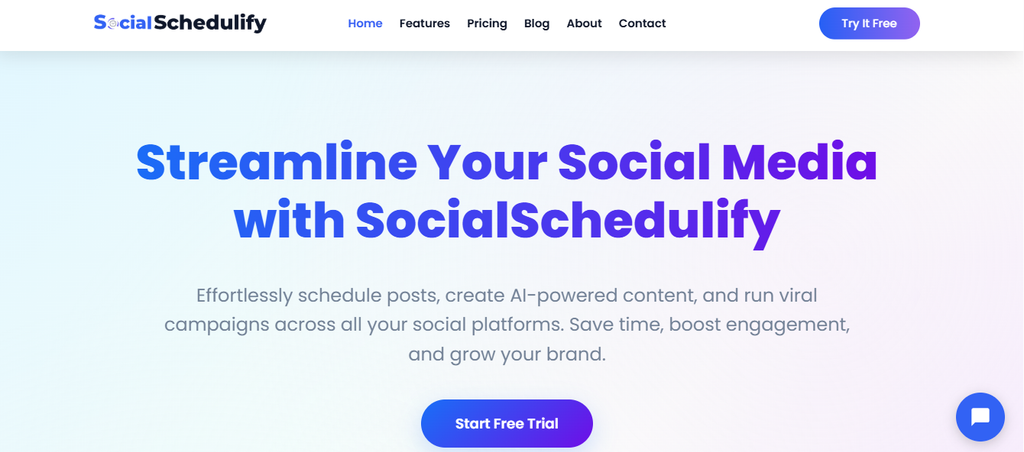
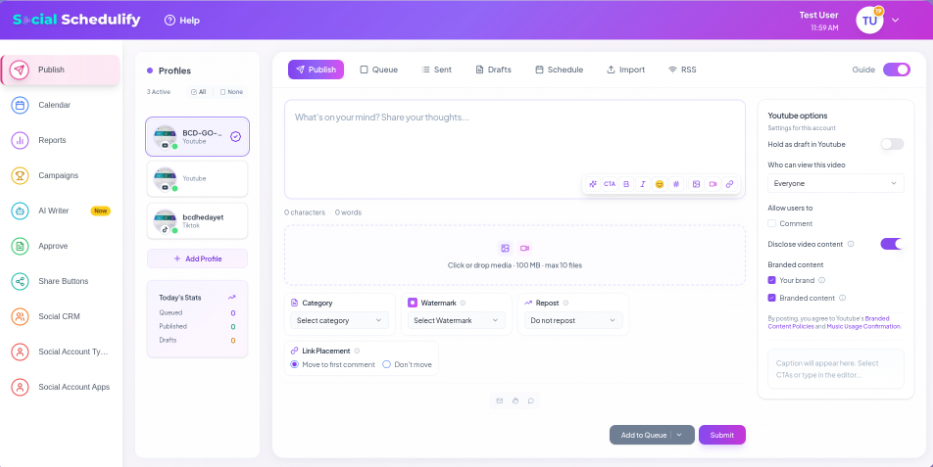
SocialSchedulify combines publishing, visual planning, AI-assisted content creation, campaign management, analytics, approvals, user-generated content tools, RSS automation, and audience-growth features in one platform. Instead of treating social media as a simple posting queue, it gives you tools to create, distribute, review, promote, and measure content in the same environment.
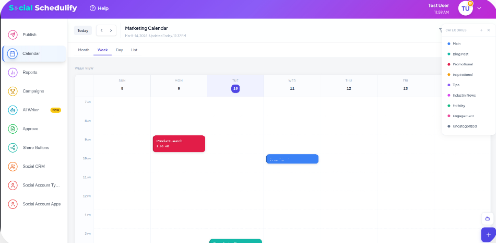
Its Smart Social Publish workflow helps you create and schedule content across connected networks. The visual content calendar then gives you a clearer view of publishing dates and campaigns, helping you maintain a consistent schedule and spot empty periods before they affect your content plan.
The platform also includes an AI Writer Assistant and a post approval workflow. You can review, approve, reject, edit, or reschedule posts before publication, which is particularly useful when content passes through writers, managers, clients, or other reviewers.
SocialSchedulify stands out when you look beyond scheduling. Its site documents user-generated content workflows, viral campaigns such as contests and sweepstakes, share amplification, RSS-based distribution, campaign analytics, ROI tracking on higher plans, and report exports in PDF, CSV, or Excel formats.
SocialSchedulify Top Features
- Smart Social Publish: Lets you plan and distribute posts from one dashboard, reducing the need to switch between individual social networks.
- Visual Content Calendar: Gives you a clear view of upcoming posts and campaigns so you can identify gaps and organize publishing more efficiently.
- AI Writer Assistant: Helps you draft social campaign content faster when you need ideas, variations, or a starting point for your copy.
- Post Approval Workflow: Lets reviewers approve, reject, edit, or reschedule content before it goes live, reducing avoidable publishing errors.
- Campaign and UGC Tools: Helps you run promotional campaigns and collect, approve, and reuse customer-created content within your social strategy.
- Performance Reporting: Tracks metrics including engagement, reach, impressions, click-through rate, top-performing content, and audience information so you can refine future campaigns.
SocialSchedulify Pros
- Combines scheduling, AI writing, campaigns, approvals, UGC, and analytics in one platform.
- Supports multiple social profiles instead of forcing you to manage every network separately.
- Provides campaign features that go beyond basic scheduled posting.
- Includes report exports in PDF, CSV, and Excel formats.
- Offers ROI-focused analytics on higher plans.
- Provides agency features such as multi-client workspaces and white-label options on the Agency plan.
- Includes a 14-day free trial and advertises a 30-day money-back guarantee.
SocialSchedulify Cons
- The Starter plan supports only five social profiles, so a growing business may need Professional or Business sooner than expected.
- More advanced agency capabilities, including unlimited profiles, white labeling, multi-client workspaces, and dedicated support, are reserved for the Agency plan.
SocialSchedulify Pricing Plans
Starter costs $9 per month, with the site displaying about $7 per month on yearly billing, and supports up to five profiles. Professional costs $29 monthly or about $23 with yearly billing for up to 15 profiles. Business costs $59 monthly or about $47 yearly for up to 30 profiles. Agency costs $99 monthly or about $79 yearly and includes unlimited profiles, multi-client workspaces, white-label options, CRM integrations, custom reports, and dedicated support.
Why Choose SocialSchedulify?
SocialSchedulify makes sense when your needs extend beyond scheduling. You can move an idea from AI-assisted drafting to calendar planning, approval, publication, campaign promotion, UGC reuse, and performance analysis without building that workflow from several disconnected applications.
Its pricing also gives you a clear progression from five profiles on Starter to unlimited profiles on Agency. That makes it relevant to individual creators, businesses, internal marketing teams, and agencies at different stages of growth.
It’s especially worth considering when campaigns, customer-created content, approvals, RSS automation, and share amplification are core to your strategy rather than optional extras.
2. Sprout Social
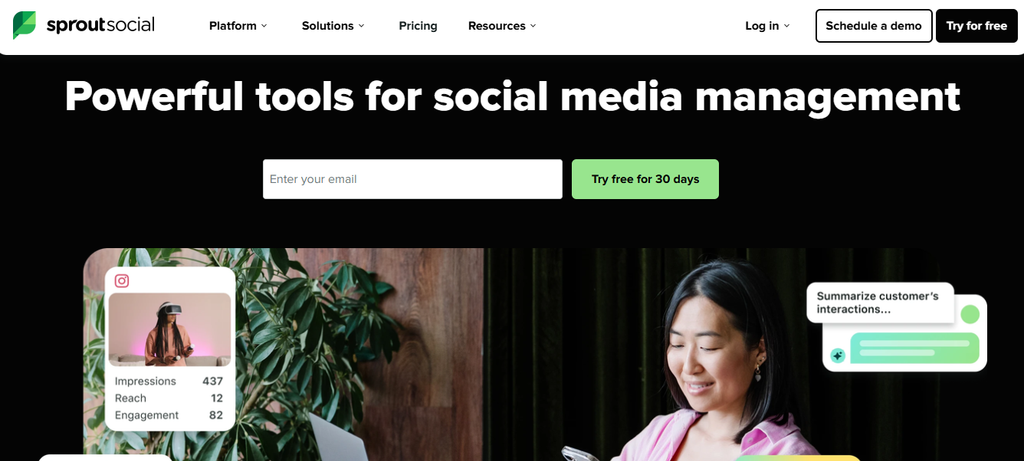
Sprout Social is a mature social media management suite built around publishing, engagement, analytics, collaboration, customer care, and social intelligence. Its Smart Inbox, reporting tools, AI functionality, competitor insights, and enterprise options make it suitable for organizations that need substantial depth.
The main concern is price. Most core plans use per-seat pricing, so a multi-person marketing department can face a much larger bill than the advertised cost for one user.
Sprout Social Top Features
- Smart Inbox: Centralizes supported social conversations so teams can manage customer interactions more efficiently.
- Publishing and Planning: Supports scheduling, content calendars, recommended send times, and collaborative publishing.
- Advanced Analytics: Provides performance, competitor, paid, customer-care, and productivity reporting depending on plan.
- AI Assistance: Uses Trellis and AI Assist features to support content and engagement workflows.
- Customer Care Tools: Higher plans add sentiment, spike alerts, helpdesk integrations, and team productivity reporting.
Sprout Social Pros
- Strong reporting capabilities.
- Mature unified inbox.
- Unlimited social profiles on Professional and higher.
- Extensive enterprise and customer-care functionality.
- 30-day trial on most plans.
Sprout Social Cons
- Per-seat pricing can become expensive for larger teams.
- Several advanced capabilities require Professional or Advanced.
- Listening and premium analytics can involve additional products.
- Small businesses may not need the depth they are paying for.
Sprout Social Pricing Plans
Essentials starts at $79 per seat per month billed annually, or $99 monthly.
Standard costs $199 per seat per month billed annually.
Professional costs $299 per seat per month billed annually.
Advanced costs $399 per seat per month billed annually. Enterprise uses custom pricing.
3. Hootsuite
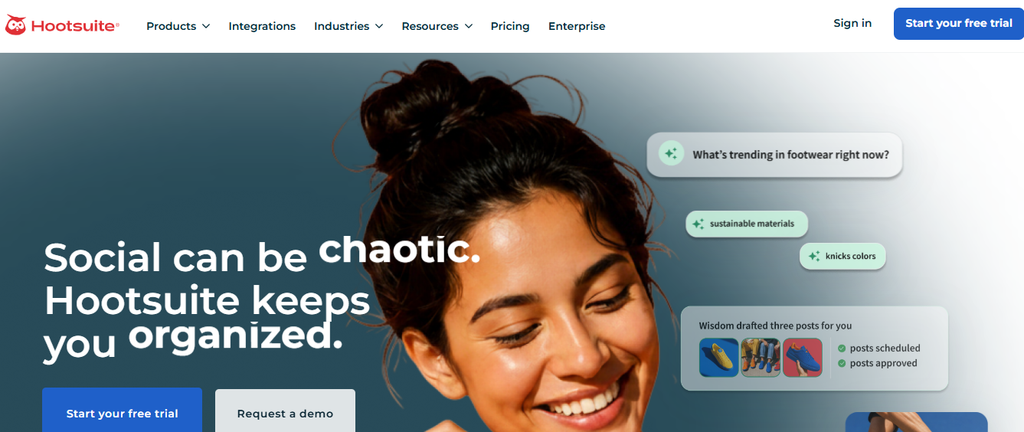
Hootsuite remains one of the broadest social media management platforms, combining scheduling, content creation, inbox management, monitoring, analytics, competitor research, AI, and enterprise controls. Professional and higher plans support unlimited social accounts, which can be useful if profile count matters more to you than seat count.
Its concern is also pricing. Published 2026 plans are charged per user, and approval workflows sit on the $399-per-user Advanced tier rather than the entry plans.
Hootsuite Top Features
- Unlimited Scheduling: Schedule ongoing social content without a small queue limit.
- Unified Inbox: Manage supported messages and interactions from one dashboard.
- Wisdom AI: Helps generate posts, images, recommendations, and analysis.
- Monitoring and Listening: Tracks brand, competitor, and social conversations with depth varying by plan.
- Analytics: Creates performance reports, with custom reporting on higher tiers.
Hootsuite Pros
- Broad social media management feature set.
- Unlimited social accounts on Professional and higher.
- Strong monitoring and analytics options.
- Useful AI capabilities across plans.
- Suitable for larger and more structured teams.
Hootsuite Cons
- Standard starts at $99 per user per month on annual billing.
- Approval workflows require Advanced.
- Costs rise directly as you add users.
- Enterprise listening and governance may be excessive for simple scheduling needs.
Hootsuite Pricing Plans
Standard costs $99 per user per month billed annually. Professional costs $199 per user per month billed annually. Advanced costs $399 per user per month billed annually. Enterprise pricing is custom, while month-to-month billing is available at higher unpublished rates.
4. Sendible
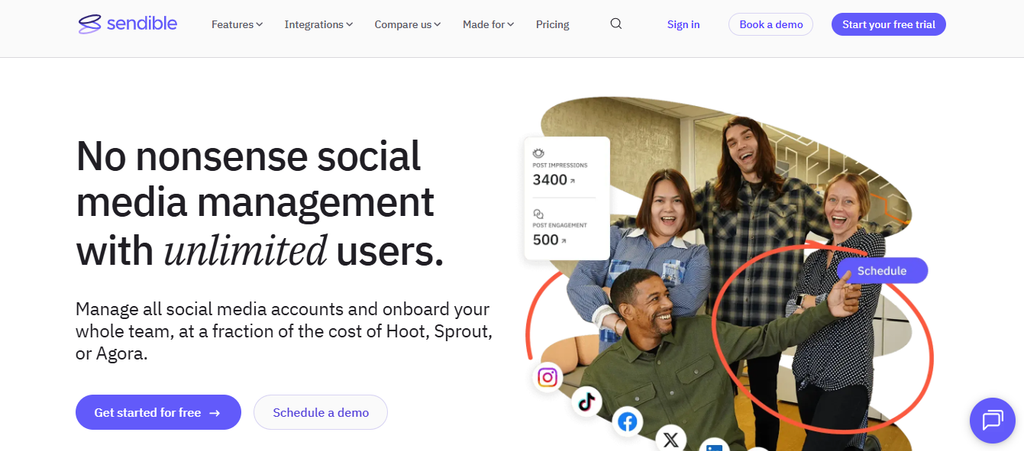
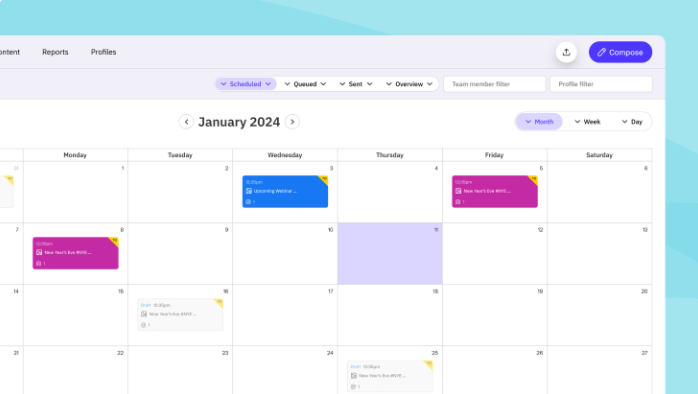
Sendible has a strong agency and multi-brand focus. Its current plans include unlimited users, workspaces, bulk scheduling, engagement management, AI assistance, reporting, and increasingly sophisticated permissions as you move up the tiers.
The trade-off is profile and workspace capacity. Core includes only one workspace and six profiles; approvals require Plus or higher, and white labeling is restricted to higher tiers as an add-on.
Sendible Top Features
- Unlimited Users: Allows entire teams to collaborate without a separate seat charge on current plans.
- Workspaces: Separates brands or clients into dedicated environments.
- Bulk Scheduling: Lets you upload and schedule larger content batches.
- Monitoring and Replying: Centralizes supported engagement activity.
- Reporting: Offers reports, with branded reporting available on higher plans.
Sendible Pros
- Unlimited users across published plans.
- Clear agency-oriented workspace model.
- Supports approval workflows on Plus and higher.
- Bulk scheduling can reduce repetitive posting work.
- Dedicated onboarding is included on Premium.
Sendible Cons
- Core includes only six social profiles.
- Core lacks approval workflows.
- White labeling requires a higher plan and add-on.
- Agencies with many clients may quickly move into Premium, Elite, or Enterprise pricing.
Sendible Pricing Plans
Core costs $35 per month for one workspace and six social profiles. Plus costs $99 for three workspaces and 18 profiles. Premium costs $199 for seven workspaces and 42 profiles. Elite costs $299 for 15 workspaces and 90 profiles. Enterprise costs $750 for 50 workspaces and 300 profiles. Annual billing offers a 15% saving.
5. SocialPilot
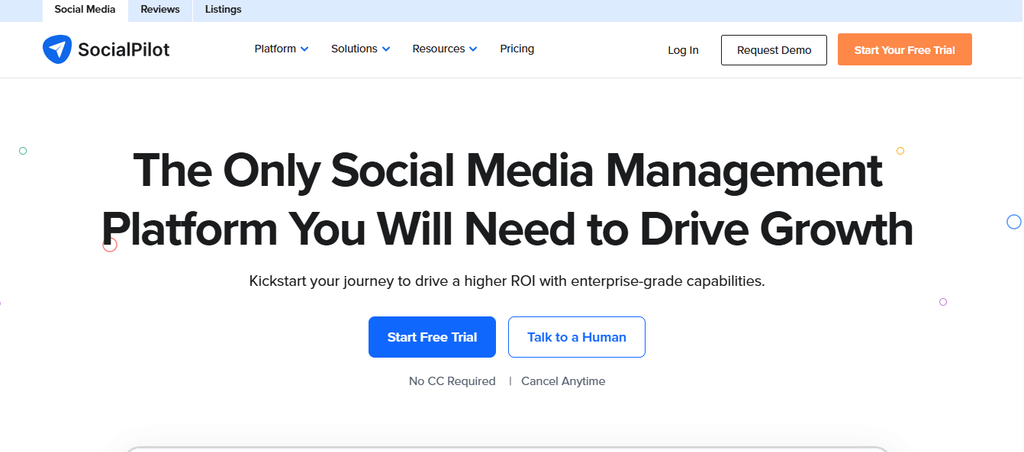
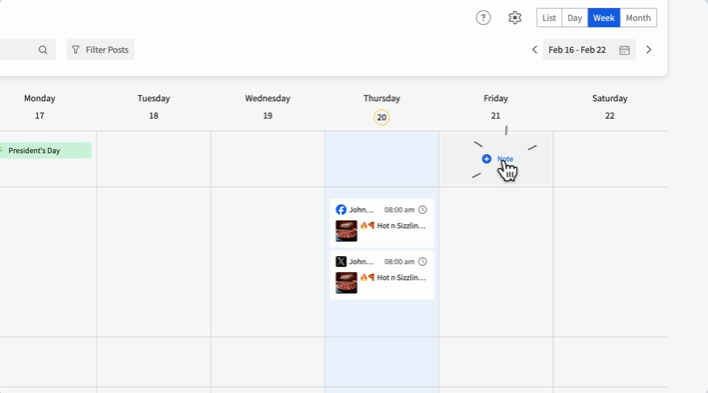
SocialPilot targets professionals, small teams, agencies, and multi-location businesses with scheduling, analytics, collaboration, approvals, inbox tools, AI, and white-label reporting. Its current plans bundle multiple users into higher tiers instead of charging the full subscription price for every seat.
One concern is that meaningful agency functionality sits above the entry plans. Client approvals and white-label reports appear on Premium, while API access and SSO belong to Enterprise.
SocialPilot Top Features
- Bulk Scheduling: Helps you prepare large volumes of content in advance.
- Social Inbox: Centralizes engagement on supported networks.
- AI Pilot: Provides AI-assisted social content capabilities.
- Client Approval: Lets agency clients review content on higher plans.
- White-Label Reporting: Helps agencies deliver branded performance reports.
SocialPilot Pros
- Bundled users on Standard and higher.
- Supports a broad range of social platforms.
- Agency-friendly approval features.
- Competitive account allowances.
- Ultimate includes unlimited users.
SocialPilot Cons
- Essentials is restricted to one user.
- Client approval requires Premium.
- API access requires Enterprise.
- Additional accounts or users can add to the advertised plan price.
SocialPilot Pricing Plans
On its current plans page, Essentials costs $30 monthly or $25.50 per month billed annually. Standard costs $50 monthly or $42.50 annually. Premium costs $100 monthly or $85 annually. Ultimate costs $200 monthly or $170 annually. Enterprise uses custom pricing.
6. Statusbrew
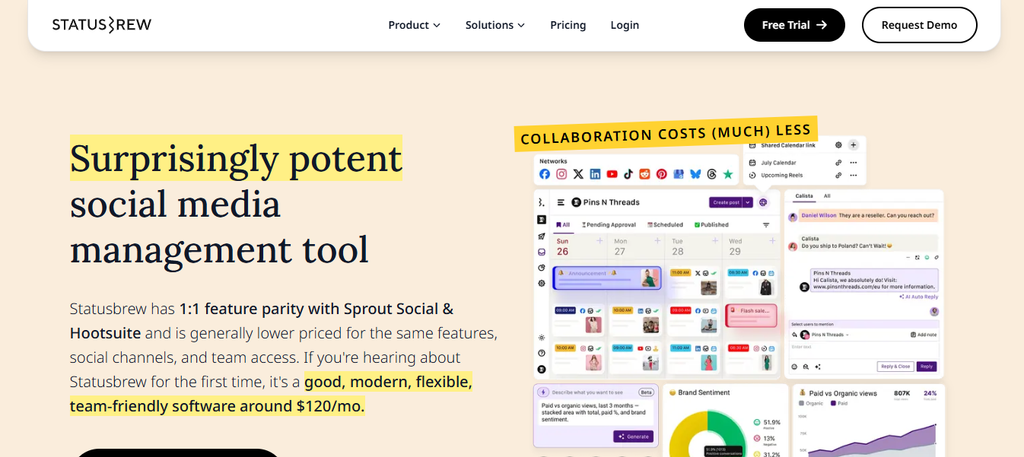
Statusbrew is particularly strong when your team deals with large volumes of conversations. Publishing, an all-in-one inbox, automation rules, moderation, assignments, reporting, sentiment analysis, approvals, listening, and CRM connections make it more engagement-focused than lightweight schedulers.
The limitation is that its best automation and collaboration capabilities appear on higher plans. Lite is built for one user and five profiles, while advanced listening, approvals, sentiment analysis, and team reporting are associated with Premium.
Statusbrew Top Features
- Unified Inbox: Brings supported messages, comments, reviews, and engagement into one workflow.
- Rule Engine: Automates moderation and repetitive engagement tasks.
- Approval Workflows: Adds structured review processes on higher plans.
- Sentiment Analysis: Helps classify and prioritize audience conversations.
- Reporting and Listening: Supports dashboards, competitor insights, and social or web listening depending on plan.
Statusbrew Pros
- Strong engagement automation.
- Useful for high-volume moderation.
- Includes bundled users on Standard and Premium.
- Provides team and SLA reporting.
- Integrates with tools such as HubSpot and Salesforce on higher plans.
Statusbrew Cons
- Lite supports only one user and five profiles.
- Advanced collaboration is not included at entry level.
- Social and web listening requires Premium.
- Enterprise requirements move you into custom pricing.
Statusbrew Pricing Plans
Lite costs $69 per month billed annually for one user and five profiles. Standard costs $129 per month billed annually for three users and 10 profiles. Premium costs $229 per month billed annually for six users and 15 profiles. Enterprise and multi-account agency packages use custom pricing.
7. Later

Later is a visual-first social media platform known for scheduling, Instagram-oriented planning, Link in Bio, analytics, and creator-focused workflows. Growth and Scale extend the platform with features such as a social inbox, deeper analytics, and broader brand-management capabilities.
The main limitation is its social-set pricing structure and tier limits. Starter is designed around one brand and one user, while more substantial team, listening, and analytics requirements can push you to Scale or enterprise arrangements.
Later Top Features
- Visual Planning: Makes Instagram and visual content easier to organize.
- Multi-Platform Scheduling: Supports publishing across major social networks.
- Link in Bio: Provides a customizable link destination for social traffic.
- Analytics: Tracks profile and post performance with depth varying by plan.
- Social Inbox: Available on higher tiers for supported engagement workflows.
Later Pros
- Strong visual planning experience.
- Well suited to creator and visual-brand workflows.
- Supports multiple major networks.
- Link in Bio is included in paid plans.
- Scale provides unlimited scheduled posts per profile.
Later Cons
- Starter supports only one user.
- Starter limits posts per profile.
- Social Inbox requires a higher plan.
- Advanced listening and reporting are not entry-level features.
Later Pricing Plans
Current 2026 pricing is $25 per month for Starter, or $18.75 per month with annual billing. Growth costs $50 monthly or $37.50 annually. Scale costs $110 monthly or $82.50 annually. Agency and Enterprise arrangements use custom pricing.
8. Metricool
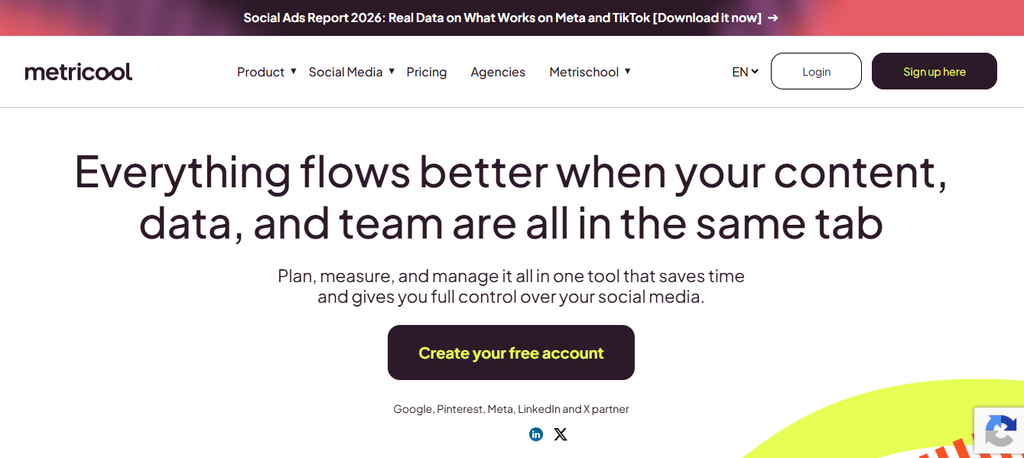
Metricool combines planning, scheduling, analytics, reporting, competitor research, ad analysis, AI assistance, and client management. Its Free plan gives individual users a low-risk way to test the product, while Advanced adds approvals, client management, custom reports, Looker Studio, and API access.
The main concern is feature gating. LinkedIn is unavailable on Free, Twitter/X requires an add-on on paid tiers, and the strongest team and API functionality requires Advanced or Custom.
Metricool Top Features
- Social Planner: Schedules and organizes cross-platform content.
- Analytics: Tracks network and content performance over time.
- Competitor Analysis: Lets you monitor competing profiles.
- Automated Reports: Produces downloadable and scheduled performance reporting.
- Team and Client Management: Adds roles, approvals, and client workflows on Advanced.
Metricool Pros
- Permanent Free plan.
- Strong reporting functionality.
- Competitor analysis is included.
- Advanced supports API access.
- Useful pricing options based on number of brands.
Metricool Cons
- Free excludes LinkedIn and X.
- X connections require a paid add-on.
- Approval workflows require Advanced.
- White labeling is reserved for Custom.
Metricool Pricing Plans
Free costs $0 for one brand. Starter begins around $20 per month with annual billing or $25 monthly for up to five brands, with a higher allowance available for 10 brands. Advanced begins around $53 per month annually or $67 monthly for up to 15 brands and scales further for 25 or 50 brands. Custom pricing is available for larger organizations.
9. ContentStudio
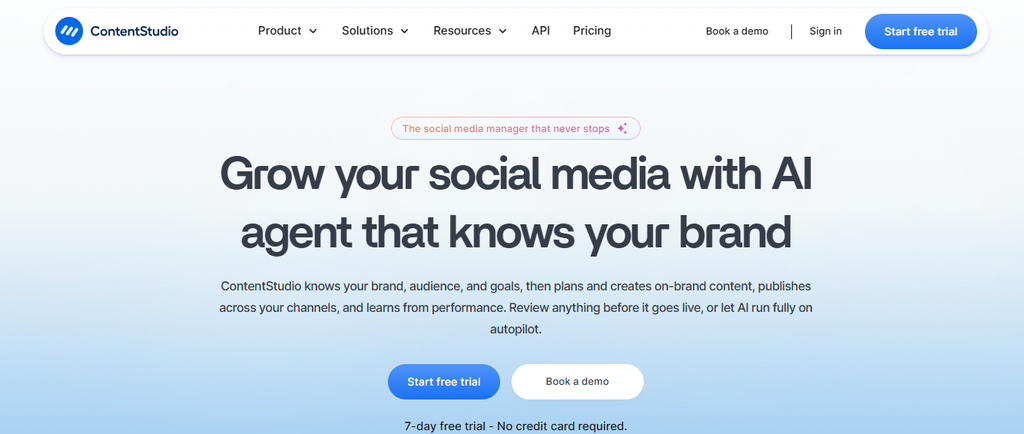
ContentStudio combines social scheduling with AI content generation, automation, content planning, analytics, inbox management, competitor analysis, evergreen recycling, RSS publishing, approvals, and agency functionality. Its current pricing is particularly interesting for teams that want AI creation and publishing in the same product.
The trade-off is that Standard lacks a social inbox and approval workflows. Social listening, white labeling, and SSO are also separate costs or higher-tier capabilities.
ContentStudio Top Features
- AI Studio: Generates text, images, video, and other social assets.
- Content Planner: Organizes multi-channel publishing from a unified calendar.
- Social Inbox: Centralizes supported conversations on Advanced and higher.
- Evergreen Automation: Recycles content and supports RSS autoposting.
- Agency Management: Adds client workspaces, scalable accounts, and onboarding.

ContentStudio Pros
- Strong combination of AI and scheduling.
- Unlimited posting on paid plans.
- Useful automation options.
- Agency Unlimited includes unlimited users and workspaces.
- API and automation capabilities are available.
ContentStudio Cons
- Standard does not include the social inbox.
- Approval workflows require Advanced.
- Social listening costs extra.
- White labeling and SSO can increase total cost.
ContentStudio Pricing Plans
Standard costs $29 per month or $19 per month billed annually. Advanced costs $69 monthly or $49 annually. Agency Unlimited costs $139 monthly or $99 annually. Enterprise pricing is custom. Social listening, white labeling, and SSO are available as paid add-ons depending on plan.
10. Sprinklr
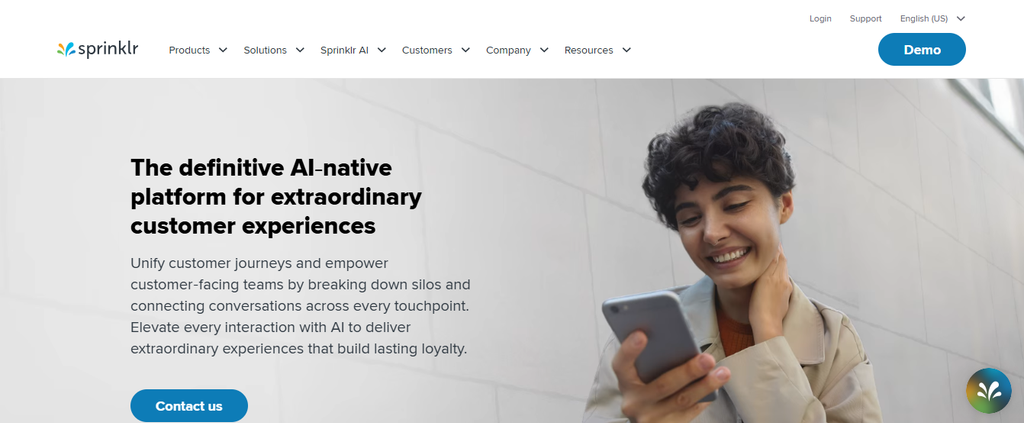
Sprinklr Social is built for organizations managing social media across multiple brands, markets, departments, and regions. It combines publishing, engagement, listening, analytics, customer care, advertising, commerce, governance, workflows, and AI in an enterprise-focused environment.
That depth is also its biggest drawback for smaller teams. Implementation, governance, and enterprise-level functionality can create unnecessary complexity if you mainly need scheduling, approvals, or simple reporting.
Sprinklr Top Features
- Enterprise Publishing: Coordinates content across brands, markets, and teams.
- Social Listening: Monitors large volumes of social conversations.
- Engagement Management: Centralizes customer interactions and workflows.
- Enterprise Governance: Provides permissions, compliance controls, and audit capabilities.
- AI-Powered Analytics: Helps organizations analyze sentiment, performance, and customer signals.
Sprinklr Pros
- Designed for global-scale social operations.
- Supports 30+ digital and social channels.
- Strong listening and governance.
- Deep integrations across enterprise workflows.
- Combines social, care, advertising, and analytics.
Sprinklr Cons
- Can be overly complex for small businesses.
- Current public Social pricing is not transparent.
- Implementation requirements are heavier than lightweight schedulers.
- Many smaller teams will not use its full enterprise feature set.
Sprinklr Pricing Plans
Sprinklr currently positions Sprinklr Social around custom enterprise pricing and personalized demos rather than publishing a simple 2026 self-service price table.
How We Evaluated and Ranked the Best Agorapulse Alternatives
Feature Relevance: Does the Platform Solve a Real Workflow Problem?
The first factor is practical usefulness. A large feature list means little if the product does not solve your specific problem, whether that problem is scheduling, approvals, client management, analytics, engagement, automation, listening, or enterprise governance.
We therefore looked at what each platform actually provides rather than treating every feature as equal. A social inbox is more important to a customer-care team than an advanced visual grid, while a creator may have exactly the opposite priorities.
Total Cost: What Will You Actually Pay as You Grow?
Starting prices can be misleading. We considered whether tools charge per seat, profile, workspace, social set, brand, or bundled plan because those structures produce very different costs once your team grows.
This is particularly important when comparing with Agorapulse. Its paid plans use per-user pricing, and the 10 included social profiles are shared across users rather than increasing every time you buy another seat.
Scalability: Can the Tool Grow With Your Workflow?
A good tool should not force a migration every time you hire someone or win another client. We looked for additional profiles, users, workspaces, permissions, approvals, reporting, integrations, API access, and enterprise options.
Global social usage continues to expand. DataReportal reported 294 million additional active social identities over the 12 months leading into its 2026 mid-year update, equal to more than 800,000 new identities per day. Your management workflow therefore needs room to handle more content, conversations, and channels over time.
Usability and Decision Value: Can You Turn Features Into Results?
Complexity has a cost. A platform that takes longer to configure, approve, report, or navigate can offset the benefit of having more features.
We therefore gave weight to workflows that reduce repetitive work or make decisions easier. Calendars, automation rules, approval systems, clear reports, reusable assets, templates, AI assistance, and centralized inboxes can all translate directly into fewer manual steps.
Must-know Tip: More software is not automatically better software. The strongest choice is usually the platform that removes the most costly steps from your existing workflow.
How to Migrate From Agorapulse Without Losing Your Workflow
Audit What You Actually Use
Before switching, list the Agorapulse features your team uses every week. Separate essential functions from features that exist in your plan but rarely influence your work.
Pay particular attention to publishing queues, inbox rules, saved replies, labels, reports, approvals, client access, integrations, and social listening. Those are the areas most likely to create disruption after a migration.
Compare Feature Parity Before Comparing Price
A cheaper tool can become expensive if it forces you to buy other software. For example, replacing scheduling while losing moderation, approvals, analytics, or client reports could create a fragmented workflow that costs more in staff time.
Build your comparison around jobs rather than marketing terminology. Ask whether the alternative lets you complete each important task with the same or fewer steps.
Export What You Can
Save reports, content history, assets, reusable text, campaign information, moderation rules, and internal documentation before canceling your subscription. Historical information can become important months later when you need to compare performance.
Also document approval procedures and naming conventions. Software can change, but your team’s operating process should remain understandable.
Run Both Systems Briefly
A short overlap period reduces risk. Move scheduled publishing first, verify account connections and permissions, and test how posts appear on every important network.
Then test reporting, engagement, approvals, and automation before closing the old account. Mydrop’s Agorapulse-alternative guidance similarly recommends moving publishing first and inbox workflows later rather than attempting an abrupt all-at-once migration.
Must-know Tip: Sprout Social CMO Scott Morris argues that consumers expect “meaningful engagement and cultural relevance on social media that goes beyond trend-chasing.” Preserve the workflows that help your team respond and engage, not just the ones that publish posts.
Conclusion: Choosing Among 10 Agorapulse Alternatives
The best choice among these 10 Agorapulse alternatives depends on the problem you want to solve. Agorapulse remains capable in publishing, inbox management, moderation, approvals, analytics, and ROI reporting, so switching only makes sense when another pricing model or workflow better matches your business.
SocialSchedulify combines scheduling with a visual calendar, AI writing, approvals, campaigns, UGC tools, RSS automation, analytics, and higher-tier agency capabilities. Sprout Social, Hootsuite, Sendible, SocialPilot, Statusbrew, Later, Metricool, ContentStudio, and Sprinklr each approach social management from different angles.
Compare the features you use, your real number of users and profiles, annual cost, migration requirements, and future growth before choosing. The best social media platform is the one that reduces work while preserving the capabilities your team genuinely needs.
Frequently Asked Questions About Agorapulse Alternatives
What are the best Agorapulse alternatives?
Popular alternatives include SocialSchedulify, Sprout Social, Hootsuite, Sendible, SocialPilot, Statusbrew, Later, Metricool, ContentStudio, and Sprinklr. The best choice depends on whether you prioritize scheduling, inbox management, AI, analytics, client management, social listening, or enterprise controls.
Why do companies look for Agorapulse alternatives?
Price is one reason because Agorapulse’s main plans use per-user pricing. Other teams compare alternatives because they need different collaboration models, deeper analytics, specific automation capabilities, lower-cost publishing, or enterprise functionality.
What is a cheaper alternative to Agorapulse?
Several tools have a lower starting price. SocialSchedulify starts at $9 per month, Metricool has a Free plan and paid Starter plans, ContentStudio starts below Agorapulse, and Later also has a lower entry price.
You should still compare total cost rather than starting price. Account limits, users, add-ons, listening, reporting, and white labeling can materially change the final bill.
Is there a free Agorapulse alternative?
Metricool currently provides a permanent Free plan for one brand, although it has limitations including no LinkedIn or X connection on that tier. Free plans can be useful for testing workflows, but growing businesses often need paid collaboration, analytics, inbox, or reporting features.
Which Agorapulse alternative is best for agencies?
Sendible, SocialPilot, SocialSchedulify, ContentStudio, Statusbrew, and several other tools provide agency-oriented features. Important capabilities to compare include client workspaces, approval links, bundled users, white-label reports, custom branding, profile limits, and client permissions.
Which alternative is best for social media analytics?
Sprout Social offers extensive analytics, while Metricool is particularly analytics-focused for its price. Hootsuite, SocialPilot, ContentStudio, Statusbrew, Sprinklr, and SocialSchedulify also provide reporting capabilities at different levels.
The right choice depends on what you need to measure. Client reporting, competitor analysis, ROI, inbox performance, paid media, and enterprise intelligence require different kinds of analytics.
Which alternative is best for social media engagement?
Statusbrew, Sprout Social, Hootsuite, Sendible, and Sprinklr all offer engagement-management capabilities. You should check exactly which networks, message types, ad comments, reviews, automation rules, assignments, and moderation actions each platform supports.
This category deserves careful attention because customer expectations are high. In the 2025 Sprout Social Index, 73% of consumers expected brands to respond within 24 hours.
Is SocialSchedulify a good alternative to Agorapulse?
SocialSchedulify can be relevant if you need more than conventional scheduling. Its documented capabilities include Smart Social Publish, a visual calendar, AI-assisted writing, approvals, campaigns, UGC tools, RSS automation, analytics, report exports, and agency features on higher plans.
Its Starter plan is more limited, particularly with five social profiles and basic analytics. You should therefore compare the Professional, Business, or Agency tiers if your requirements are broader.
What is the easiest way to switch from Agorapulse?
Start by documenting every Agorapulse feature your team actually uses. Export historical information where possible, recreate essential workflows in the new platform, reconnect social accounts carefully, and test publishing before moving engagement and reporting.
A short period using both systems can reduce migration risk. It also gives your team time to verify permissions, posting formats, analytics, and approval workflows.
Is Hootsuite cheaper than Agorapulse?
Not necessarily. Hootsuite Standard currently starts at $99 per user per month billed annually, while Agorapulse Standard starts at $79 per user per month billed annually.
The final comparison depends on social-account limits and required features. Hootsuite Professional and higher support unlimited social accounts, which can materially change the economics for some teams.
Is Sprout Social more expensive than Agorapulse?
At published annual rates, Sprout Social’s main plans generally start higher. Sprout Standard is $199 per seat per month billed annually, while Agorapulse Standard is $79 per user per month billed annually.
Sprout also offers a lower-priced Essentials plan focused more heavily on publishing. You should therefore compare feature parity rather than matching plan names.
Which Agorapulse alternative is best for AI social media management?
Several platforms now incorporate AI. SocialSchedulify offers an AI Writer Assistant, Hootsuite uses Wisdom, Sprout Social uses Trellis and AI Assist, SocialPilot provides AI Pilot, Metricool has an AI social assistant, and ContentStudio includes broader AI creation tools.
AI alone should not decide your purchase. Compare how the AI connects to publishing, approvals, analytics, automation, and your existing workflow.
What should I check before choosing an Agorapulse competitor?
Start with social-network support, profile limits, user limits, publishing, inbox capabilities, approvals, analytics, reporting, AI, listening, integrations, API access, customer support, and security. Then calculate what the system will cost using your actual team and client numbers.
Finally, test the product with real work rather than sample posts. A free trial should show you whether scheduling, approvals, engagement, and reporting genuinely require fewer steps than your current process.