
Managing social media becomes frustrating when the software designed to simplify your work starts creating another layer of complexity. That is why more marketing, PR, and social teams are exploring Brandwatch alternatives that better match their budgets, workflows, and actual day-to-day needs.
The opportunity is enormous. There are now about 5.66 billion active social media user identities worldwide, equal to 68.7% of the global population, while the total grew by roughly 259 million in one year. At the same time, 73% of social media users expect brands to respond within 24 hours.
Below, you will find 10 Brandwatch alternatives covering social publishing, listening, consumer intelligence, media monitoring, analytics, reputation management, and team collaboration.
Why Are Companies Looking for Brandwatch Alternatives in 2026?
Brandwatch remains a powerful consumer intelligence and social media platform. Its Consumer Intelligence product can process around half a billion posts from more than 100 million sources every day, giving larger organizations access to enormous amounts of conversation data.
That scale is valuable. But scale alone does not mean every company needs the same platform.
Pricing Visibility and Better Budget Control
Brandwatch offers standard through enterprise solutions, but its current public plan page does not display fixed dollar prices. You need to request a demo and discuss the appropriate package with its sales team.
That approach can work well for enterprises with specialized requirements. Smaller businesses and growing teams often prefer knowing their potential monthly cost before contacting sales.
Transparent pricing also makes comparison easier. You can calculate what adding users, social profiles, clients, reports, historical data, or higher monitoring volumes may do to your total software spend.
A cheaper platform is not automatically better. The real goal is finding a tool where you regularly use enough of the included functionality to justify what you pay.
Easier Workflows and Faster Adoption
Consumer intelligence platforms can be extremely sophisticated. That is useful when you have analysts who need large datasets, complex queries, audience segmentation, image analysis, trend discovery, and historical research.
However, many teams mainly need to schedule posts, approve content, answer comments, monitor important conversations, run campaigns, and measure results. A more focused platform may shorten the distance between logging in and completing those jobs.
Your choice should therefore reflect the people actually using the software. A powerful feature has little business value when your team rarely understands or needs it.
The market has also become much broader. Some alternatives focus heavily on publishing, others on PR monitoring, while products such as Brand24 and Talkwalker emphasize listening and intelligence.
Social Data Is Becoming More Important, Not Less
The reason to consider another tool is not that social intelligence has become irrelevant. The opposite is happening.
DataReportal reports that adults worldwide use social media on an average of 4.21 days per week. Sprout Social’s 2025 research also found that 93% of consumers believe brands should keep up with online culture.
This means you still need reliable data. You simply need the right level of data for your business.
Must-know Tip: Jason Mitchell describes the next step well: “It’s time to stop ‘social listening’ and start ‘social doing.’” The value comes from acting on what you learn, not collecting dashboards you rarely use.
Brandwatch Pricing Explained: What Will You Really Pay?
Brandwatch does not currently publish fixed dollar prices for its primary Consumer Intelligence and Social Media Management solutions on its public plans page. Instead, it offers standard through enterprise packages and asks prospective customers to schedule a demo.
Your Required Solution Affects the Cost
Brandwatch is not a single-purpose application. Its suite covers Consumer Intelligence, Social Media Management, Influencer Marketing, Search Intelligence, media intelligence services, and related capabilities.
That means your requirements influence what you eventually purchase. A team that only needs publishing and engagement should not evaluate costs in the same way as a global research department requiring large-scale consumer intelligence.
Before requesting a quote, write down the exact functions you need. This prevents impressive but unnecessary capabilities from becoming the basis of your comparison.
Your Number of Users and Workflows Matter
Social software costs can rise quickly when pricing depends on users, workspaces, monitored topics, profiles, historical data, or additional products.
This is why comparing Brandwatch with a $20 or $100 social scheduling platform purely on subscription price gives you an incomplete picture. The products may solve very different problems.
Calculate the total cost of the workflow instead. Include subscriptions, add-ons, implementation, training, reporting requirements, and the time your team spends operating the software.
Ask What Is Included Before Signing
When evaluating any quote-based Brandwatch alternative, ask about historical data, real-time monitoring, exports, dashboards, API access, support, onboarding, limits, and contract length.
You should also ask how pricing changes when your mention volume or team grows. A low initial quote can become less attractive if the features you need sit behind additional packages.
The strongest buying decision comes from matching cost with your real use case, not from selecting either the cheapest or most feature-heavy platform.
10 Brandwatch Alternatives You Should Try in 2026
The best Brandwatch alternative is not necessarily the product with the longest feature list. It is the one that removes the biggest friction in your current workflow.
If you spend most of your week publishing content, working with approvals, managing campaigns, responding to customers, or preparing reports, an all-in-one social management platform may deliver more day-to-day value than a research-heavy system.
If listening is your priority, focus instead on data coverage, update speed, sentiment, alerts, historical data, and competitive intelligence.
Here are 10 options worth comparing.
1. Social Schedulify
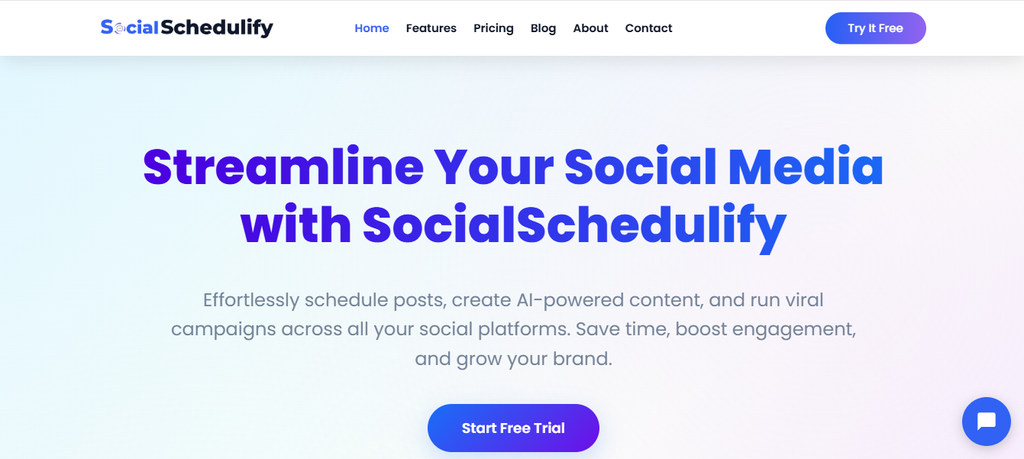
Social Schedulify takes a practical social media management approach. Rather than surrounding you with an enterprise research environment, it brings publishing, campaigns, content creation, approvals, UGC tools, and performance analysis into one workflow.
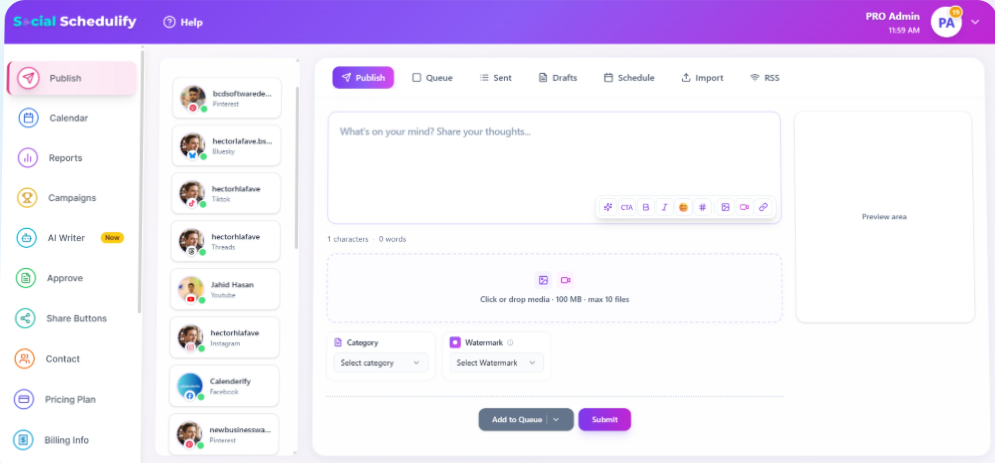
Its Smart Social Publish feature lets you create, schedule, and distribute social posts from one place. The visual content calendar then helps you see upcoming campaigns and posting dates before they become difficult to manage.
The platform also includes an AI Writer Assistant for drafting campaign content, post-approval functionality, campaign history, account notifications, share buttons, saved contacts, and campaign performance tracking. Its analytics documentation lists engagement, reach, impressions, click-through rates, best posting times, top content, and audience demographics.
Another useful difference is its campaign and UGC focus. Social Schedulify supports social campaigns such as contests and sweepstakes, user-generated content workflows, RSS-based sharing, and performance reports, allowing you to manage more of the execution side of social marketing from one dashboard.
Social Schedulify Key Features
• Smart Social Publish: Lets you create, schedule, and distribute posts from a centralized workflow, reducing repeated work across social accounts.
• Visual content calendar: Gives you a clearer view of campaigns and publishing dates so you can organize upcoming content before scheduling conflicts appear.
• AI Writer Assistant: Helps draft social content for campaigns, reducing the time spent moving from an idea to a usable post.
• Post approval workflow: Allows content to be reviewed, approved, rejected, edited, or rescheduled before publication.
• UGC and campaign tools: Supports user-generated content management plus engagement-focused campaigns such as contests and sweepstakes.
• Performance analytics: Tracks engagement, reach, impressions, clicks, campaign performance, and other data that can guide future content decisions.
Social Schedulify Pros
• Transparent public pricing makes budgeting easier.
• A 14-day free trial lets you test the platform without immediately committing.
• Publishing, campaign management, approvals, AI content creation, and analytics sit within the same product.
• Higher plans support team collaboration and more social profiles.
• The Business plan includes advanced analytics and ROI tracking.
• The Agency plan offers multi-client workspaces, white-label options, custom reports, and unlimited social profiles.
• Annual billing currently offers a 20% discount compared with monthly billing.
Social Schedulify Cons
• The lowest Starter tier provides basic analytics, while more advanced capabilities require higher plans.
• Businesses requiring Brandwatch-level large-scale consumer research should verify whether Social Schedulify’s execution-focused feature set covers their specific listening requirements.
Social Schedulify Pricing Plans
Starter: $9/month, or about $7/month with annual billing. Professional: $29/month, or about $23/month annually. Business: $59/month, or about $47/month annually. Agency: $99/month, or about $79/month annually.
Why Choose Social Schedulify?
Choose Social Schedulify when your main goal is turning social strategy into consistent execution. You can plan content, schedule posts, create copy with AI, manage approvals, work with user-generated content, run engagement campaigns, and measure performance without stitching several basic tools together.
Its pricing is also easier to predict than many enterprise platforms. That makes it particularly relevant for creators, growing brands, marketing teams, and agencies that care more about managing social activity efficiently than performing highly specialized consumer research.
2. Sprout Social
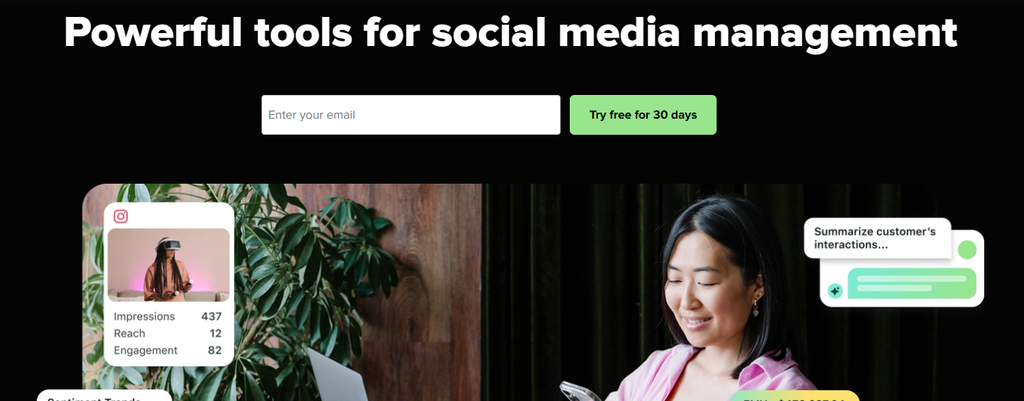
Sprout Social combines publishing, engagement, customer care, analytics, AI, and optional social listening. Standard plans include a consolidated inbox, collaboration tools, keyword and location monitoring, review management, and its Trellis AI agent.
For deeper listening, however, Sprout’s Listening solution is an add-on available from the Standard plan upward. That is an important cost consideration if listening is the main reason you are replacing Brandwatch.
Sprout has invested heavily in AI. Its 2026 product updates describe Trellis as an agentic AI engine used across listening, publishing, reporting, and inbox workflows.
Sprout Social Key Features
• Smart Inbox: Consolidates incoming social conversations so your team can manage engagement more efficiently.
• Publishing tools: Support social scheduling, content planning, and coordinated publishing workflows.
• Trellis AI: Helps analyze social information and automate selected marketing workflows.
• Social listening add-on: Tracks unfiltered conversations, sentiment, topics, and sudden changes in conversation volume.
• Advanced reporting: Gives larger teams access to performance analysis, competitor insights, and customizable reporting.
Sprout Social Pros
• Strong mix of management and intelligence features.
• Unlimited social profiles are included from the Professional tier.
• Listening supports sentiment tracking and spike alerts.
• Mature collaboration and customer-care workflows.
• Enterprise plans include tailored onboarding and SSO assistance.
Sprout Social Cons
• Pricing is per seat, which can become expensive as your team grows.
• Full Listening is an additional product rather than part of the base subscription.
• Advanced features sit behind higher-priced tiers.
• The platform may exceed the budget of small businesses with basic scheduling needs.
Sprout Social Pricing Plans
Essentials costs $79 per seat/month when billed annually and $99 when billed monthly. Standard costs $199 per seat/month, Professional $299 per seat/month, and Advanced $399 per seat/month with annual billing. Enterprise uses custom pricing.
Why Choose Sprout Social?
Sprout is a strong option when you want publishing, engagement, customer care, analytics, and listening within the same broader ecosystem. It works particularly well for structured teams with defined social workflows.
The main issue is cost. Per-seat pricing plus a separate Listening add-on can make the total expense considerably higher than the headline plan price, so calculate your required seats and add-ons before deciding.
3. Brand24
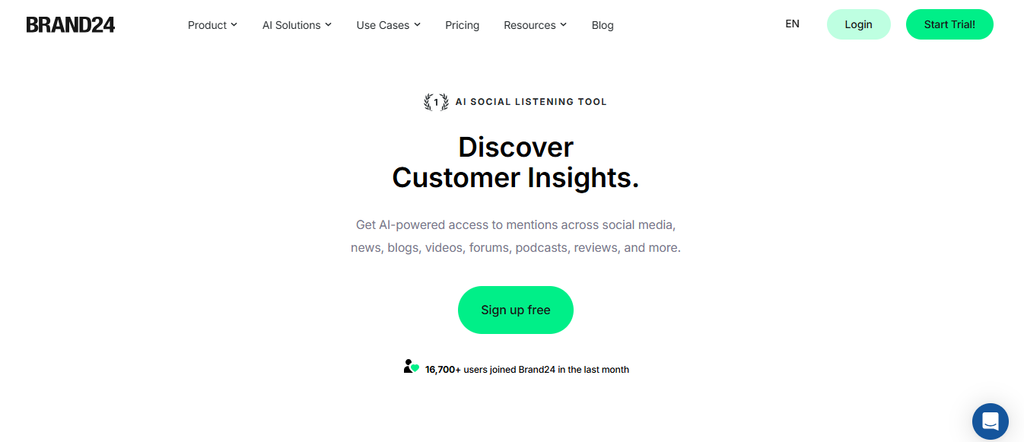
Brand24 focuses heavily on media monitoring and social listening. It tracks brand conversations across social platforms, news, blogs, forums, reviews, podcasts, videos, and the broader web, with the company stating that it monitors more than 25 million online sources.
Its AI capabilities go beyond basic mention counting. Brand Assistant can answer questions using your project data, while Topic Analysis groups conversations by subject, sentiment, reach, and share of voice.
The trade-off is that usage limits vary heavily by plan. Entry-level subscriptions restrict keywords, mentions, users, and update frequency.
Brand24 Key Features
• AI Brand Assistant: Answers questions using your monitoring data rather than relying only on generic AI knowledge.
• AI sentiment analysis: Classifies mentions as positive, neutral, or negative to help you monitor perception.
• Events detection: Flags unusual changes in mention volume or reach and helps explain what caused them.
• Topic Analysis: Groups conversations into themes and compares reach, sentiment, mentions, and share of voice.
• Multi-source monitoring: Tracks social media, news, forums, reviews, podcasts, blogs, videos, and other online sources.
Brand24 Pros
• Strong monitoring focus.
• Public and relatively easy-to-understand pricing.
• AI tools reduce manual analysis.
• Real-time updates are available on higher plans.
• Reports can be exported in several common formats.
Brand24 Cons
• The Individual plan updates only every 12 hours.
• Monthly mention and keyword limits apply.
• Several advanced AI capabilities require Pro or higher.
• Enterprise pricing starts at a substantial level.
Brand24 Pricing Plans
Individual costs $249/month or $199/month billed annually. Team costs $349/month or $299 annually. Pro costs $499/month or $399 annually. Business costs $699/month or $599 annually. Enterprise starts at $1,499/month.
Why Choose Brand24?
Brand24 deserves consideration when your priority is discovering and analyzing online mentions rather than managing a complex publishing calendar. Its AI Brand Assistant, sentiment analysis, anomaly detection, and topic analysis can turn large numbers of mentions into usable insights.
Its limits deserve careful attention, though. Lower plans have stricter keyword, mention, user, and refresh allowances, so high-volume brands may move into expensive tiers quickly.
4. Talkwalker
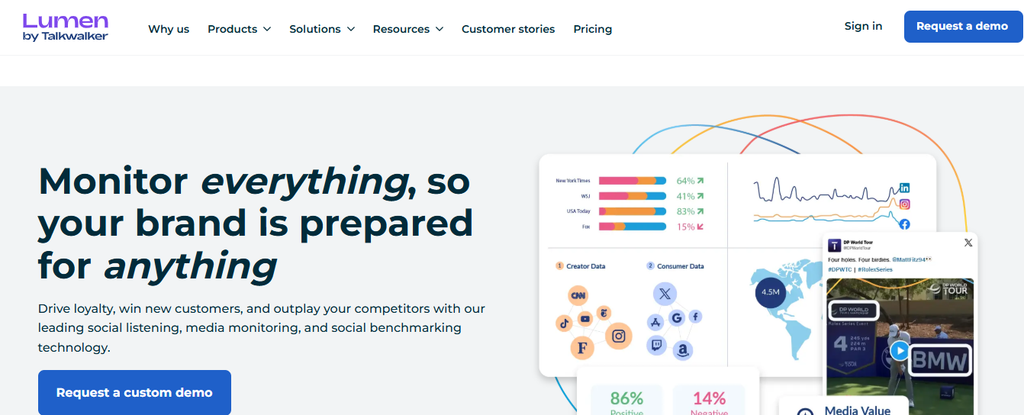
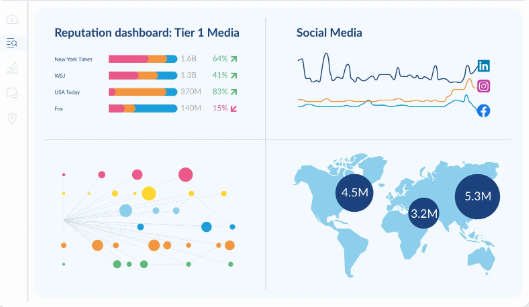
Talkwalker is one of the closest alternatives to Brandwatch for organizations that need serious consumer intelligence. Its platform monitors 30 social networks and more than 150 million websites across 239 countries and regions.
It also goes beyond text. Talkwalker’s visual technology can identify logos and products in images and video, while speech recognition helps identify brand references inside audio and podcasts. Its current visual-recognition product says more than 50 million videos are analyzed each day.
That depth comes with an enterprise-style purchasing model. Talkwalker lists Core, Analyze, and Business tiers publicly but requires you to request a custom quote.
Talkwalker Key Features
• Global social listening: Tracks conversations across large social and web datasets.
• Visual listening: Finds logos, products, objects, and scenes even when your brand is not named in text.
• Speech recognition: Detects spoken brand references in podcasts and other audio content.
• Real-time alerts: Helps identify sentiment shifts, emerging crises, and unusual conversation activity.
• AI analysis: Includes summaries, forecasting, conversational AI, sentiment, and topic analysis.
Talkwalker Pros
• Exceptionally broad global coverage.
• Strong image, video, and audio analysis.
• Unlimited users are included in current Lumen plans.
• Strong fit for multinational research and reputation teams.
• Supports advanced consumer-intelligence workflows.
Talkwalker Cons
• No public dollar pricing.
• Requires a sales conversation to receive a quote.
• Its enterprise-level breadth may be unnecessary for smaller social teams.
• Advanced configurations and large datasets can require more onboarding than lightweight monitoring tools.
Why Choose Talkwalker?
Talkwalker is worth shortlisting when you need something close to Brandwatch’s consumer-intelligence depth. It is particularly attractive for multinational organizations that care about visual mentions, worldwide coverage, audience insights, crisis detection, and large-scale competitive research.
The biggest drawback is purchase transparency. Pricing is quote-based, and a smaller company may not need the scale or sophistication built into the platform.
Must-know Tip: Scott Morris of Sprout Social described social as “the intelligence engine of modern brands.” That is a useful buying principle. Pick the platform that turns your particular audience data into decisions your business will actually make.
5. Statusbrew
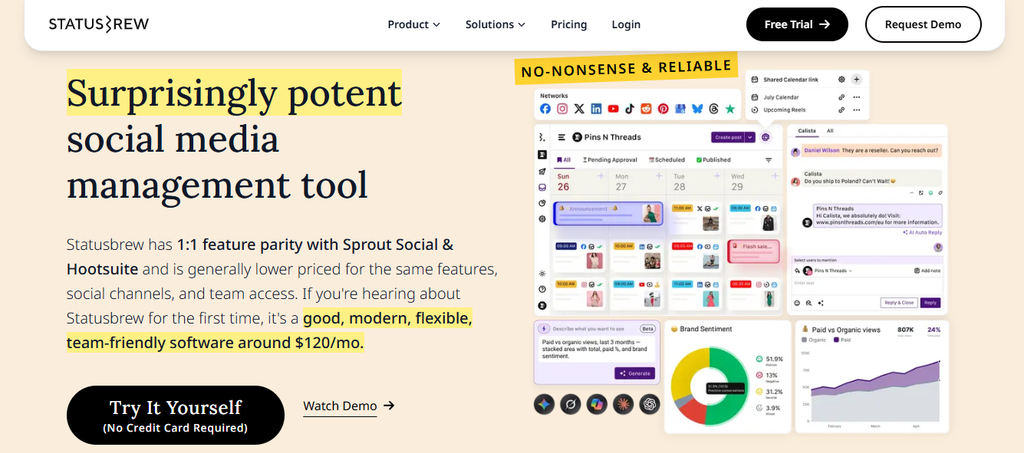
Statusbrew sits between social media management and social listening. You can publish content, work through an all-in-one inbox, moderate comments, create reports, manage approvals, and listen to social and web conversations from the same platform.
Its listening tools can track competitor conversations, sentiment, keywords, hashtags, trends, and web content. Statusbrew currently supports listening across networks including Instagram, X, Reddit, Threads, YouTube, LinkedIn, TikTok, Facebook, plus blogs and news.
However, listening becomes available on the Premium tier rather than the lower Lite and Standard plans.
Statusbrew Key Features
• Social and web listening: Tracks relevant conversations across major networks, news sites, and blogs.
• Engage Inbox: Centralizes comments, direct messages, reviews, and mentions.
• Rule Engine: Automates actions such as moderation, routing, tagging, and selected responses.
• Approval workflows: Helps teams review content before publication.
• Custom reporting: Supports detailed social and listening reports using a large range of metrics.
Statusbrew Pros
• Combines management and listening.
• Strong moderation automation.
• Includes competitor and sentiment analysis on higher tiers.
• Built for teams, agencies, and multiple-account management.
• Premium includes six users and 15 profiles rather than charging separately for every base seat.
Statusbrew Cons
• Listening requires Premium or Enterprise.
• Premium starts much higher than Lite and Standard.
• Some integrations and enterprise controls require the Enterprise tier.
• Extra capabilities such as certain CRM integrations or review-management functions can require add-ons.
Statusbrew Pricing Plans
Lite costs $69/month billed annually for one user and five profiles. Standard costs $129/month for three users and 10 profiles. Premium costs $229/month for six users and 15 profiles. Enterprise and agency pricing are customized.
Why Choose Statusbrew?
Statusbrew works well when you need operational social media management and listening without moving into a research-only environment. Its inbox automations, approval workflows, reporting, moderation, and listening capabilities make it useful for agencies and support-heavy teams.
Its main limitation is packaging. If social listening is essential, you need Premium or Enterprise, so the lowest advertised plans are not true Brandwatch replacements for listening.
6. CisionOne
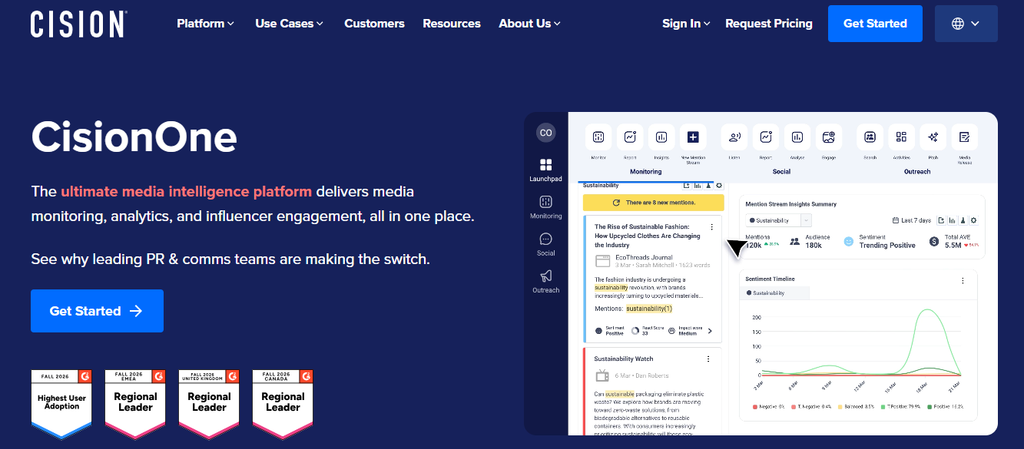
CisionOne is primarily designed for PR and communications professionals. It combines media monitoring, media analytics, journalist outreach, press-release workflows, social listening, and social media management.
Its media coverage is particularly broad. Cision says its monitoring spans hundreds of thousands of news sources, more than 3,000 TV and radio stations, over 60,000 podcasts, and more than 10,000 premium paywalled publications.
CisionOne also provides access to a database containing more than 500,000 validated journalists and outlets, while its platform covers more than 190 countries and 96 languages.
CisionOne Key Features
• Real-time media monitoring: Tracks print, online, television, radio, podcasts, magazines, and social media.
• Journalist database: Helps PR teams identify relevant media contacts.
• Media reporting: Turns coverage into interactive and shareable reports.
• Social listening: Adds social conversations to traditional earned-media intelligence.
• React Score: Uses AI to flag potentially harmful coverage for faster reputation management.
CisionOne Pros
• Excellent breadth for PR monitoring.
• Combines journalist outreach and monitoring.
• Strong traditional-media coverage.
• Supports both earned and social intelligence.
• Useful for crisis communication and corporate communications teams.
CisionOne Cons
• Public dollar pricing is not displayed.
• You must contact sales for a package.
• Its PR-first workflow may be excessive for teams that mainly need social scheduling.
• Companies without media-relations needs may pay for a broader communications suite than necessary.
Why Choose CisionOne?
CisionOne is one of the strongest options when your definition of listening extends far beyond social networks. PR teams can connect news, broadcast, podcasts, journalists, social conversations, and reporting inside one communications workflow.
Its biggest limitation for buyers is transparency. Pricing is sales-led, and organizations focused only on everyday social publishing may find specialized social management platforms easier to justify.
7. Digimind
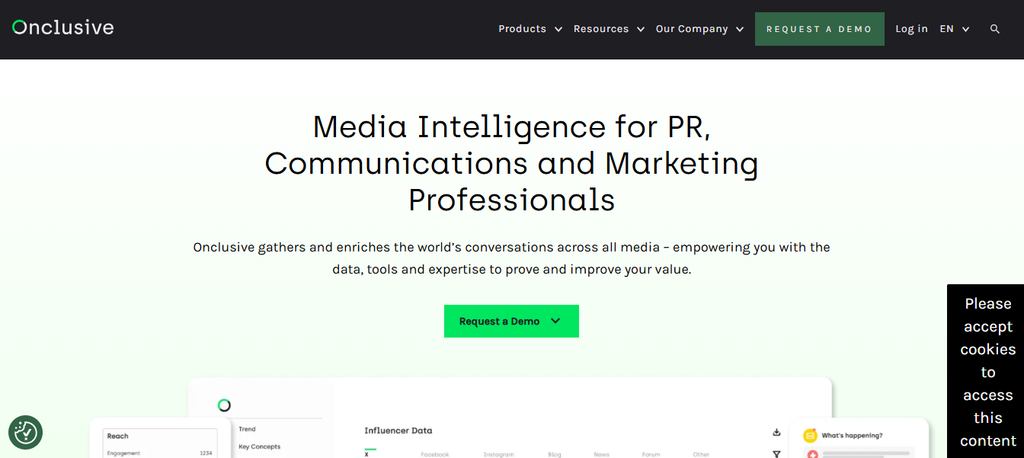
Digimind needs an important clarification before you compare it with Brandwatch. It no longer operates as a standalone brand.
Onclusive acquired Digimind in 2022, and Digimind was fully rebranded as Onclusive Social in October 2024. Its former social-listening capabilities now live within Onclusive’s broader media-intelligence offering.
That means any 2026 purchase decision should evaluate Onclusive Social rather than an old Digimind package.
Digimind Key Features
• Social listening heritage: Digimind technology continues within Onclusive Social for monitoring digital conversations.
• Sentiment analysis: Helps brands understand how audiences react to products, companies, and industry topics.
• Competitor tracking: Supports comparison of brand and market conversations.
• Trend detection: Helps identify changes in topics and audience discussions.
• Integrated media intelligence: Onclusive combines social information with wider online, broadcast, print, and media-monitoring data.
Digimind Pros
• Long history in social listening.
• Now connected to a broader media-intelligence environment.
• Useful for reputation and competitor research.
• Onclusive supports global media monitoring.
• Social data can be interpreted alongside earned-media coverage.
Digimind Cons
• Digimind is no longer sold as an independent standalone brand.
• Older Digimind pricing pages and reviews may not reflect the current product.
• Buyers must evaluate Onclusive’s present packaging rather than Digimind’s historical plans.
• Public fixed pricing is not clearly displayed for the current Onclusive Social product.
Why Choose Digimind?
If Digimind is on your shortlist because of its historic reputation in social listening, evaluate Onclusive Social instead. The underlying listening heritage remains relevant, and integration with broader media intelligence can benefit communications teams.
The brand transition is also the main drawback. You cannot realistically compare a current standalone “Digimind plan” with Brandwatch because that standalone offering no longer exists.
8. Determ
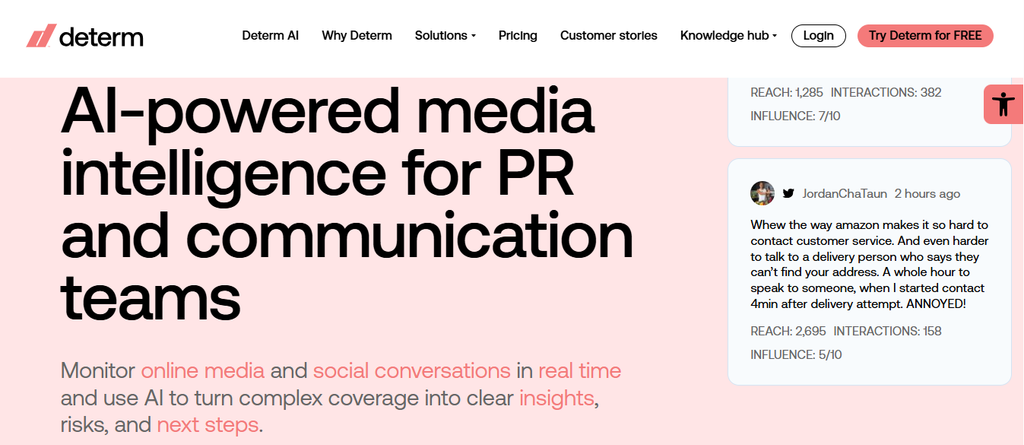
Determ targets PR and communications teams that need real-time media intelligence. It monitors online media and social conversations, then uses AI to detect unusual changes, summarize coverage, analyze sentiment, and produce reports.
The company says the product is used daily by more than 5,000 users. Its positioning focuses heavily on faster crisis detection, less manual monitoring, and clearer interpretation of high-volume media coverage.
Determ also makes its pricing structure more visible than many enterprise monitoring vendors, although its public page currently presents the figures in euros rather than U.S. dollars.
Determ Key Features
• Real-time media monitoring: Tracks important online and social conversations as they develop.
• AI alerts: Identifies unusual volume, sentiment changes, and emerging risks.
• AI summaries: Condenses large amounts of coverage into usable context.
• Multilingual sentiment intelligence: Analyzes tone across multiple languages and sources.
• Automated reporting: Produces summaries, digests, exports, and reports for internal or client use.
Determ Pros
• Strong crisis-monitoring focus.
• Public plan structure.
• AI analysis is integrated into the core monitoring workflow.
• Unlimited users are included in the current listed plans.
• Supports historical media intelligence and flexible exports.
Determ Cons
• Lower plans have monthly mention limits.
• The entry Focus plan includes only one monitored topic.
• Its workflow is more PR and communications-oriented than publishing-oriented.
• Public pricing is currently presented in euros, which makes exact U.S. dollar budgeting less direct.
Why Choose Determ?
Determ makes sense when your team needs to understand media coverage quickly instead of simply collecting mentions. AI alerts, summaries, sentiment intelligence, historical data, and reporting can reduce the amount of manual review needed during campaigns or reputation events.
Its limitations are primarily scale and use case. Mention allowances apply to the standard tiers, and teams seeking a full publishing and community-management suite may need additional software.
9. BrandMentions
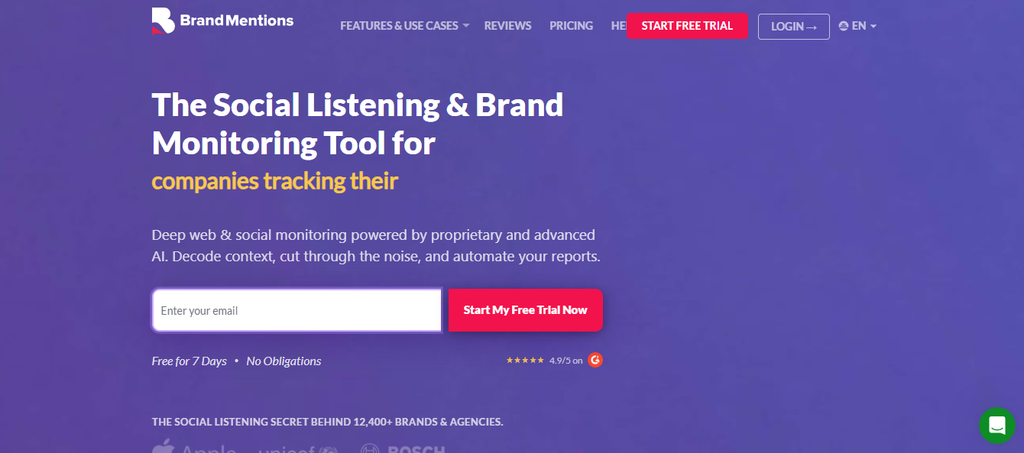
BrandMentions is an AI-powered brand monitoring and social listening platform that tracks social media, news, blogs, forums, websites, review sites, videos, podcasts, and other conversations. The company says it serves more than 12,400 brands and agencies and has delivered more than 32 billion mentions from over 125 million monitored sources.
Its current plans span smaller businesses through enterprises. Features increase from basic AI sentiment and daily updates to multilingual analysis, real-time monitoring, white-label reporting, Boolean search, API access, and historical data.
The main issue is how quickly requirements can move you into higher tiers.
BrandMentions Key Features
• Multi-channel monitoring: Tracks brand discussions across social, web, reviews, news, and other media.
• AI sentiment: Analyzes whether conversations are positive, negative, or neutral.
• Boolean search: Available on higher plans for more precise monitoring queries.
• White-label reporting: Lets agencies create client-facing reports without BrandMentions branding on qualifying plans.
• Historical data: Enterprise plans can provide extensive historical information for trend analysis.
BrandMentions Pros
• Transparent public prices.
• 7-day free trial.
• Strong agency reporting features.
• Real-time monitoring is available.
• Enterprise users gain API access and extensive historical data.
BrandMentions Cons
• Starter updates only daily.
• Starter is limited to 5,000 mentions per month.
• Pro includes only two users.
• Real-time updates and Boolean search require higher plans.
BrandMentions Pricing Plans
Starter costs $99/month billed quarterly or $79/month billed annually. Pro costs $299/month or $249 annually. Expert costs $499/month or $399 annually. Enterprise starts at $1,299/month or $1,099/month billed annually.
Why Choose BrandMentions?
BrandMentions is worth considering when you need genuine brand monitoring with agency-friendly reporting and clearer pricing than many enterprise platforms. Its higher tiers provide real-time monitoring, advanced AI, Boolean search, white-label reporting, and enterprise data capabilities.
The biggest concern is plan limits. Smaller tiers restrict mentions, users, keywords, and refresh frequency, meaning rapidly growing monitoring requirements can raise your subscription cost.
10. Zoho Social

Zoho Social focuses more on social media management than enterprise consumer intelligence. It combines publishing, scheduling, monitoring, team collaboration, reporting, an inbox, and integrations with other Zoho products.
Its Professional plan adds bulk scheduling, RSS feeds, messages, monitoring, popular-post insights, media tools, and repeat posting. Premium adds workflows, approvals, custom reports, team collaboration, content targeting, and integrations with Zoho CRM and Zoho Desk.
Zoho has also continued expanding its channel support during 2026, including newer publishing and messaging integrations.
Zoho Social Key Features
• Multi-channel publishing: Creates and schedules content across supported social networks.
• Publishing calendar: Provides a centralized view of upcoming posts.
• Monitoring dashboard: Helps teams follow activity from connected social channels.
• Team approvals: Supports structured review and collaboration before publishing.
• CRM integration: Connects social activity with Zoho CRM and Zoho Desk on qualifying plans.
Zoho Social Pros
• Includes a forever free option.
• Paid plans start considerably below many enterprise listening platforms.
• Strong integration with the wider Zoho ecosystem.
• Good publishing and scheduling capabilities.
• Dedicated agency plans support multiple client brands.
Zoho Social Cons
• It is primarily a social management product rather than Brandwatch-level consumer intelligence.
• Advanced collaboration and reporting require higher plans.
• Agency plans become considerably more expensive than single-brand plans.
• Support is listed as 24/5 rather than round-the-clock seven-day coverage.
Zoho Social Pricing Plans
Current U.S. annual pricing lists Free at $0, Standard at $10/month, Professional at $30/month, Premium at $40/month, Agency at $230/month, and Agency Plus at $330/month. Zoho states that yearly billing saves 33%.
Why Choose Zoho Social?
Zoho Social is attractive if your needs revolve around scheduling, collaboration, engagement, reporting, and connecting social activity with other Zoho business tools. Its lower entry price also makes it accessible to small organizations.
The trade-off is listening depth. If you need millions of external conversations, advanced consumer intelligence, broad media coverage, or sophisticated historical research, Brandwatch, Talkwalker, Brand24, or another specialist listening platform is a closer comparison.
Social Listening vs Social Monitoring vs Social Media Management: What Do You Actually Need?
One of the easiest ways to choose the wrong Brandwatch alternative is to compare products that solve completely different problems.
Social monitoring, social listening, and social media management overlap, but they are not interchangeable.
Social Monitoring Helps You Handle Immediate Conversations
Social monitoring focuses on conversations directly connected to your brand. Think mentions, comments, messages, reviews, customer questions, and posts that need a response.
It answers: “What are people saying to or about us right now?”
This capability matters because customers increasingly expect fast responses. Sprout Social reports that 73% of social users expect a response within 24 hours, while its 2025 research found that 73% may buy from a competitor when a brand does not respond.
Choose strong monitoring when customer care and reputation response are major priorities.
Social Listening Finds the Bigger Meaning
Social listening goes beyond individual mentions. It analyzes broader conversations around your industry, competitors, products, campaigns, customer needs, and emerging trends.
It answers: “Why is this conversation happening, and what should we learn from it?”
That can influence product decisions, messaging, market research, crisis management, competitive strategy, and content planning.
Sprout Social summarizes the distinction well: monitoring tells you what people are saying, while listening helps explain why.
Social Media Management Helps You Execute
Social management is about creating, scheduling, publishing, approving, engaging, collaborating, and reporting.
A platform such as Social Schedulify is therefore more relevant when your bottleneck is execution. Brandwatch, Talkwalker, and other intelligence-heavy products become more relevant when your bottleneck is understanding enormous external datasets.
Many companies need both. They simply do not always need them at the same depth.
Must-know Tip: Abigail Hart of Sprout Social says, “Any brand can use listening data to sharpen its storytelling.” The important part is connecting the listening insight to what your content and communications teams do next.
How to Choose the Right Brandwatch Alternative
Do not choose based solely on which product has the longest feature page.
Start by identifying the decision you need the software to improve.
Data Coverage
Check where conversations come from. A company dealing with consumer products may care deeply about TikTok, Instagram, Reddit, YouTube, reviews, and visual mentions.
A corporate communications department may care more about news, broadcast, print, podcasts, journalists, and crisis coverage.
Talkwalker, for example, currently reports coverage across 30 social networks, 150 million websites, 187 languages, and 239 countries and regions. That level of coverage matters to global organizations but may be unnecessary for a five-person local business.
Alert Speed
Decide how quickly you need information.
Daily updates may be perfectly adequate for a small company tracking general brand awareness. They are far less suitable during a crisis that is growing minute by minute.
Sprout’s June 2026 research found that 64% of consumers believe brands should respond publicly on social media during controversial moments rather than relying only on a website statement or press release.
Real-time monitoring can therefore become essential for high-risk brands.
Workflow Fit
Ask who uses the platform every day.
Content teams need calendars, scheduling, approvals, collaboration, and analytics. PR teams may need journalists and media monitoring. Researchers need datasets, historical information, queries, segmentation, and exports.
Do not force everyone into a research platform because one department needs listening.
Pricing Structure
Compare more than the starting number.
Check seats, social profiles, monitored keywords, mentions, workspaces, clients, historical data, add-ons, APIs, and reporting restrictions.
Also compare annual commitments with month-to-month plans. Transparent pricing can make expansion easier to predict.
Reporting and ROI
Social media can influence commercial outcomes. Sprout’s 2025 Index reported that 81% of consumers said social media drives them to make impulse purchases.
Your software should therefore help you connect activity with meaningful outcomes where possible. Those outcomes may include leads, conversions, engagement, response time, reputation, share of voice, customer satisfaction, or campaign ROI.
Collecting more metrics is not the goal. Understanding which ones change your decisions is.
Conclusion
The 10 Brandwatch alternatives in this guide solve different versions of the same problem: helping you understand, manage, and act on digital conversations more effectively.
Talkwalker and Brand24 lean heavily toward listening and intelligence. CisionOne focuses strongly on PR and media intelligence. Statusbrew and Sprout Social combine listening with operational social management, while Zoho Social prioritizes publishing, engagement, and collaboration.
Social Schedulify takes a practical execution-focused approach with scheduling, AI-assisted content creation, approvals, UGC management, campaign tools, analytics, and multi-client capabilities on higher plans.
The right choice depends on what you actually need to improve. Compare data coverage, workflow, users, pricing, reporting, listening depth, support, and scalability before committing to any platform.
Frequently Asked Questions About Brandwatch Alternatives
What is the best Brandwatch alternative?
There is no single best alternative for every company. Talkwalker is closer to Brandwatch for deep enterprise listening, Brand24 focuses on monitoring, CisionOne fits PR teams, and platforms such as Social Schedulify are better suited to teams prioritizing social execution, campaigns, scheduling, and collaboration.
Is there a cheaper alternative to Brandwatch?
Yes. Several platforms publish plans that can be easier for smaller businesses to budget for. Social Schedulify starts at $9 per month on monthly billing, while Zoho Social has both a free tier and lower-cost paid plans.
Always compare capabilities as well as price. A scheduling platform and a large-scale consumer-intelligence platform do not provide the same data.
Is there a free Brandwatch alternative?
You can find free or limited-cost tools for parts of the Brandwatch workflow. Zoho Social currently offers a free plan, and Talkwalker offers Talkwalker Alerts as a free monitoring product.
Free products generally provide fewer sources, less historical data, smaller limits, or fewer advanced analytical capabilities.
Can Social Schedulify replace Brandwatch?
It can replace part of the workflow when your main requirements are social scheduling, content creation, campaigns, approvals, UGC, collaboration, and performance analytics.
If you rely on Brandwatch for large-scale consumer intelligence, extensive external web listening, complex research datasets, or deep historical analysis, compare those requirements separately before migrating.
What is the best Brandwatch alternative for small businesses?
Small businesses should prioritize usability and cost predictability. Social Schedulify, Zoho Social, Brand24, and selected Statusbrew plans serve different small-business needs depending on whether publishing or listening matters most.
Avoid paying for enterprise-scale research capabilities when you only need a practical social management workflow.
What is the best Brandwatch alternative for agencies?
Agencies should consider client workspaces, approval workflows, white-label reporting, users, profile limits, and client pricing.
Social Schedulify’s Agency plan includes unlimited profiles, multi-client workspaces, white-label options, custom analytics reports, CRM integrations, and dedicated support. Statusbrew also offers agency-focused custom packages, while BrandMentions provides white-label reporting on higher tiers.
Which Brandwatch alternative is best for PR teams?
CisionOne is particularly strong for PR and corporate communications because it combines social listening with traditional media monitoring and journalist outreach.
Its current platform covers news, print, broadcast, podcasts, social media, media contacts, analytics, and reputation monitoring in one system.
Which Brandwatch alternative has the strongest visual listening?
Talkwalker is one of the most advanced choices for visual listening. Its technology can detect brand logos and products inside images and videos and also analyzes speech in audio content.
That makes it useful when consumers display a product without writing the brand name.
What is the difference between Brandwatch and Brand24?
Brandwatch is positioned as a broad enterprise consumer-intelligence and social media suite. Brand24 is more focused on brand monitoring, mentions, sentiment, AI-driven analysis, events, topics, reach, and reputation metrics.
Brand24 also publishes standard prices, whereas Brandwatch currently uses a sales-led pricing model for its core solutions.
What is the difference between Brandwatch and Sprout Social?
Both provide social intelligence and management capabilities, but Sprout places substantial emphasis on publishing, engagement, customer care, analytics, and team workflows.
Sprout’s full Listening solution is sold as an add-on from Standard upward, which should be included when comparing total costs.
What features should you look for in a Brandwatch alternative?
Look for the capabilities connected to your real business needs. These may include social listening, sentiment analysis, real-time alerts, competitor tracking, publishing, approvals, inbox management, historical data, visual listening, reporting, APIs, exports, CRM integrations, and team permissions.
You should also examine source coverage and update frequency rather than simply checking whether a vendor says it offers “social listening.”
Do you need social listening software if you already have social media management software?
Not always.
A management platform can handle publishing, comments, messages, scheduling, collaboration, and reports. Social listening becomes more important when you need to discover broader conversations that occur outside your owned profiles, study competitors, analyze sentiment, detect trends, or perform market research.
Many organizations eventually use a platform that combines both capabilities or integrate separate specialized products.
How often should you review your social listening software?
Review it whenever your channels, monitoring volume, business model, or reporting requirements change. An annual review is also useful for checking whether you still use the capabilities you are paying for.
Examine usage limits, seats, data coverage, reports, workflows, and add-ons. The goal is to ensure your tool continues to support decisions rather than becoming an expensive dashboard your team rarely opens.