
10 Loomly alternatives deserve your attention if you want more flexibility, better value, stronger automation, or a social media workflow that fits how your team actually works. Social media now represents 5.66 billion active user identities worldwide, equal to 68.7% of the global population, while the average online adult uses 6.75 social platforms each month.
That scale makes choosing the right management platform more than a scheduling decision. The tools below cover AI-assisted creation, publishing, approvals, analytics, engagement, campaign management, client workflows, and agency use cases so you can identify the option that makes practical sense for your budget and goals.
Is Loomly Still Worth It in 2026?
A Practical Case: When Loomly Works and When You May Outgrow It
Consider an illustrative example involving Mr. Daniel, who manages social media for a growing ecommerce company. His three-person marketing team needs a shared calendar, scheduled publishing, approvals, analytics, and AI assistance, so Loomly Starter’s 12 social accounts and three-user allowance cover the immediate requirement. At $65 per month on monthly billing, the structure remains relatively straightforward for that exact team size.
Six months later, Daniel adds two marketers as the company expands into new regions. Loomly’s Starter plan still allows only three users, which means the team must consider Beyond rather than simply purchasing two inexpensive additional seats. Beyond costs $332 per month on monthly billing and includes 60 social accounts and unlimited users.
That does not make Loomly a poor product. Loomly now includes scheduling, recurring posts, approval workflows, advanced analytics, AI post generation, AI-assisted replies, social listening, direct publishing, mobile apps, and Zapier integration. The question is whether the features and capacity in the next plan match what your organization actually needs.
The market itself has also changed. Global social media user identities increased by about 259 million, or 4.8%, during the 12 months leading to October 2025, while people continue to spread their attention across multiple networks. If your workflow now requires client workspaces, viral campaigns, deep customer care, lower-cost team access, advanced listening, or a different pricing model, comparing Loomly alternatives becomes a sensible business exercise rather than an automatic rejection of Loomly.
Must-know Tip: DataReportal chief analyst Simon Kemp makes the evaluation standard simple: “A marketer’s job is not to deliver novelty; it’s to deliver results.”
The Real Cost of Loomly vs Alternatives at 3, 5, 10, and 20 Users
Three to Five Users: Look Beyond the Advertised Starting Price
At three users, Loomly Starter costs $65 per month when billed monthly and already includes all three seats. SocialSchedulify Professional currently costs $29 monthly and includes three team members and up to 15 social profiles, while its Business plan costs $59 monthly and allows up to 10 team members with 30 profiles.
Once a Loomly team reaches five users, its published plan structure pushes the requirement to Beyond at $332 monthly because Starter stops at three users. SocialSchedulify Business can accommodate five users for $59 monthly, while Hootsuite Standard uses per-user pricing of $99 per user per month on annual billing.
Ten to Twenty Users: Pricing Architecture Matters More
A 10-person team still fits Loomly Beyond at $332 monthly because Beyond includes unlimited users. SocialSchedulify Business supports exactly 10 team members for $59 monthly, while a 20-person team would move to its $99 Agency plan with unlimited users and social profiles.
Per-seat platforms can produce very different totals. Sprout Social’s Standard plan is currently $199 per seat per month on annual billing, and Agorapulse Standard is $99 per user monthly or $79 per user on annual billing, while Sendible includes unlimited users even on its Core plan. Always compare the total cost at your actual user, profile, workspace, and feature requirements rather than choosing software from its lowest advertised figure.
10 Loomly Alternatives Worth Considering in 2026
The best alternative is not necessarily the platform with the longest feature list. Your ideal choice depends on whether you need lower team costs, AI assistance, client approvals, social listening, campaign tools, analytics, customer care, visual planning, or simple scheduling. With the typical internet user spending about 2 hours and 21 minutes on social media every day, efficient publishing and engagement workflows can have a meaningful operational impact. Here are the 10 Loomly alternatives worth examining.
1. SocialSchedulify
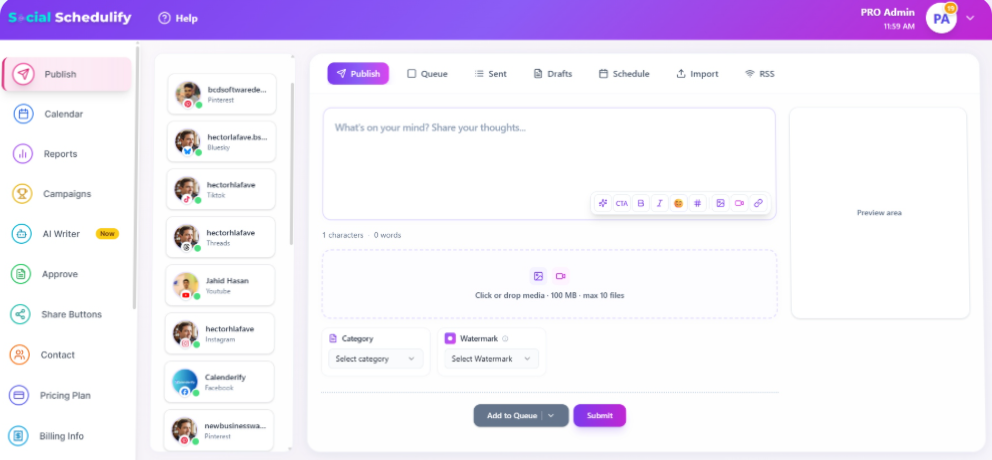
SocialSchedulify combines routine social publishing with features designed to help you create, distribute, approve, promote, and measure content. You can schedule posts across multiple networks, organize them through a visual content calendar, use an AI Writer Assistant, monitor campaigns, and review posts before they go live.
What makes the platform particularly interesting is the way publishing connects with campaign activity. SocialSchedulify supports social campaigns, user-generated content workflows, share buttons, RSS-based content distribution, analytics, and viral campaigns such as contests and sweepstakes rather than stopping at a standard publishing queue.
The approval workflow can also reduce preventable publishing mistakes. Authorized users can review, approve, reject, edit, or reschedule posts before they are published, while account notifications help keep approval requests visible.
Its reporting layer tracks engagement, reach, impressions, click-through rates, audience demographics, best posting times, and top-performing content. Reports can also be exported in PDF, CSV, or Excel formats, which is useful when you need to share results internally or with clients.
HubSpot’s 2025 social media research found that 71% of marketers actively use AI tools in social media marketing, while 72% reported better performance with AI-assisted content. Another 89% planned to use platform-native AI tools when available, making practical AI integration increasingly relevant when choosing management software.
SocialSchedulify Highlighted Features
- AI Writer Assistant: Helps you create first drafts for social campaigns faster when your team needs ideas or fresh copy.
- Post approval workflow: Lets authorized users approve, reject, edit, and reschedule posts before publication.
- Visual content calendar: Gives you a clearer view of scheduled posts and campaign timing across connected accounts.
- Campaign and UGC tools: Helps you run promotional campaigns while collecting and managing audience-created content.
- Performance analytics: Tracks engagement, reach, impressions, clicks, posting times, demographics, and high-performing content.
- Share and RSS automation: Helps distribute website content and encourages audiences to share it through customizable social sharing tools.
SocialSchedulify Pros
- Combines scheduling with campaign-management capabilities.
- Provides AI-assisted content creation.
- Includes structured post approval.
- Supports user-generated-content workflows.
- Offers campaign analytics and report exports.
- Provides plans for creators, teams, and agencies.
- Agency capacity includes unlimited users and social profiles.
SocialSchedulify Cons
- The broader feature set may be more than you need if your only requirement is scheduling a handful of posts.
- Some advanced capabilities, including larger team limits, custom reporting, and agency-oriented functionality, require higher plans.
SocialSchedulify Pricing Plans
Starter: $9 per month, with up to 5 social profiles and one team member. The pricing page displays $7 per month under its yearly option.
Professional: $29 per month, with up to 15 profiles and three team members. The yearly display shows $23 per month.
Business: $59 per month, with up to 30 profiles and 10 team members. The yearly display shows $47 per month.
Agency: $99 per month with unlimited profiles and team members. The yearly display shows $79 per month.
Why Choose SocialSchedulify?
SocialSchedulify deserves consideration when you want more than a standard post scheduler but do not want your workflow fragmented across several applications. Scheduling, AI writing, approvals, UGC management, reporting, RSS distribution, share tools, and promotional campaigns can sit closer together.
That combination is particularly useful for growing businesses and agencies that publish regularly while also running contests, audience-building campaigns, or client workflows. Its pricing structure also gives you relatively clear progression from five social profiles on Starter to unlimited profiles on Agency.
2. Planable
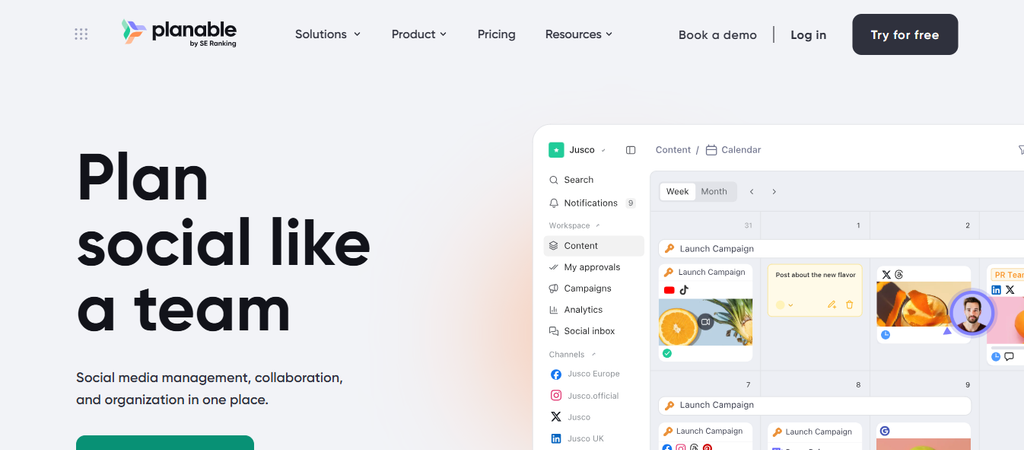
Planable is built heavily around planning, feedback, approvals, and collaborative content production. You can organize social posts visually, invite stakeholders into workspaces, manage approval processes, and keep discussions attached to the content being reviewed.
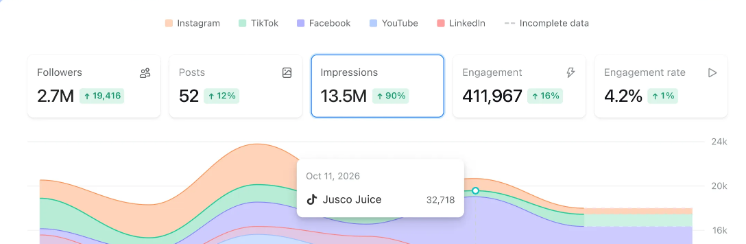
That focus can make Planable attractive for agencies and content teams, but there is an important cost consideration. Analytics, Social Inbox, and Social Listening are separately priced add-ons rather than automatically being part of every standard subscription.
Planable Highlighted Features
- Approval workflows: Gives teams structured review stages before publication.
- Unlimited users: Paid workspaces can include large collaborative groups without seat limits.
- Multiple content views: Helps you review planned content from different visual perspectives.
- Client workspaces: Separates content by brand, location, or client.
- Publishing calendar: Centralizes planning and scheduled social content.
Planable Pros
- Strong approval-focused workflow.
- Unlimited users.
- Useful agency workspaces.
- Visual collaboration experience.
- Free test option for the first 50 posts.
Planable Cons
- Pricing is calculated per workspace.
- Basic has post and connected-page limits.
- Analytics costs extra.
- Inbox and social listening are paid add-ons.
Planable Pricing Plans
Basic costs $39 per workspace monthly or $390 yearly. Pro costs $59 monthly or $590 yearly per workspace. Enterprise uses custom pricing that typically starts around $2,500 per year, while Analytics costs $14 monthly per workspace, Social Inbox $9, and Social Listening $99.
Why Choose Planable?
Choose Planable when content review is the bottleneck you most want to remove. Its approval and workspace structure can simplify collaboration between writers, designers, managers, and external clients.
The trade-off is that your total bill can increase when you add multiple workspaces or capabilities such as listening and analytics. Calculate the complete workflow rather than evaluating the base subscription alone.
3. Buffer
Buffer remains one of the simpler Loomly alternatives for creators and small teams that want straightforward publishing without a complicated interface. Its current plans cover scheduling, AI assistance, analytics, a community inbox, ideas, and API access.
Its main pricing difference is that Buffer charges according to the number of channels you connect. This can work well when you operate a few channels, although costs grow as the number of accounts rises.
Buffer Highlighted Features
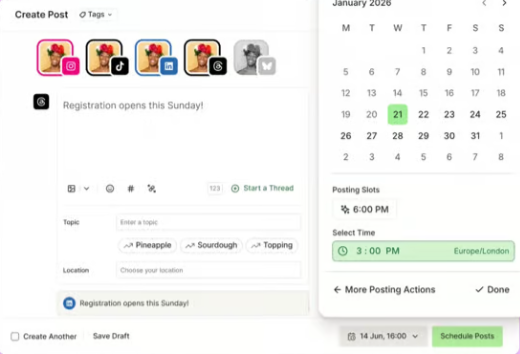
- Publishing queue: Lets you prepare and schedule content ahead of time.
- AI Assistant: Helps generate and refine social copy.
- Ideas library: Stores content ideas before they become scheduled posts.
- Advanced analytics: Provides deeper performance measurement on paid plans.
- Approval workflows: Team includes content approval capabilities for collaborative publishing.
Buffer Pros
- Free plan available.
- Simple interface.
- Flexible channel-based pricing.
- Unlimited scheduled posts on paid plans.
- Team plan includes unlimited members.
Buffer Cons
- Costs increase with every connected channel.
- Free limits scheduled posts to 10 per channel.
- Essentials includes only one user.
- Large multi-brand organizations may need a more agency-oriented structure.
Buffer Pricing Plans
Free costs $0 and supports up to three channels. Essentials is currently $5 per month for one channel when billed yearly. Team is $10 per month for one channel on yearly billing and includes unlimited team members.
Why Choose Buffer?
Buffer makes sense when simplicity matters more than having an extensive enterprise feature set. You can start free, add channels as required, and move into advanced analytics or collaboration when your workflow grows.
Its per-channel pricing is also easy to understand. Just calculate the number of profiles you expect to manage because ten client channels create a very different bill from two or three.
4. Hootsuite
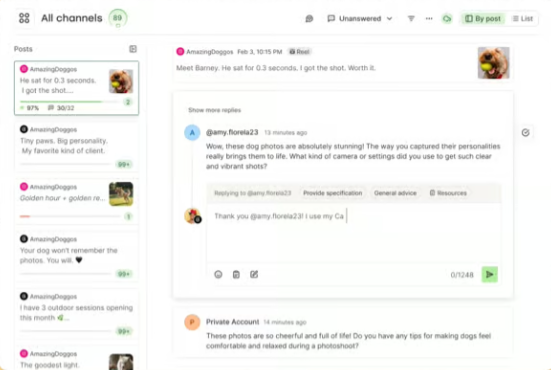
Hootsuite is a more advanced option for organizations that need publishing, engagement, monitoring, AI assistance, analytics, and social intelligence within one mature platform. Professional and higher tiers remove the Standard plan’s 10-account limit, while Advanced adds more structured approval and collaboration capabilities.
The main concern is price. Hootsuite charges per user, so adding more team members can raise your subscription considerably compared with platforms that bundle multiple or unlimited users.
Hootsuite Highlighted Features
- Unified publishing: Manages scheduled content from one central calendar.
- Wisdom AI: Supports AI-assisted content and workflow tasks.
- Social inbox: Brings conversations from supported networks together.
- Listening tools: Helps monitor brands, competitors, mentions, and conversations.
- Advanced reporting: Provides performance reports, benchmarking, and social analytics.
Hootsuite Pros
- Strong all-in-one capability.
- Broad publishing functionality.
- Social monitoring included.
- Advanced customer-care workflows.
- Suitable for large social teams.
Hootsuite Cons
- Per-user pricing becomes costly as teams grow.
- Standard caps social accounts at 10.
- Advanced approvals require a higher plan.
- Enterprise governance capabilities can require custom pricing.
Hootsuite Pricing Plans
Standard starts at $99 per user per month, Professional at $199, and Advanced at $399 based on published annual-billing rates. Enterprise pricing is customized.
Why Choose Hootsuite?
Hootsuite is worth examining when social media is a substantial business operation rather than a small publishing task. Its engagement, listening, analytics, workflow, and customer-care capabilities can consolidate work that might otherwise require several systems.
The decision becomes harder for budget-sensitive teams. A five-person team should calculate five seats rather than comparing Hootsuite’s single-seat figure with flat-rate competitors.
5. Sprout Social
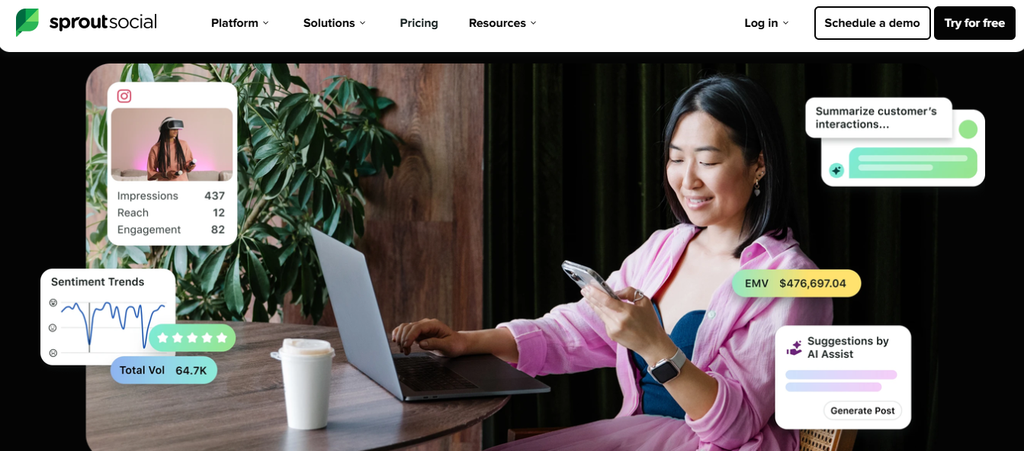
Sprout Social targets businesses that need deeper social publishing, customer care, analytics, monitoring, collaboration, and enterprise intelligence. Its Standard plan includes a consolidated inbox, keyword and location monitoring, review management, and collaboration tools.
Professional removes the five-profile restriction and adds broader competitor and paid insights, while Advanced expands customer-care and cross-functional workflow capabilities. The concern is again cost because published prices are per seat.
Sprout Social Highlighted Features
- Smart Inbox: Centralizes customer conversations and engagement.
- AI capabilities: Supports AI-assisted publishing and replies on eligible tiers.
- Monitoring: Tracks keywords and locations.
- Competitive analytics: Helps benchmark social performance.
- Customer-care reporting: Supports service-focused social teams.
Sprout Social Pros
- Strong engagement management.
- Detailed analytics.
- Enterprise-ready workflows.
- Competitor insights.
- Advanced customer-care functionality.
Sprout Social Cons
- High per-seat costs.
- Standard includes only five social profiles.
- Some AI and workflow tools require higher plans.
- Small businesses may pay for capabilities they rarely use.
Sprout Social Pricing Plans
Essentials starts at $79 per seat monthly when billed annually. Standard costs $199 per seat, Professional $299, Advanced $399, and Enterprise pricing is customized.
Why Choose Sprout Social?
Sprout Social works best when engagement data and customer conversations are central to your social strategy. It provides considerably more than a posting calendar, particularly for organizations connecting social activity with customer care.
However, its value depends on whether you will actually use that depth. Multiplying the per-seat rate across a large marketing department can create a significant annual software commitment.
6. Later

Later is particularly strong for visual-first social strategies. It currently supports Instagram, Facebook, TikTok, Threads, YouTube, Pinterest, LinkedIn, and Snapchat, with visual scheduling, AI tools, analytics, UGC collection, and Link in Bio functionality.
Starter is intentionally limited, however. You receive one user, one social set, five monthly AI credits, 30 posts per profile, and cannot purchase extra social sets or users on that tier.
HubSpot’s 2025 research found that short-form video and images were each used by 29% of marketers surveyed, while short-form video led reported ROI at 21%. That makes visual workflow functionality especially relevant for brands prioritizing Instagram, TikTok, YouTube, and other media-heavy channels.
Must-know Tip: SurveyMonkey marketing leader Priya Gill notes that visual formats work because audiences consume content “quickly, visually, and authentically.”
Later Highlighted Features
- Visual Planner: Lets you organize posts through a visual calendar.
- Best Time to Post: Uses account data to help choose publishing times.
- AI Caption Writer: Generates social captions using monthly AI credits.
- UGC collection: Helps identify and reuse community-created Instagram content.
- Link in Bio: Creates a customizable landing experience for social traffic.
Later Pros
- Strong visual workflow.
- Excellent Instagram-oriented tools.
- Supports eight major social networks.
- Built-in UGC functionality.
- Higher tiers include deeper analytics.
Later Cons
- Starter has only five AI credits.
- Starter does not permit extra users.
- Starter has posting limits.
- Advanced listening and benchmarking sit on Scale.
Later Pricing Plans
Later currently lists Starter at $18.75 per month, Growth at $37.50, and Scale at $82.50 when billed yearly. Growth includes two users and 16 profiles, while Scale includes four users and 48 profiles.
Why Choose Later?
Later is a strong candidate when your marketing depends heavily on visual planning, Instagram, short-form content, UGC, and link-in-bio traffic. Its calendar and media-oriented workflow feel more specialized than a generic business scheduler.
Check the limits carefully before choosing Starter. Teams usually need Growth or Scale once approvals, inbox management, multiple users, deeper analytics, or brand monitoring become important.
7. Agorapulse
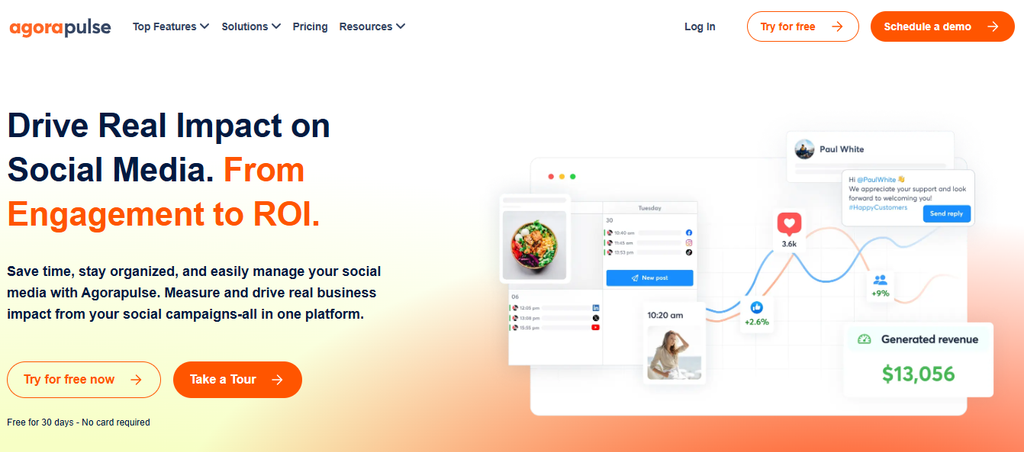
Agorapulse combines publishing, inbox management, analytics, reporting, collaboration, and ROI measurement. Standard includes unlimited post scheduling, a unified inbox, basic audience reporting, top-content reporting, and branded report exports.
Its significant drawback for expanding teams is its per-user pricing model. Standard, Professional, and Advanced each include 10 shared social profiles, and every additional user is charged according to the plan’s per-user rate.
Agorapulse Highlighted Features
- Unified inbox: Brings messages and organic comments together.
- Unlimited scheduling: Removes scheduled-post quantity concerns.
- Reporting: Provides social performance and branded reports.
- ROI analysis: Helps connect social activity with business results.
- Automated moderation: Advanced plans help streamline repetitive engagement work.
Agorapulse Pros
- Strong inbox management.
- Unlimited post scheduling.
- Useful reporting.
- ROI analysis available.
- Broad network support.
Agorapulse Cons
- Per-user pricing can become expensive.
- Standard plans share only 10 profiles.
- Advanced features require higher subscriptions.
- Large teams multiply the same per-seat rate.
Agorapulse Pricing Plans
Standard costs $99 per user monthly or $79 per user monthly with annual billing. Professional costs $149 monthly or $119 annually, Advanced costs $199 or $149 annually, and Custom pricing is available for larger requirements.
Why Choose Agorapulse?
Agorapulse is appealing when responding to comments and messages is just as important as publishing. Its combination of inbox management, scheduling, analytics, moderation, and ROI reporting gives social managers a centralized operating environment.
Its economics are less attractive when many employees need logins. Model the cost using your future headcount, not only your current one.
8. Sendible
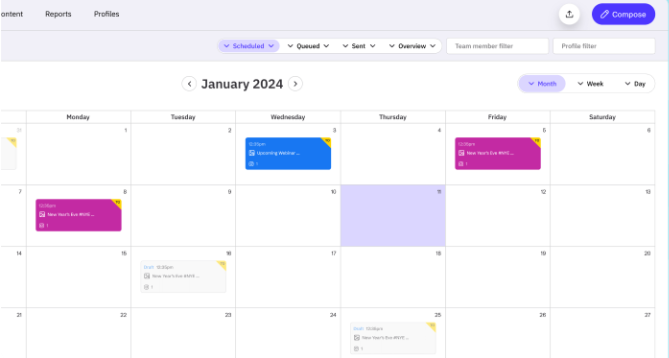
Sendible is positioned strongly for agencies, brands, and multi-location organizations. Its unusual advantage is that every current plan includes unlimited users, so inviting colleagues or stakeholders does not automatically create an additional seat charge.
The platform organizes work around workspaces, with each workspace carrying six social profiles. That can simplify client separation, although white-label functionality is available as a paid add-on only on higher tiers.
Sendible Highlighted Features
- Client workspaces: Keeps brands and client accounts separated.
- Unlimited users: Allows collaboration without standard per-seat charges.
- Bulk scheduling: Helps teams publish large content batches efficiently.
- Monitoring and replies: Brings engagement management into the platform.
- Custom branded reports: Premium provides agency-friendly reporting.
Sendible Pros
- Unlimited users on every plan.
- Agency-friendly workspaces.
- Unlimited scheduling.
- Unlimited AI credits.
- Useful bulk-publishing capabilities.
Sendible Cons
- Approvals begin on Plus rather than Core.
- White label is a paid higher-tier add-on.
- Profiles are tied to workspace allowances.
- Enterprise pricing is relatively high.
Sendible Pricing Plans
Core costs $35 per month, Plus $99, Premium $199, Elite $299, and Enterprise $750. Annual billing provides a 15% discount, and each plan includes unlimited users.
Why Choose Sendible?
Sendible becomes especially interesting when your team is growing faster than your number of client workspaces. Unlimited users can make its economics different from tools that charge every employee separately.
Agencies should pay close attention to where features unlock. Approvals, branded reporting, advanced permissions, and white-label functionality sit at different levels, so your actual requirements determine the meaningful starting price.
9. SocialPilot
SocialPilot is designed for professionals, SMBs, agencies, and multi-location brands that want scheduling, analytics, collaboration, approvals, and reporting without enterprise-level per-seat pricing. Current plans cover Facebook, Instagram, TikTok, X, LinkedIn, Threads, YouTube, Pinterest, Google Business Profile, and Bluesky.
Its agency plans become particularly relevant when you need more social accounts and client access. Premium includes six users, 25 accounts, client approval, advanced analytics, and white-label reports, while Ultimate includes unlimited users and 50 accounts.
SocialPilot Highlighted Features
- Bulk scheduling: Helps agencies queue larger volumes of content.
- AI Pilot: Provides AI-assisted social content functionality.
- Social inbox: Brings engagement into a centralized workflow.
- Client approval: Lets clients review posts before publication.
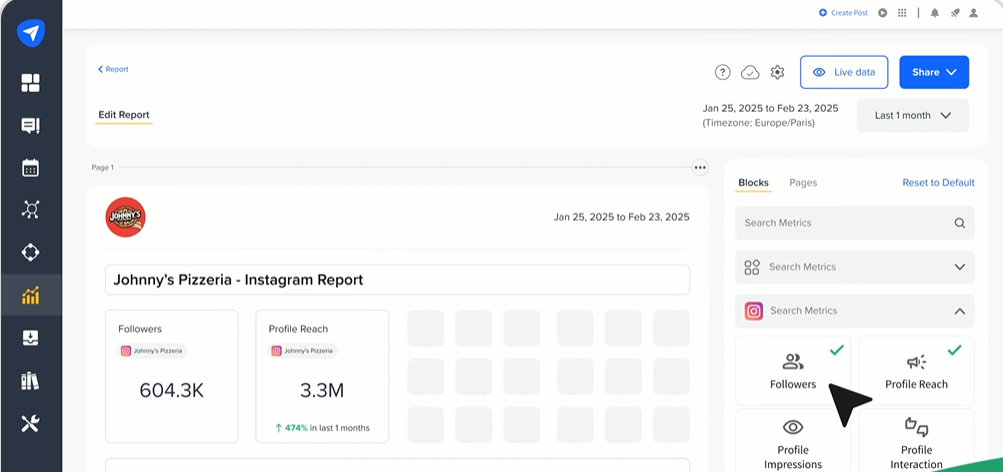
- White-label reporting: Allows agencies to present branded reports.
SocialPilot Pros
- Competitive agency pricing.
- Multiple users bundled into plans.
- Client approvals available.
- White-label reports.
- Broad network coverage.
SocialPilot Cons
- Essentials supports only one user.
- Extra accounts create additional charges.
- Native social listening is not its main strength.
- More sophisticated agency features require Premium or Ultimate.
SocialPilot Pricing Plans
Essentials costs $30 monthly or $25.50 per month on annual billing. Standard costs $50 monthly or $42.50 annually, Premium $100 or $85 annually, Ultimate $200 or $170 annually, while Enterprise uses custom pricing.
Why Choose SocialPilot?
SocialPilot makes sense when you manage many accounts but want to avoid the high per-seat structure associated with some enterprise platforms. Its bundled user allowances, approvals, reporting, inbox, and white-label capabilities are particularly relevant to agencies.
The biggest question is whether you need sophisticated social listening or enterprise intelligence. If those capabilities dominate your requirements, a different platform may fit better.
10. Metricool
Metricool combines scheduling with analytics, competitor tracking, reporting, advertising data, and brand management. Its entry plans are particularly accessible, while Advanced introduces team management, client management, approvals, role controls, customizable reports, API access, and a Looker Studio connector.
The free plan is genuinely useful for testing the platform, but it excludes LinkedIn and X connections and limits publishing to 20 posts per month. Teams also need Advanced before they receive the more substantial collaboration and client-management toolkit.
Metricool Highlighted Features
- Content planning: Schedules posts across supported social networks.
- Competitor analysis: Helps compare performance against competing profiles.
- Automated reports: Simplifies recurring performance reporting.
- Team and client management: Advanced supports collaborative agency workflows.
- Looker Studio and API: Provides greater flexibility for advanced reporting and integrations.
Metricool Pros
- Free plan available.
- Strong analytics emphasis.
- Competitor tracking.
- Automated reporting.
- Affordable multi-brand options.
Metricool Cons
- Free excludes LinkedIn and X.
- Free allows only 20 monthly posts.
- Approvals require Advanced.
- Some analytics capabilities require add-ons.
Metricool Pricing Plans
Free costs $0. Starter currently begins at $25 per month, with an annual-billing rate starting around $20 per month. Advanced begins at $67 monthly or about $53 with annual billing, while Custom pricing is available for larger organizations.
Why Choose Metricool?
Metricool is compelling when analytics and reporting matter as much as publishing. The ability to monitor competitors, create automated reports, manage brands, and connect deeper reporting workflows gives data-focused marketers useful flexibility.
Its free and Starter plans are best for lighter workflows. Agencies that need approvals, user roles, client management, API access, or customizable report templates should price the Advanced tier instead.
How to Choose the Right Loomly Alternative in 5 Minutes
Start With the Problem You Actually Need to Solve
Write down the single biggest reason you are considering leaving Loomly. It may be team limits, price, client approvals, AI capabilities, engagement management, social listening, analytics, campaign creation, or simply wanting a more streamlined interface. Starting with the problem prevents an impressive feature list from distracting you from the outcome you need.
Next, separate essential features from attractive extras. A three-person content team might need scheduling, analytics, approvals, and an AI assistant but have no use for enterprise listening, SSO, sentiment analysis, or complex customer-care routing. Paying for features that never enter your weekly workflow creates software expense without operational value.
Then examine which social networks you actually manage. People now use an average of 6.75 social platforms per month, so multi-platform support matters, but your business still does not need every network in existence. Choose the product that handles your real channel mix and the post types you publish most often.
Calculate Tomorrow’s Cost, Not Today’s Cost
Compare what each platform costs at your expected team size 12 months from now. Per-user software can look affordable with one login and expensive with 10, while products using workspace, channel, brand, or bundled-team pricing can behave very differently as you scale. Build your estimate around users, profiles, clients, workspaces, and necessary add-ons.
You should also test the workflow before migrating completely. Run one real content cycle through creation, approval, scheduling, publication, engagement, and reporting, then measure where the tool reduces work or adds friction. Features shown on a pricing page matter less than what happens during your actual Monday morning workflow.
Finally, remember that social is increasingly connected to customer discovery and purchasing. Sprout Social’s 2025 research found that 37% of consumers start product research on social media, 41% of Gen Z start searches on social, and 76% of surveyed consumers said social content influenced a purchase during the previous six months. Your management software should therefore support consistent, measurable communication rather than merely filling calendar slots.
Must-know Tip: Sprout Social CMO Scott Morris summarizes the change well: “Social is becoming the new search engine.”
When Should You Stay With Loomly Instead of Switching?
Stay When Your Existing Workflow Already Solves the Problem
Changing software creates its own cost. Your team must reconnect accounts, rebuild permissions, learn a new interface, recreate approval processes, move scheduled content where necessary, and establish new reporting habits. If Loomly already handles your workflow comfortably, switching only because another product has more features may create work without creating meaningful value.
Loomly’s current platform is also broader than some older alternative articles suggest. Starter includes scheduling, approval workflows, advanced analytics, AI Assistant chat, social listening allowances, AI-generated posts, AI replies, recurring posts, direct publishing, mobile apps, Zapier, and unlimited calendars. You should therefore verify current functionality before switching because of a limitation mentioned in an outdated review.
Switch When the Economics or Workflow No Longer Fit
A stronger case exists when your team repeatedly encounters the same structural limitation. That could be the jump from Loomly Starter’s three-user ceiling to Beyond, needing deeper client workspaces, wanting viral-campaign functionality, requiring sophisticated customer care, or finding another tool’s pricing architecture better suited to your growth.
Consumer expectations also make efficient engagement increasingly important. Sprout Social’s 2025 Index reported that 73% of consumers would buy from a competitor if a brand failed to respond on social, which shows why inbox and customer-care capabilities can become business requirements rather than optional extras.
Must-know Tip: Miro VP of Marketing Briana Rogers put the AI transition simply: “Marketers will have to learn how to integrate AI into their work.” Choose software where AI reduces real work instead of selecting a product simply because it carries an AI label.
Conclusion: Choosing Among the 10 Loomly Alternatives
The right choice among these 10 Loomly alternatives depends on what you want to improve. Loomly remains capable for businesses that fit its pricing structure, while alternatives provide different strengths in affordability, collaboration, visual planning, customer care, analytics, agency workflows, campaign management, and AI assistance.
Pay close attention to how pricing changes as you add users, profiles, clients, and advanced functionality. Starting prices rarely tell the complete story.
Platforms that combine scheduling with useful workflow features can reduce the number of disconnected tasks your team handles each day. Features such as AI-assisted content creation, approvals, analytics, UGC management, campaign tools, and multi-account publishing can be particularly valuable when they solve problems your team already experiences.
The best final decision is the one that fits your actual channels, team structure, budget, growth plans, and operating style. Test the workflow with real content before committing, then choose based on measurable usefulness rather than the size of the feature list.
Frequently Asked Questions About Loomly Alternatives
What is the best Loomly alternative?
The best Loomly alternative depends on your main requirement. SocialSchedulify combines scheduling with AI writing, approvals, campaigns, UGC tools, analytics, and share features, while tools such as Planable, Buffer, Hootsuite, Sprout Social, and Later specialize in different workflow areas.
Is there a cheaper alternative to Loomly?
Yes. Several options have lower entry prices. SocialSchedulify starts at $9 monthly, Buffer offers a free plan and paid channel-based subscriptions, Metricool has a free plan, and SocialPilot provides several lower-cost packages.
What is the best Loomly alternative for agencies?
The answer depends on your agency model. SocialSchedulify provides an Agency tier with multi-client workspaces, unlimited social profiles, white-label options, and custom reports, while Sendible, SocialPilot, and Planable also offer agency-oriented workflows.
What is the best free Loomly alternative?
Buffer and Metricool both provide free options. Buffer’s free plan supports up to three channels, while Metricool’s Free plan supports one brand but has network and monthly-post limitations.
Is Loomly worth paying for?
It can be. Loomly remains a capable option when its account limits, user limits, approval workflows, analytics, AI tools, and pricing match your organization. You should switch only when another platform solves a meaningful operational or financial problem better.
Does Loomly have social listening?
Yes. Loomly’s current pricing comparison lists social listening, with Starter currently receiving two uses per month and Beyond five per month. This is important because older comparison articles may describe Loomly’s listening functionality differently.
Which Loomly alternative is best for AI content creation?
Several platforms now provide AI functionality. SocialSchedulify has an AI Writer Assistant, Buffer includes an AI Assistant, Hootsuite integrates AI functionality, SocialPilot provides AI Pilot, and Later offers AI Ideas and Caption Writer features.
Which Loomly alternative is best for approval workflows?
Planable is heavily focused on collaboration and approvals. SocialSchedulify also provides a post approval workflow, while Later Growth, SocialPilot’s higher plans, Loomly itself, and higher Hootsuite plans provide review capabilities.
Which Loomly alternative is best for analytics?
Metricool is especially analytics-focused, while Sprout Social, Hootsuite, Agorapulse, SocialSchedulify, and SocialPilot also provide substantial reporting capabilities. Your best option depends on whether you need post analytics, competitor analysis, ROI reporting, client reports, or enterprise intelligence.
Which Loomly alternative is best for Instagram?
Later remains particularly strong for visually planned Instagram strategies because it combines visual scheduling, media tools, UGC functionality, analytics, Link in Bio, and Instagram-specific publishing features. Other alternatives can still be better when Instagram is only one part of a larger multi-network workflow.
Can I migrate from Loomly without stopping my social publishing?
Yes, but avoid changing everything at once. Connect your essential accounts to the replacement platform, recreate permissions and approvals, move future content where required, test publishing, confirm analytics, and keep a short overlap period before cancelling your existing subscription.
What should I check before choosing a Loomly competitor?
Check supported networks, post formats, user allowances, profile limits, approvals, AI functionality, analytics, inbox management, listening, client workspaces, reporting, integrations, add-on costs, and annual contract terms. Then calculate the price at your expected size rather than your current smallest configuration.