

A Hootsuite alternative can offer a simpler workflow, lower costs, or features that better fit your social strategy. That matters more than ever. By April 2026, social media had reached 5.79 billion user identities worldwide, equal to about 69.9% of the global population.
The average social media user now visits or uses about 6.5 platforms each month. Managing that mix manually can quickly become unmanageable for creators, agencies, and marketing teams.
This guide compares seven strong options based on real features, pricing, strengths, weaknesses, collaboration, analytics, scheduling, and practical usability so you can choose the right platform with more confidence.
What Does Hootsuite Do?
Hootsuite is an all-in-one social media management platform designed to help you plan, publish, monitor, engage, and measure social activity from a central dashboard. It supports businesses that would otherwise need to move constantly between individual social networks.
Its publishing tools let you create and schedule posts in advance. Hootsuite Standard currently supports up to 10 social accounts and unlimited scheduled posts, while higher plans expand account limits, automation, reporting, collaboration, and governance capabilities.
Content creation has also become more AI-driven. Hootsuite now provides AI-assisted post and image generation, helping you move from an idea to publishable content faster.
The platform also centralizes messages through an inbox. This matters because social media increasingly functions as a customer service channel, not just a publishing channel.
In 2025, 73% of consumers said they expected brands to respond on social media within 24 hours. A management platform that combines publishing with engagement can therefore help you protect both your content workflow and your customer experience.
Hootsuite also includes monitoring, analytics, competitor tracking, and reporting. More advanced plans add automation, approval workflows, deeper analytics, team coordination, and sophisticated social listening.
Its broad feature set is useful for larger organizations. However, it can also create unnecessary cost and complexity when your needs are mainly scheduling, content approvals, analytics, or campaign management.
This becomes more important when you consider that 94.7% of global internet users were using social media monthly by April 2026. Users also spent an average of 18 hours and 36 minutes per week on social media.
Choosing your management software is therefore not a minor operational decision. It directly affects how efficiently you reach, serve, and learn from your audience.
How to Test a Hootsuite Alternative Before You Commit
Never choose a Hootsuite alternative from a feature list alone. A platform may look impressive on a pricing page and still become frustrating once your team starts using it every day.
Start by connecting the social accounts you actually manage. Do not test with a single unused profile if your real workflow involves five brands, three approvers, and several platforms.
Next, create a genuine campaign. Draft posts for Facebook, Instagram, LinkedIn, TikTok, or whichever networks matter to your business, then test how easily you can customize the content for each platform.
Schedule different formats as well. Test images, videos, carousels, short-form content, and any other format your regular strategy depends on.
Then involve your team. Invite another user, request approval, make an edit, reject a post, reschedule it, and check whether everyone can see what changed.
Customer engagement deserves the same attention. The 2025 Sprout Social Index found that 73% of social media users may buy from a competitor when a brand fails to respond on social. If customer care matters to you, test the inbox rather than assuming a tool handles engagement well.
Finally, generate a report. Check whether the platform shows metrics you can actually use, whether reports can be exported, and whether you can explain performance to a manager or client without building another spreadsheet.
Use the trial to test your real workflow for at least several working days. Ease of use after repeated use matters more than how attractive the dashboard looks during the first login.
Must-know Tip: Yuvi Alpert puts the response-time issue simply: “It is critical that we answer those questions within 24 hours.” Test engagement features with the same seriousness as scheduling.
7 Top Hootsuite Alternatives
The best platform is not necessarily the one with the longest feature list. It is the one that removes the problems slowing your team down.
AI is also changing what buyers should expect. In 2025, 71% of marketers reported actively using AI tools in social media marketing, while 72% reported better performance from AI-assisted content. Another 89% planned to use platform-native AI tools when available.
With that in mind, here are seven Hootsuite alternatives worth considering.
1. SocialSchedulify:
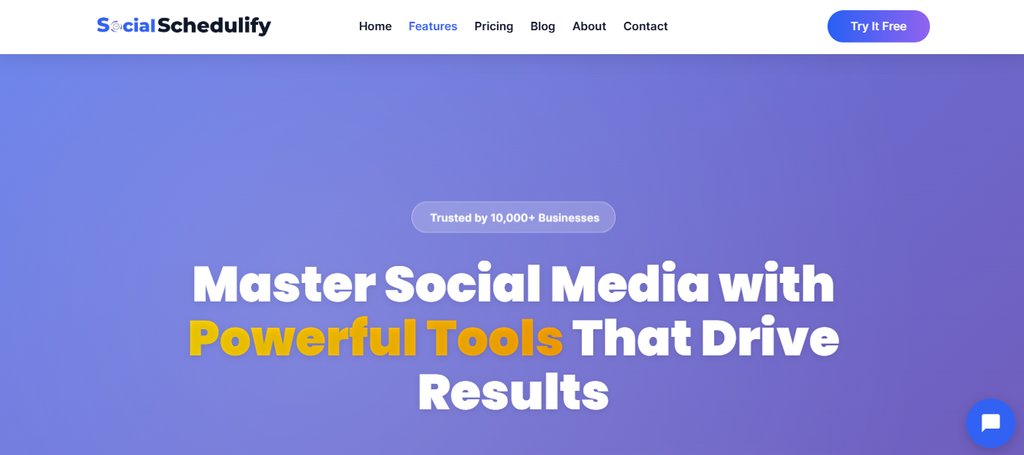
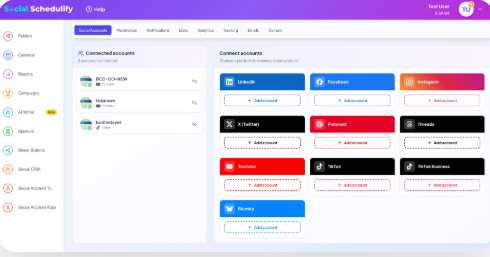
SocialSchedulify combines social publishing, AI-assisted content creation, campaign management, approvals, analytics, and audience-growth tools in one platform. You can manage several social accounts from a central dashboard instead of separating content creation, scheduling, campaign tracking, and reporting across different applications.
Its AI Writer Assistant helps draft social campaign content, while its publishing workflow lets you schedule content across networks such as Facebook, Instagram, X, and LinkedIn. This combination is useful when you want to shorten the distance between creating an idea and putting that idea in front of your audience.
SocialSchedulify also goes beyond routine post scheduling with user-generated content tools, viral campaign capabilities, share amplification, and RSS automation. This matters because a 2025 Sprout Social survey found that 52% of social users rely on social search rather than AI chatbots when looking for user-generated content and personal experiences.
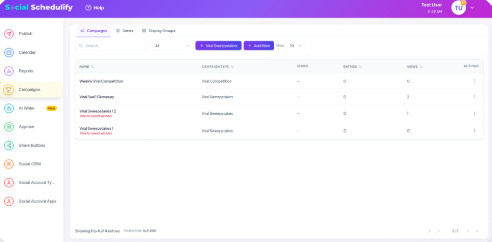
The reporting and workflow features also make the platform relevant for growing teams. You can review and approve posts before publication, monitor campaign history, examine engagement and reach, identify high-performing content, and export reports for further analysis.
Must-know Tip: Marketing leader Priya Gill explains the value of modern visual and community-led formats well: “These formats grab attention in seconds and allow businesses to tell compelling stories that resonate.”
SocialSchedulify Highlighted Features
- AI Writer Assistant: Draft social campaign content faster and reduce the time you spend starting every caption from scratch.
- Multi-platform scheduling: Plan and publish across multiple social accounts from one dashboard, helping you maintain a more consistent posting routine.
- Visual content calendar: Organize campaigns and publishing dates visually so upcoming content is easier to understand and manage.
- Post approval workflow: Approve, reject, edit, or reschedule content before publication, reducing avoidable publishing mistakes.
- Campaign analytics: Track engagement, reach, impressions, click-through rates, audience information, best posting times, and top-performing content.
- User-generated content tools: Collect, approve, and share customer-created content so you can add authentic community material to your marketing.
- Campaign and automation tools: Run promotional campaigns and automate content distribution through features such as RSS-based sharing and reposting.
Pros of SocialSchedulify
- Combines scheduling, campaign management, AI writing, analytics, and approvals in one environment.
- Supports multiple social profiles, reducing the need to manage each network separately.
- Provides UGC functionality that can help you turn customer content into reusable social proof.
- Includes report exports in PDF, CSV, and Excel formats for easier internal or client reporting.
- Offers approval controls that help teams review content before it reaches the public.
- Provides plans for creators, growing businesses, marketing teams, and agencies.
- Includes a 14-day free trial and a 30-day money-back guarantee, reducing the risk of testing the platform.
Cons of SocialSchedulify
- The Starter plan limits you to five social profiles and basic analytics, so growing teams may need to upgrade fairly quickly.
- Published posts cannot be edited from the approval workflow after they go live, so correcting an already-published post may require deleting and recreating it.
Cost of Using SocialSchedulify
Starter costs $9 per month and supports up to five social profiles.
Professional costs $29 per month and supports up to 15 social profiles, AI content generation, UGC tools, campaign creation, and advanced analytics.
Business costs $59 per month and supports up to 30 profiles, collaboration workflows, viral campaign tools, UGC management, and ROI tracking.
Agency costs $99 per month and includes unlimited social profiles, multi-client workspaces, white-label options, CRM integrations, custom reports, and dedicated support.
Annual billing is advertised with a 20% discount.
2. Planable:
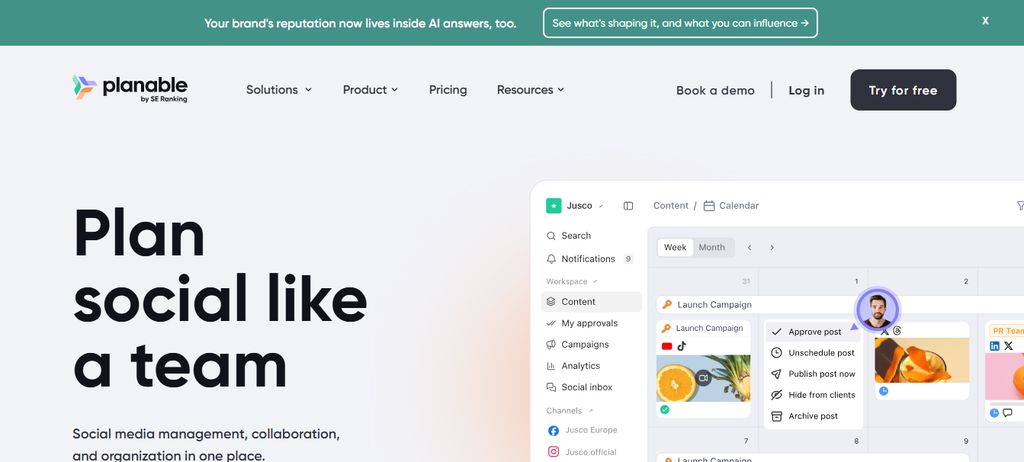
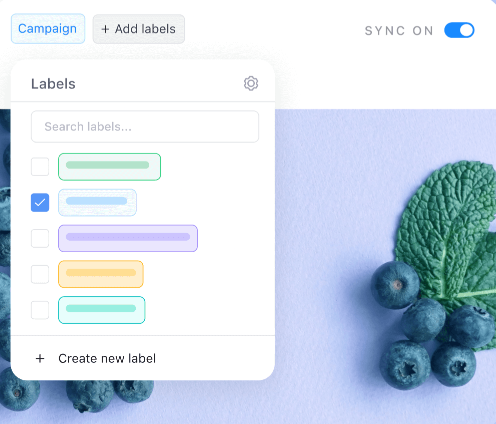
Planable focuses on content planning, team collaboration, feedback, approvals, and publishing. If your main frustration with Hootsuite involves slow client reviews or scattered feedback, Planable deserves attention.
Its main limitation is that analytics and the social inbox are paid add-ons, not standard parts of the core subscription. It is also less suitable when advanced social listening is central to your strategy.
Planable Key Features
- Content approvals: Choose optional, required, or multi-level approval workflows depending on your plan.
- Visual planning: Use feed, calendar, grid, and list views to organize content.
- Team collaboration: Comment, suggest edits, and manage feedback around the actual content.
- Multi-platform publishing: Schedule content for nine major social networks.
- AI content tools: Generate, rewrite, and adapt social copy without leaving the platform.
Pros of Planable
- Strong approval and client-review workflow.
- Unlimited users on its core paid plans.
- Useful visual previews for social content.
- Dedicated workspaces help agencies separate clients and brands.
- Supports universal content planning beyond social posts.
Cons of Planable
- Analytics costs an additional $14 per workspace each month.
- The social inbox costs an additional $9 per workspace each month.
- Basic is limited to four social pages and 60 posts per workspace monthly.
- Deep social listening is not a core strength of the platform.
Cost of Using Planable
Basic costs $39 per workspace per month or $390 per workspace per year.
Pro costs $59 per workspace per month or $590 per workspace per year.
Enterprise uses custom pricing, with current documentation indicating plans start from about $200 per month.
Analytics costs another $14 per workspace monthly, while Social Inbox costs $9 per workspace monthly.
3. Buffer:
Buffer remains one of the easiest options to understand if your primary needs are content creation, scheduling, analytics, and basic community management. Its clean workflow appeals to individual creators and smaller businesses that don’t want an enterprise-style dashboard.
The trade-off is depth. Buffer’s per-channel pricing can become more expensive as you add accounts, and serious collaboration requires the Team plan.
Buffer Key Features
- Social scheduling: Queue and schedule posts across major social networks.
- AI Assistant: Generate, rewrite, and repurpose social content.
- Analytics: Track post and profile performance with deeper reporting on paid plans.
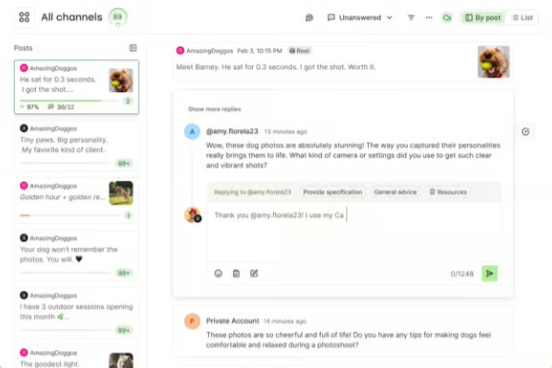
- Community inbox: Manage social comments without opening every network separately.
- Approval workflows: Team accounts can manage user access and content approvals.
Pros of Buffer
- Free plan supports up to three channels.
- Simple interface reduces onboarding friction.
- Paid plans allow unlimited scheduled posts per channel.
- Supports a broad range of networks, including newer platforms such as Bluesky and Mastodon.
- Flexible per-channel billing suits users managing only a few accounts.
Cons of Buffer
- Free accounts can queue only 10 scheduled posts per channel.
- Essentials includes only one user.
- Costs increase as you connect additional channels.
- It is not positioned as a deep enterprise social-listening solution.
Cost of Using Buffer
Free costs $0 and includes three connected channels.
Essentials costs $6 per channel per month, or $5 per channel per month when billed yearly for the first 10 channels.
Team costs $12 per channel per month, or $10 per channel per month when billed yearly for the first 10 channels.
Buffer also applies volume discounts as you connect more channels.
4. Agorapulse:
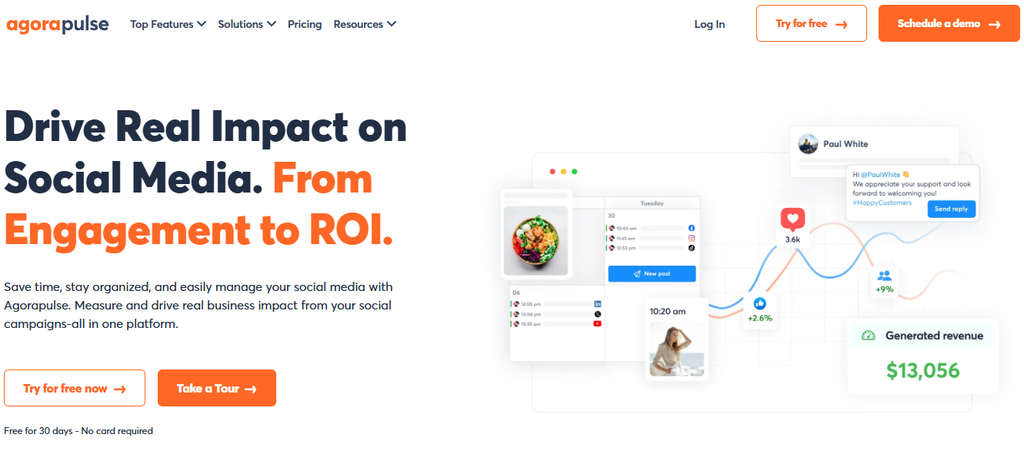
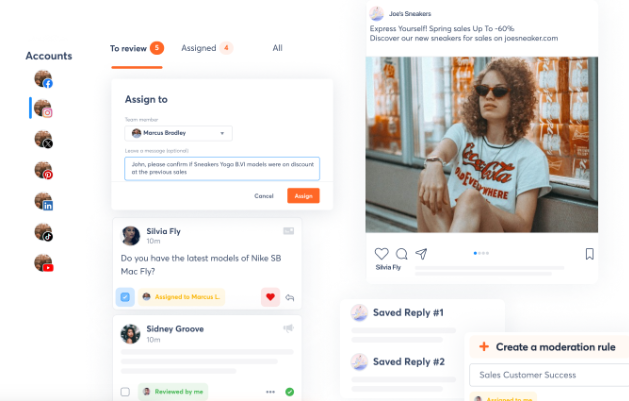
Agorapulse is particularly strong when engagement management matters as much as scheduling. Its social inbox, moderation tools, publishing features, reporting, and ROI capabilities make it suitable for teams handling regular customer conversations.
The biggest concern is cost as your team expands. Agorapulse prices its main subscriptions per user, while advanced social and web listening carries an additional cost.
Agorapulse Key Features
- Unified social inbox: Manage comments and messages centrally.
- Publishing calendar: Schedule and organize content from one workflow.
- Automated inbox assistant: Use moderation rules to reduce repetitive inbox work.
- Reporting and ROI tools: Connect social performance with marketing outcomes.
- Approval workflows: Assign and approve content before publication.
Pros of Agorapulse
- Strong community-management capabilities.
- Includes useful moderation and spam-management controls.
- Provides social reporting and ROI measurement tools.
- Supports team publishing workflows.
- Offers a free plan for basic use.
Cons of Agorapulse
- Paid plans are charged per user.
- Standard, Professional, and Advanced include only 10 social profiles.
- Advanced social and web listening costs $100 per search each month.
- Reporting history and advanced workflow functionality vary by plan.
Cost of Using Agorapulse
Free costs $0 and supports one user with three social profiles.
Standard costs $99 per user monthly or $79 per user monthly with annual billing.
Professional costs $149 per user monthly or $119 with annual billing.
Advanced costs $199 per user monthly or $149 with annual billing.
Custom pricing is available for larger organizations.
5. SocialBee
SocialBee focuses heavily on organized content publishing, AI assistance, evergreen recycling, content categories, and automation. It can work particularly well when your main goal is keeping multiple channels active without manually rebuilding your publishing queue every week.
However, its lowest plan supports only one user and five profiles. Several workflow features, including advanced analytics, CSV uploads, bulk editing, and approvals, require higher plans.
SocialBee Key Features
- Content categories: Organize your publishing mix into reusable categories.
- Evergreen recycling: Automatically reshare relevant posts instead of rebuilding your queue.
- AI Copilot: Generate social strategies and content ideas with AI.
- Advanced scheduling: Customize posts by network and manage recurring publishing.
- Analytics: Measure post and channel performance with deeper history on higher plans.
Pros of SocialBee
- Strong evergreen-content automation.
- Direct publishing supports major social platforms.
- Unlimited AI content generation is included in standard plans.
- Flexible content categories make publishing schedules easier to balance.
- Offers integrations with tools such as Canva, Zapier, Make, and Pabbly.
Cons of SocialBee
- There is no permanent free plan.
- Bootstrap is limited to five profiles and one user.
- Several collaboration and reporting features require higher plans.
- Additional users, workspaces, and profile bundles carry extra fees.
Cost of Using SocialBee
Bootstrap costs $29 per month.
Accelerate costs $49 per month.
Pro costs $99 per month.
Agency plans include Pro50 at $179, Pro100 at $329, and Pro150 at $449 per month.
A 14-day Pro trial is available without requiring a credit card.
6. Sprout Social:
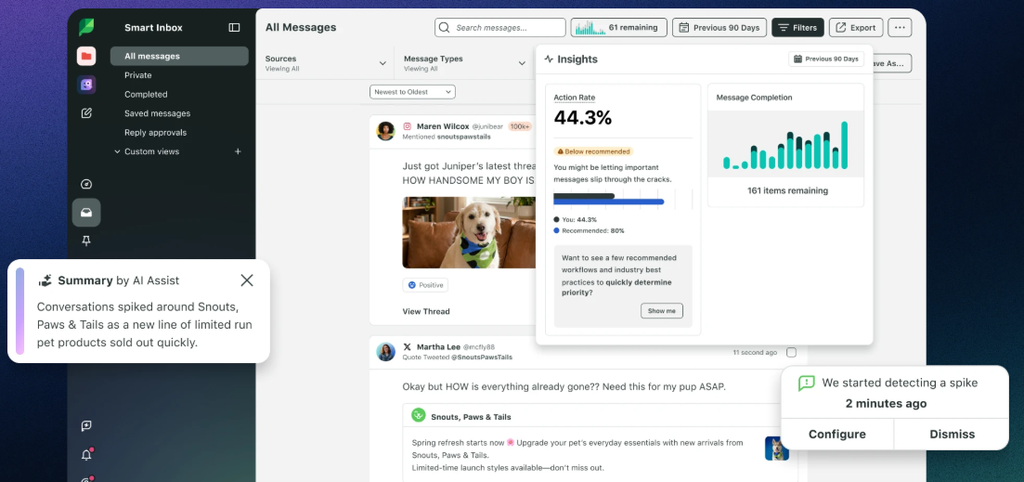
Sprout Social is one of the more advanced options in this comparison. It combines publishing, Smart Inbox functionality, analytics, monitoring, customer-care tools, competitive insights, and optional social listening.
The main barrier is price. Its plans are charged per seat, which can make Sprout expensive for smaller teams even before paid add-ons enter the calculation.
Social commerce also continues to become more important. HubSpot’s 2025 marketing data found that 87% of marketers considered social selling effective, while 59% said they were generating more social sales than previously.
Sprout Social Key Features
- Smart Inbox: Centralize and respond to messages across social channels.
- Publishing tools: Schedule content and use optimal-send-time recommendations.
- Analytics: Analyze profile, post, campaign, and cross-network performance.
- AI Assist: Improve content and replies with AI-supported workflows.
- Social listening: Analyze larger conversations, trends, competitors, and audience sentiment through an add-on.
Pros of Sprout Social
- Advanced reporting and analytics capabilities.
- Strong inbox and customer-care workflow.
- Powerful option for larger marketing departments.
- Useful competitor and brand-monitoring functionality.
- Extensive social listening capabilities are available.
Cons of Sprout Social
- Significantly more expensive than many alternatives.
- Pricing is generally per seat.
- Standard supports only five social profiles.
- Advanced listening is an additional product rather than a basic-plan feature.
Cost of Using Sprout Social
Essentials is displayed at $79 per seat per month with annual billing or $99 when billed monthly.
Standard is $199 per seat per month with annual billing.
Professional is $299 per seat per month with annual billing.
Advanced is $399 per seat per month with annual billing.
Enterprise pricing is customized.
7. Sendible
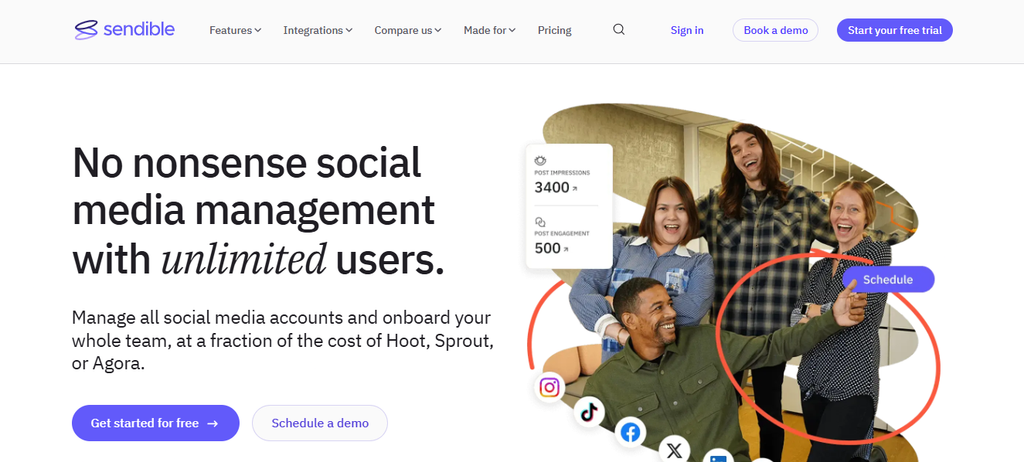
Sendible is designed for brands, marketing teams, and agencies that need scheduling, engagement, reporting, client workspaces, content sourcing, and collaboration. Unlimited users across its current plans can make it appealing when several people need access.
However, its entry-level Core package has only one workspace and six social profiles. Approval workflows require Plus or higher, while white labeling is a paid add-on on higher plans.
Sendible Key Features
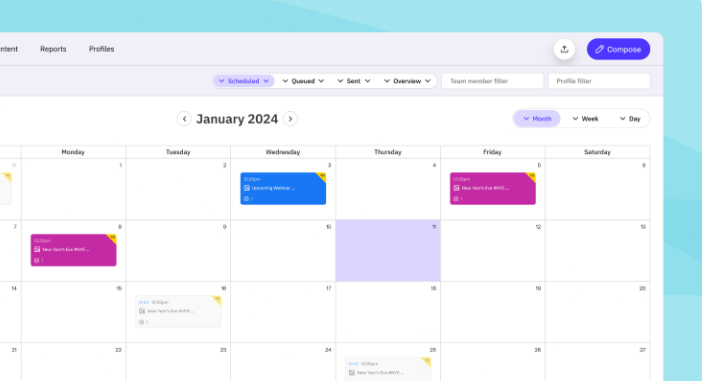
- Bulk scheduling: Upload and schedule large batches of content.
- Smart queues: Organize recurring content around predefined schedules.
- AI Assist: Draft, rewrite, and improve social copy.
- Monitoring and replies: Manage engagement from the dashboard.
- Reporting: Create standard reports, with branded reporting available on higher tiers.
Pros of Sendible
- Unlimited users are included across current plans.
- Supports agency-friendly workspaces.
- Includes bulk scheduling and reusable queues.
- Integrates with Canva, Google Drive, Dropbox, and automation tools.
- Supports direct publishing across several major social networks.
Cons of Sendible
- Core includes only six profiles.
- Approval workflows are unavailable on Core.
- White labeling requires Elite or Enterprise plus an add-on.
- Daily publishing limits apply, starting at 100 sends per user on Core.
Cost of Using Sendible
Core costs $35 per month and includes one workspace with six profiles.
Plus costs $99 per month and includes three workspaces with 18 profiles.
Premium costs $199 per month and includes seven workspaces with 42 profiles.
Elite costs $299 per month and includes 15 workspaces with 90 profiles.
Enterprise costs $750 per month and includes 50 workspaces with 300 profiles. Annual billing currently offers a 15% saving.
Why Choose a Hootsuite Alternative?
Imagine a growing financial-services company with three marketers managing several social accounts. Mr. Peter, the marketing lead, originally chose a large social platform because it offered almost every feature imaginable.
Months later, his team realized they mainly used scheduling, approvals, analytics, and inbox management. They were paying for a broader system while still using spreadsheets for parts of their workflow.
That is why choosing a Hootsuite alternative can benefit your business. Here’s what you stand to gain::
Reduce the Cost of Features You Do Not Use
A broad platform can be valuable, but only when your team actually uses the breadth.
If your workflow centers on publishing and analytics, paying for enterprise-level governance or sophisticated listening may offer little return. A more focused platform lets you direct more of your marketing budget toward content, advertising, or people.
Match the Tool to Your Real Workflow
Software should follow the way your team works rather than force your team into an unfamiliar process.
An agency may prioritize client workspaces and approvals. A creator may value simple scheduling, while a customer-care team may care far more about inbox routing and response management.
In 2025, HubSpot found that 64% of Gen Z respondents had discovered a product through social media during the previous three months. Social workflows therefore affect much more than content organization. They influence discovery and revenue opportunities.
Improve Speed Without Sacrificing Control
The right software removes unnecessary steps between creating, reviewing, publishing, and measuring content.
Instead of sending screenshots through email or messaging apps, your team can use built-in approvals, calendars, and comments. That shortens review cycles while keeping responsibility clear.
Choose Features That Support Your Growth Stage
A solo creator and a global company do not need the same social stack.
Start with the number of channels, users, brands, and clients you manage today. Then calculate what the platform will cost when those numbers double.
Must-know Tip: Gary Vaynerchuk summarizes the commercial reality behind social media clearly: “Attention is the #1 asset in the world.” Your management tool should help you earn and respond to that attention efficiently.
How to Choose the Right Hootsuite Alternative for Your Business
Start with your biggest operational problem.
If you spend too much time creating posts, prioritize strong AI and content-generation features. If reviews delay campaigns, prioritize approvals and collaboration instead.
Next, separate essential features from attractive extras. Your essential list might contain publishing, analytics, an inbox, five user accounts, and Instagram Reels support.
Then calculate total cost rather than entry price. Add every user, profile, workspace, analytics upgrade, listening package, and reporting add-on you actually need.
Platform support also needs closer inspection. A tool claiming to support Instagram does not automatically mean it supports every Instagram format, engagement feature, or analytics metric you use.
Finally, think about the next 12 to 24 months. Choosing software that works only for your current number of accounts can force you into another migration when your team grows.
Conclusion
Finding the right Hootsuite alternative comes down to fit, not the most features.
You need a platform that matches your channels, team size, approval process, reporting requirements, customer engagement needs, and budget. Test each serious candidate with a real campaign before you commit.
SocialSchedulify stands out when you want scheduling, AI-assisted creation, campaign tools, approvals, analytics, UGC functionality, and multiple growth-focused features under one platform. Planable, Buffer, Agorapulse, SocialBee, Sprout Social, and Sendible remain useful options when their particular strengths align more closely with your workflow.
Choose the tool that removes work rather than adding another layer of it.
Frequently Asked Questions About Hootsuite Alternatives
What is the best Hootsuite alternative?
The best choice depends on your workflow. SocialSchedulify is a strong option when you want scheduling, AI content creation, campaigns, UGC tools, approvals, and analytics in one platform.
Is there a cheaper alternative to Hootsuite?
Yes. Several products in this guide start well below Hootsuite’s current $99 monthly entry point, although total costs depend on users, channels, workspaces, and add-ons.
What is the best free Hootsuite alternative?
Buffer offers a permanent free plan with three connected channels. Agorapulse also provides a free tier, while Planable lets you create your first 50 posts without a time limit.
Can I use a Hootsuite alternative for multiple social accounts?
Yes. Every platform reviewed here supports multiple accounts, although limits vary significantly by plan.
Which Hootsuite alternative is best for agencies?
Your choice depends on the agency model. SocialSchedulify provides an Agency plan with unlimited social profiles and multi-client workspaces, while Planable and Sendible also offer workflows designed around separate clients.
Which option is best for content approvals?
Planable specializes heavily in collaboration and approvals. SocialSchedulify also lets your team approve, reject, edit, and reschedule posts before publication.
Which alternative is best for social media analytics?
Sprout Social offers some of the deepest reporting capabilities on this list. SocialSchedulify, Agorapulse, SocialBee, Buffer, and the other platforms also provide analytics at different levels and price points.
Which Hootsuite alternative is easiest for beginners?
Buffer is particularly easy to learn because its interface focuses on a straightforward create, schedule, publish, and analyze workflow.
Can a Hootsuite alternative manage customer comments?
Yes, but inbox coverage differs. Sprout Social, Agorapulse, Buffer, Planable, and Sendible provide engagement capabilities, although supported networks and plan requirements vary.
Do Hootsuite alternatives include AI?
Many now do. SocialSchedulify, Planable, Buffer, SocialBee, Sprout Social, Sendible, and Hootsuite itself provide some form of AI-assisted content or workflow functionality.
Should you switch from Hootsuite if it already works for your business?
Not automatically. If your team actively uses its listening, analytics, governance, inbox, and enterprise controls, migration may create more disruption than value.
Switch when another product can meet your essential requirements more efficiently, not simply because a competing product has a lower headline price.
How should you migrate from Hootsuite?
Audit your connected accounts, scheduled posts, users, approvals, reporting needs, and historical data first. Test the replacement before moving active workflows, then reconnect channels and rebuild queues or automations that do not transfer automatically.