

Buffer alternatives deserve a closer look in 2026 because social media management now involves much more than putting posts into a queue. Global social media user identities reached 5.79 billion in April 2026, equal to 69.9% of the world’s population. That figure grew 5.4% year over year, adding 294 million identities.
At the same time, marketers need stronger analytics, approvals, automation, AI tools, campaign management, and cross-platform workflows. HubSpot’s 2025 research found that 84% of marketers expected consumers to search for brands on social media, while 89% considered on-platform search optimization important.
So, which Buffer replacement gives you the right balance of features, price, scalability, and control? This guide compares seven options to help you decide.
What Is Buffer?
Buffer is a social media management platform built around content creation, scheduling, publishing, engagement, analytics, and team collaboration. You can connect supported networks such as Facebook, Instagram, LinkedIn, TikTok, Pinterest, Threads, Bluesky, YouTube, X, Mastodon, and Google Business Profile and manage content from one workspace.
Its queue remains one of Buffer’s defining features. Instead of choosing an exact publishing time for every post, you can create recurring time slots for each social channel and place posts into the next available slot. You can also set an exact date and time when a campaign requires stricter timing.
Buffer also offers an AI Assistant, content ideas, analytics, a community inbox, API access, and a visual calendar. The Team plan adds unlimited team members, access controls, and approval workflows.
Pricing follows a per-channel model. The Free plan supports up to three channels with 10 scheduled posts per channel. Essentials starts at $5 per channel per month when billed yearly, while Team starts at $10 per channel per month when billed yearly. Costs therefore rise as you connect more channels.
Buffer still suits creators and smaller teams that value a clean scheduling workflow. The challenge appears when your operation needs specialized campaign tools, deeper collaboration, client management, broader analytics, or a pricing structure better suited to many profiles.
That matters because only 26% of marketers in HubSpot’s 2025 research described their social strategy as very effective, even though 66% of B2B marketers and 72% of B2C marketers considered their overall strategies effective. Better tools cannot fix a weak strategy, but the right workflow can make executing one much easier.
Must-know Tip: Sprout Social’s Savanna Sargent describes social media culture as “a culture of immediacy and ephemerality with real-time updates and disappearing content.” Your management software needs to keep pace with that environment.
How to Migrate From Buffer Without Disrupting Your Social Media Calendar
Do not cancel Buffer and rebuild your workflow afterward. Treat migration like moving a live marketing system.
Start by auditing everything inside your existing account. Record connected profiles, posting schedules, time zones, queued campaigns, draft content, team permissions, approval processes, tags, recurring content, and analytics you may need later.
Pay special attention to queued posts. As of July 2026, Buffer does not provide a direct export for scheduled calendar posts. It does allow paid users to export published captions and performance data from Analyze, and Buffer recommends tools such as Zapier when scheduled content needs to be copied into a shareable external format.
Next, connect your social profiles to the replacement platform. Because social platforms use authorization tokens, expect to authenticate the accounts again rather than assuming your Buffer connections will transfer automatically.
Rebuild your posting schedule before importing large batches of content. Confirm the correct time zone for every brand, location, or client. A one-hour time-zone mistake across a month’s content can create dozens of publishing errors.
If your new tool supports CSV bulk uploads, prepare content in its required template. Keep captions, dates, times, media references, campaign labels, and target networks organized before importing.
Run both systems together briefly when possible. Schedule a small number of low-risk posts in the new platform and confirm that images, captions, links, tags, and publishing times appear correctly.
Only move critical campaigns after your test posts succeed. Save historical reports you may need, verify that every future post exists in the new calendar, and then remove duplicate scheduled content from Buffer before ending the subscription.
This staged approach prevents the most common migration problem: discovering missing posts only after your old workspace is gone.
7 Best Buffer Alternatives
The best Buffer alternatives do more than copy Buffer’s scheduler. You should look for a platform that removes a specific limitation in your existing workflow, whether that is campaign creation, client approvals, analytics, multi-brand management, social engagement, AI assistance, or pricing.
The seven tools below serve different types of users. Socialschedulify leads our list because its combination of social scheduling, campaign building, share amplification, AI content tools, and analytics creates an unusually broad workflow in one product. The remaining alternatives are strong in particular areas but often require higher tiers, add-ons, or narrower workflows to unlock their best capabilities.
1. Socialschedulify
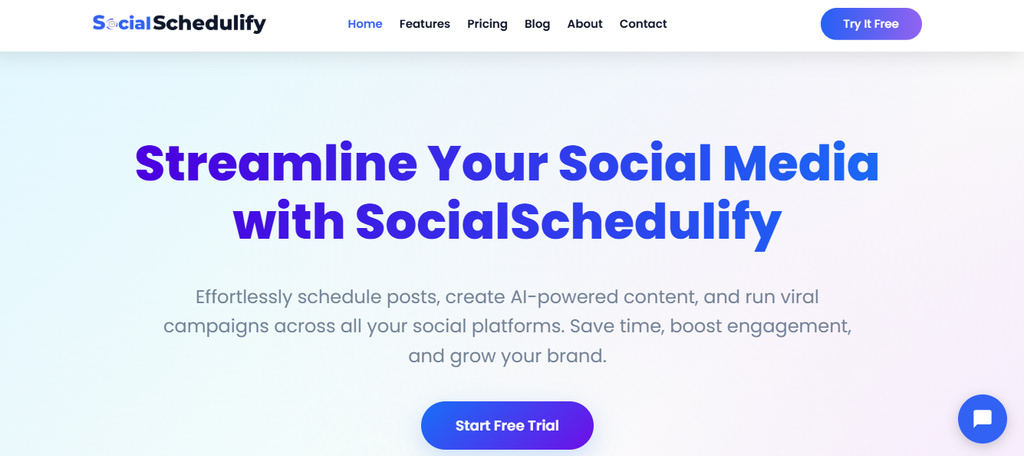
Socialschedulify combines social publishing with campaign-focused marketing tools. You can organize your content calendar, schedule content across multiple networks, use AI content generation, monitor performance, and manage campaigns from the same platform. This reduces the number of disconnected tools you need for everyday social work.
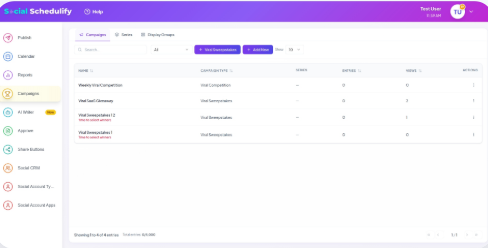
One of its more interesting differences is the viral campaign builder. Instead of limiting you to normal scheduled posts, Socialschedulify provides tools for contests, giveaways, referral campaigns, winner selection, sharing mechanisms, rewards, and campaign analytics. That gives you ways to actively generate participation rather than relying entirely on organic publishing.
Its share amplification features add another layer. You can customize social sharing buttons, test their positioning, monitor share activity, and optimize the experience for mobile visitors. For a business that publishes content on its own website, this creates a bridge between owned content and social distribution.
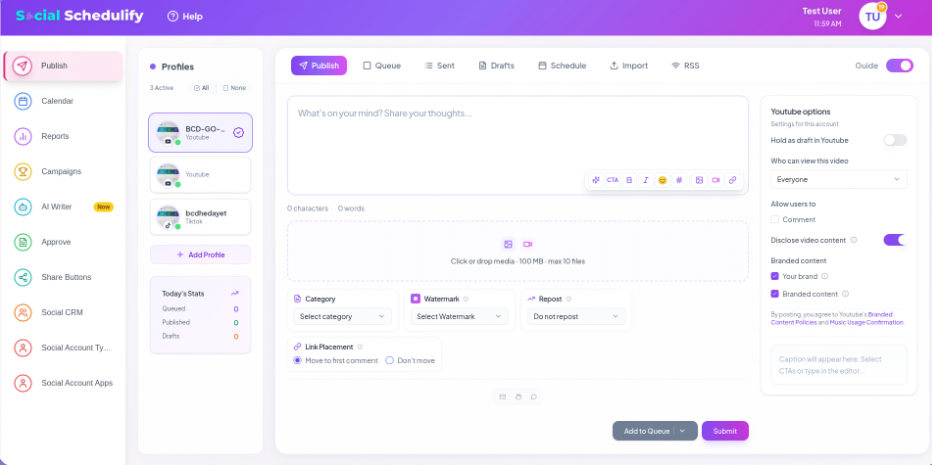
You also get analytics features designed to move beyond basic post counts. Socialschedulify lists real-time monitoring, competitor benchmarking, ROI tracking, automated reporting, and performance analytics among its capabilities. Team collaboration workflows become available as you move into plans designed for businesses and agencies.
Must-know Tip: Creator and marketer Aarushi Singh puts the human side simply: “Your voice and your perspective matter.” Automation should help you distribute that voice consistently, not replace it with generic content.
Socialschedulify Highlighted Features
- Smart scheduling: Plan and publish content from a centralized calendar so you spend less time moving between individual social platforms.
- AI content generation: Draft social content faster when you need ideas or first versions for upcoming campaigns.
- Visual content calendar: Organize scheduled content visually so you can spot gaps, overlaps, and campaign conflicts before publishing.
- Viral campaign builder: Create contests, giveaways, referral campaigns, and related promotions designed to encourage audience participation.
- Share amplification: Add and optimize customizable sharing tools that help visitors distribute your content through their own networks.
- Advanced analytics: Monitor performance, competitors, campaign results, and ROI data so decisions rely on measurable outcomes.
- Team collaboration: Use collaborative workflows on eligible plans to coordinate content and approvals across a marketing team.
Pros of Socialschedulify
- Combines scheduling and campaign creation instead of treating them as separate workflows.
- Includes AI-assisted content creation on Professional and higher plans.
- Offers campaign tools that go beyond ordinary social post scheduling.
- Provides ROI-focused analytics on higher plans.
- Supports share amplification for extending content distribution.
- Offers plans for creators, growing businesses, teams, and agencies.
- Includes a 14-day free trial and a 30-day money-back guarantee.
Cons of Socialschedulify
- No permanent free plan is listed, so continued use requires a paid subscription after the trial.
- Several stronger capabilities, including AI generation, campaign creation, larger profile limits, and team workflows, require higher plans.
Cost of Using Socialschedulify
Starter costs $9 per month, or about $7 per month with annual billing, and supports up to five social profiles.
Professional costs $29 per month, or about $23 per month annually, with up to 15 profiles.
Business costs $59 per month, or about $47 per month annually, with up to 30 profiles.
Agency costs $99 per month, or about $79 per month annually, and includes unlimited social profiles, multi-client workspaces, white-label options, and additional agency capabilities.
2. Planable:
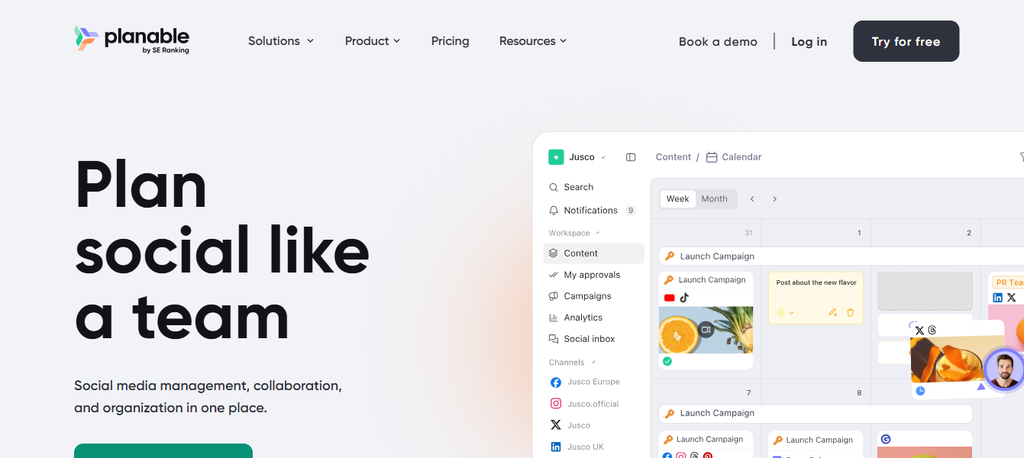
Planable is a strong option when content review and approval sit at the center of your workflow. It provides visual planning, workspace-based organization, comments, approvals, and publishing tools.
The main concern is the cost structure. Pricing is based on workspaces, while analytics and engagement can carry additional charges.
Planable Key Features
- Visual content calendar and feed views.
- Optional and required approval workflows.
- Campaign and label organization.
- AI post generation and rewriting.
- Public API on Pro and Enterprise plans.
Pros of Planable
- Excellent workflow for client and stakeholder approvals.
- Unlimited users on paid workspaces.
- Separate workspaces keep brands and clients organized.
- Multiple visual planning views are available.
- Enterprise supports multi-level approval chains.
Cons of Planable
- Basic allows only 60 posts per workspace each month.
- Pro limits you to 150 posts per workspace each month.
- Analytics costs an additional $14 per workspace monthly.
- Engagement costs an additional $9 per workspace monthly.

Cost of Using Planable
Basic costs $39 per workspace monthly, or $390 yearly.
Pro costs $59 per workspace monthly, or $590 yearly.
Enterprise uses custom pricing, and Planable’s help documentation states plans start at $200 per month.
3. Social Champ:
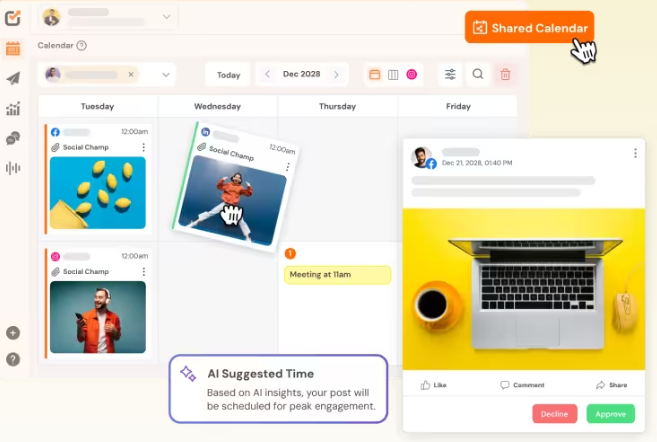
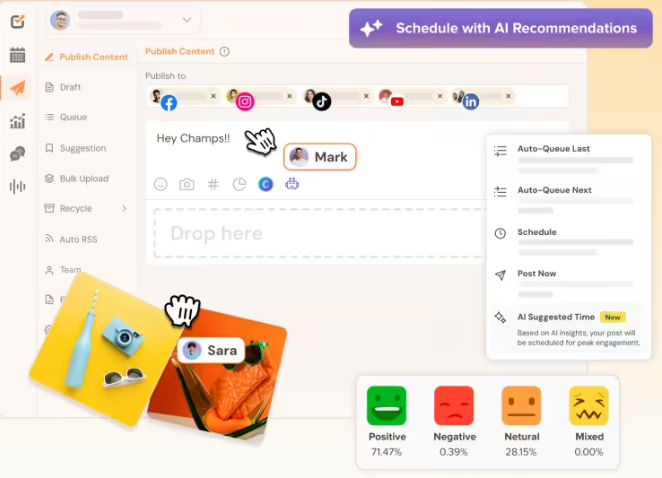
Social Champ combines scheduling, engagement, analytics, automation, AI assistance, and team workflows. Its flexible pricing is useful, but the number of plan types, profile-based options, add-ons, and feature differences means you should calculate your actual configuration instead of comparing the headline starting price alone.
Social Champ Key Features
- Unlimited post scheduling on paid flat-rate plans.
- Bulk upload for planning content at scale.
- Social inbox for engagement management.
- AI tools through Champ AI Suite.
- Approval, analytics, listening, and automation capabilities on eligible plans.
Pros of Social Champ
- Offers a permanent free option for three accounts.
- Provides both flat-rate and pay-per-profile pricing.
- Supports team approval workflows.
- Agency includes unlimited users and workspaces.
- Agency also includes REST API access and social listening.
Cons of Social Champ
- The Free plan allows only 15 scheduled posts per account.
- Standard limits the workspace to two users.
- Social listening requires higher plans or an add-on.
- X publishing can require a paid add-on depending on the plan.
Cost of Using Social Champ
Free costs $0 and supports three social accounts. Standard costs $29 monthly or $23.20 per month with yearly billing. Professional costs $59 monthly or $47.20 per month annually. Agency costs $149 monthly or $119.20 per month annually. Enterprise pricing is custom.
4. SocialPilot:
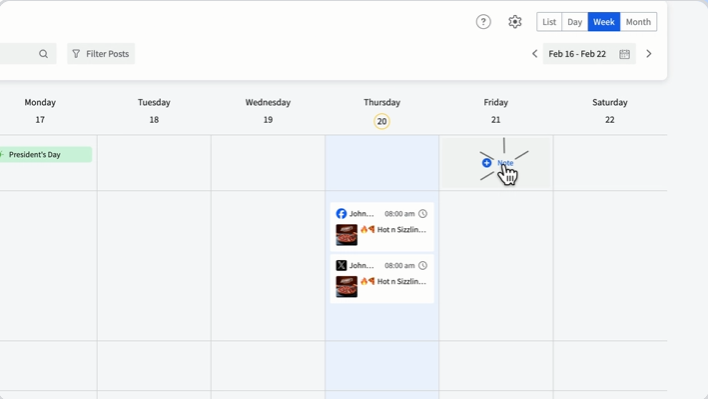
SocialPilot targets professionals, small teams, agencies, and multi-location businesses. It covers publishing, analytics, engagement, collaboration, review management, bulk scheduling, and white-label reporting.
However, some capabilities agencies may consider essential appear only on Premium, Ultimate, or Enterprise plans.
SocialPilot Key Features
- Social media calendar and smart queues.
- Analytics and advanced reporting.
- Content library and AI Pilot.
- Team and client approval workflows.
- Bulk scheduling on Premium and higher tiers.
Pros of SocialPilot
- Supports a broad range of major networks.
- Premium includes unlimited client seats.
- White-label reports suit agency workflows.
- Higher plans support large account portfolios.
- Ultimate includes migration and onboarding support.
Cons of SocialPilot
- Essentials does not include the social inbox.
- Bulk CSV scheduling starts on Premium.
- Extra accounts cost $4 per month.
- API access and SSO are reserved for Enterprise.
Cost of Using SocialPilot
With annual billing, Essentials costs $25.50 per month, Standard costs $42.50, Premium costs $85, and Ultimate costs $170. Their normal monthly rates are listed as $30, $50, $100, and $200, respectively. Enterprise uses custom pricing.
5. Later:

Later is particularly attractive if visual-first networks are central to your strategy. It supports scheduling for Instagram, Facebook, TikTok, Threads, YouTube, Pinterest, LinkedIn, and Snapchat.
It also includes Link in Bio, AI tools, analytics, collaboration, and best-time-to-post capabilities. The main limitation is that the lower plan has strict publishing and user limits.
Later Key Features
- Visual social scheduling.
- Best Time to Post recommendations.
- AI caption and content idea tools.
- Link in Bio.
- Collaboration and approval workflows on Growth and above.
Pros of Later
- Strong support for visual and short-form content.
- Supports Reels, Stories, Shorts, carousels, and other modern formats.
- Growth adds a social inbox.
- Scale offers competitive benchmarking.
- Higher plans provide longer analytics histories.
Cons of Later
- Starter limits scheduling to 30 posts per profile each month.
- Starter allows only one user.
- Extra social sets and users cannot be added to Starter.
- Scale is required for unlimited posting.
Must-know Tip: Creator-economy expert Lindsey Gamble predicted that “LinkedIn will push for video-first content.” Whatever scheduler you choose should support the content formats your audience actually consumes.
Cost of Using Later
With yearly billing, Starter costs $18.75 per month, Growth costs $37.50 per month, and Scale costs $82.50 per month. Growth includes two social sets and two users, while Scale includes six social sets and four users.
6. Metricool:
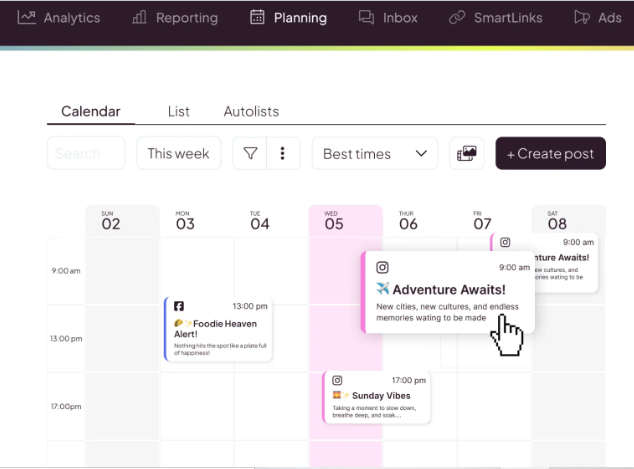
Metricool is designed for marketers who want scheduling and detailed measurement in the same environment. It combines content publishing with competitor analysis, reporting, link-in-bio tools, analytics, integrations, and an AI assistant.
Its weakness is that several collaboration and integration capabilities only become available on the Advanced plan.
Metricool Key Features
- Social scheduling and publishing.
- Competitor analysis.
- AI social media assistant.
- PDF and PowerPoint reporting.
- API, Zapier, Make, and MCP support on the Advanced plan.
Pros of Metricool
- A free plan is available.
- Starter supports unlimited publishing subject to fair use.
- Analytics history becomes unlimited on paid plans.
- Starter can analyze up to 100 competitors.
- Advanced supports post approvals and client management.
Cons of Metricool
- Free scheduling is limited to 20 posts per month.
- LinkedIn and X are excluded from the Free plan.
- Team and client management require Advanced.
- X and advanced analytics can involve separate add-ons.
Cost of Using Metricool
The Free plan costs $0. Starter begins at $20 per month for up to five brands and costs $36 for up to 10 brands in the current US pricing display. Advanced begins at $53 per month for 15 brands, rises to $85 for 25 brands, and costs $159 for up to 50 brands. Custom plans require a quote.
7. Hootsuite:
Hootsuite is one of the longest-established platforms in this category and now combines publishing, AI assistance, inbox management, listening, analytics, automation, approvals, and enterprise governance. The potential deal-breaker is straightforward: pricing starts much higher than many alternatives and is charged per user.
Hootsuite Key Features
- Unlimited social scheduling on paid plans.
- Unified inbox.
- AI-assisted post and image generation.
- Brand and competitor monitoring.
- Team approvals and message routing on Advanced.
Pros of Hootsuite
- Standard combines publishing, engagement, AI, and monitoring.
- Professional supports unlimited social accounts.
- Professional adds inbox automation.
- Advanced supports approval workflows and team routing.
- Enterprise includes SSO and compliance capabilities.
Cons of Hootsuite
- There is no general permanent free plan.
- Standard starts at $99 per user per month with annual billing.
- Professional rises to $199 per user per month.
- Advanced costs $399 per user per month, making multi-user deployments expensive.
Cost of Using Hootsuite
Standard starts at $99 per user per month. Professional costs $199 per user per month. Advanced costs $399 per user per month. These advertised figures are based on annual billing, while Enterprise uses custom pricing. Hootsuite offers a 14-day trial.
Benefits of Using Buffer Alternatives
Imagine a small digital marketing agency managing eight clients. We will call its social manager Mr. Daniel. His team originally adopted Buffer because straightforward scheduling solved its biggest problem.
As the agency grew, scheduling became only one part of the job. Daniel also needed client approvals, campaign reporting, collaboration, multiple account groups, and faster audience engagement. Moving to a platform designed around those requirements could remove several separate workflows.
You Can Match Your Software to Your Actual Workflow
Your business should not pay for features you never use while missing features you need every day. Different platforms now specialize in agencies, analytics, creator workflows, campaigns, approvals, or automation.
This matters as social teams become more specialized. In 2025, 86% of marketing leaders surveyed by Sprout Social planned to hire for at least two new social roles.
You Can Build a More Consistent Publishing System
A dedicated calendar, automation rules, reusable queues, approvals, and bulk tools can reduce publishing gaps. Consistency matters because Sprout Social reports that 65% of consumers are more likely to interact with brands maintaining a strong, consistent social presence.
You still need good content. But your best social media scheduler should make consistent execution easier instead of forcing your team to remember every deadline manually.
You Can Respond to Customers Faster
Social media is no longer a one-way publishing channel. People ask questions, raise complaints, compare products, and expect responses directly inside social platforms.
The stakes are measurable. The 2025 Sprout Social Index found that 73% of social users would buy from a competitor if a brand failed to respond on social. A unified inbox can therefore support both customer experience and retention.
You Can Connect Social Activity to Business Results
Publishing counts alone tell you little about whether social media contributes to revenue. Stronger analytics can connect content with engagement, traffic, conversions, campaign performance, competitor movement, and audience growth.
That connection matters because 81% of consumers surveyed in the 2025 Sprout Social Index said social media compels them to make spontaneous purchases multiple times per year or more.
Must-know Tip: Micah Mellander says, “I am always trying to find new departments within our organization that could benefit from social media.” Better reporting helps you make social data useful beyond marketing.
What Should You Check Before Choosing a Buffer Alternative?
Start with your actual workflow rather than a feature count.
Count how many profiles, brands, clients, and users you need today. Then calculate where you expect that number to be in 12 months. A cheap entry plan can become expensive when every extra channel, workspace, or team member adds another fee.
Next, identify your essential publishing formats. Check Reels, Stories, carousels, Shorts, Threads, LinkedIn documents, first comments, location tagging, and any network-specific capabilities you use regularly.
Review collaboration separately. If your team needs drafts, client approvals, multi-stage approvals, role permissions, or external reviewers, make sure those capabilities exist on the plan you can actually afford.
Analytics deserves the same treatment. Determine whether you need simple engagement metrics or competitor analysis, cross-platform reporting, ROI attribution, white-label reports, API access, and historical data.
Finally, examine AI limits. An “AI-powered” label does not tell you how many credits you receive, which tasks AI can perform, or whether additional usage costs more.
This is especially important as content formats change. In one 2025 Sprout Social survey of marketers and creators, 47% said short-form video of 60 seconds or less was their main area of focus.
Conclusion
The best Buffer alternatives are not simply cheaper copies of Buffer. Each solves a different social media management problem.
Planable stands out for structured approvals. Social Champ provides flexible account pricing. SocialPilot serves agencies and multi-location teams. Later fits visual-first workflows. Metricool emphasizes analytics. Hootsuite delivers broad enterprise-oriented capabilities at a premium price.
Socialschedulify takes a different approach by combining scheduling with AI content generation, viral campaign creation, share amplification, analytics, and team-oriented functionality. That broader mix makes it particularly interesting when you want to manage publishing and campaign growth from one platform.
Before switching, compare the plan you actually need, not the cheapest advertised tier. The right choice should reduce work, improve visibility, support your growth, and give you more control over how your social media operation runs.
Frequently Asked Questions About Buffer Alternatives
What is the best alternative to Buffer?
The best alternative depends on your workflow. Socialschedulify is worth considering when you want scheduling combined with campaign creation, AI content tools, share amplification, and performance analytics.
Is there a free alternative to Buffer?
Yes. Social Champ and Metricool both offer permanent free plans, although their free tiers have account, publishing, or platform restrictions. Planable also allows you to create your first 50 posts without paying.
Is Buffer still free in 2026?
Yes. Buffer’s Free plan supports up to three channels and allows 10 scheduled posts per channel at one time.
Which Buffer alternative is best for agencies?
Your choice depends on agency size. Socialschedulify provides an Agency plan with unlimited social profiles, while SocialPilot, Planable, Social Champ, Metricool, and Hootsuite all provide agency or team-oriented capabilities at different price levels.
Which Buffer alternative is best for approvals?
Planable places approvals at the center of its workflow and supports optional, required, and multi-level approval structures depending on the plan.
Which Buffer alternative is good for analytics?
Metricool is a strong analytics-focused option because its paid plans combine social publishing with competitor analysis, historical analytics, reporting, and higher-tier integrations.
Which Buffer alternative is best for visual content?
Later is designed heavily around visual social planning and supports formats including Instagram Reels and Stories, TikTok posts, YouTube Shorts, Snapchat content, and Pinterest Pins.
Can I migrate scheduled posts directly from Buffer?
Buffer does not currently provide direct scheduled-post export from its calendar. You may need to rebuild or transfer scheduled content using an external workflow before importing it into the replacement platform.
Should I choose software based only on the starting price?
No. Calculate the cost for your actual number of channels, users, workspaces, clients, add-ons, and required features. The pricing model often matters more than the headline starting price.
Are AI social media schedulers worth using?
AI features can save time on ideation, caption drafts, repurposing, and planning. You should still review the output carefully so your posts retain your brand voice and factual accuracy.
Do I need a social media scheduler for a small business?
A scheduler becomes useful when consistency starts taking too much manual effort. It can centralize your calendar, reduce missed posts, and give you clearer performance data without requiring you to log into every platform separately.
Can a Buffer alternative improve social media ROI?
The software itself cannot guarantee ROI. However, stronger analytics, campaign tracking, publishing consistency, faster engagement, and better team workflows can give you the information and execution system needed to improve results.