
Metricool alternatives give you more choices when scheduling, collaboration, content creation, or campaign management matters as much as analytics. Social media now reaches 5.79 billion user identities, equal to 69.9% of the world’s population as of April 2026. More importantly for businesses, Sprout Social found that 76% of consumers had made purchasing decisions influenced by social content within six months.
Managing that opportunity with the wrong platform can waste time and limit your results. This guide compares seven strong options based on real features, pricing, workflow, strengths, and shortcomings, helping you find a platform that matches how you actually manage social media.
What Is Metricool?
Metricool is an all-in-one social media management platform built for planning content, measuring performance, producing reports, handling conversations, tracking competitors, and managing advertising activity.
Its planner lets you schedule content across supported networks and organize upcoming posts through a content calendar. Metricool also provides an AI social media assistant, best-time-to-post data, competitor analysis, a centralized inbox, SmartLinks, reporting tools, and integrations with services such as Canva and Google Drive.
Analytics remain one of Metricool’s strongest areas. You can track organic social performance alongside website data and advertising activity from platforms including Meta, Google, and TikTok. Metricool’s 2026 Social Media Study analyzed 39 million posts, reflecting the company’s strong emphasis on social data.
Still, Metricool isn’t the perfect fit for every workflow.
Its Free plan supports one brand and up to 20 scheduled posts per month. That plan doesn’t include LinkedIn or X, and historical analytics are limited to 30 days. To unlock unlimited publishing, deeper historical data, additional brands, and more advanced functionality, you need a paid plan.
Team and agency requirements can increase costs. Post approvals, role management, API access, and advanced client management are primarily available on the Advanced tier. X also involves separate add-on considerations.
Metricool also covers many functions inside one dashboard. That breadth helps when you need analytics, advertising, scheduling, and reporting in one place, but it can feel unnecessarily complex if your main priorities are simple publishing, UGC management, streamlined approvals, or campaign automation.
Those differences explain why businesses continue looking at alternative platforms.
Why Choose Metricool Alternatives?
Consider Ms. Maya, a marketing manager at a growing ecommerce company. Her team manages several social accounts, runs promotional campaigns, needs content approval before posts go live, encourages customers to submit content, and publishes articles that should automatically feed into social channels.
Metricool can handle several parts of that workflow. But Maya may still need additional tools for specialized UGC campaigns, different approval processes, automation, or pricing that fits the way her team scales.
That is why choosing the right Metricool alternative can benefit your business.
Get a Workflow That Matches Your TeamThat is why choosing the right Metricool alternative can benefit
A social media platform should fit the way your team works instead of forcing everyone into an unfamiliar process. If client approvals, internal reviews, UGC, or cross-team collaboration dominate your week, a tool built around those functions can remove unnecessary steps.
This becomes particularly important as customer expectations rise. Sprout Social reports that 70% of consumers expect personalized responses from brands, while 69% expect a response within the same day.
Reduce Repetitive Publishing Work
Managing multiple channels manually becomes difficult as content volume increases. Sprout Social’s 2025 Content Benchmarks Report found that brands published an average of 9.5 posts per day across networks in 2024.
Automation features such as recurring queues, RSS publishing, content calendars, AI writing, bulk scheduling, and reusable campaigns reduce that repetitive workload. You can spend less time copying posts between platforms and more time improving the content itself.
Improve Customer and Community Management
Scheduling alone isn’t enough when your audience expects conversations. Sprout Social found that 73% of social users would buy from a competitor if a brand failed to respond on social media.
A platform with inbox management, saved replies, assignments, approval processes, and UGC functionality helps you turn social media into an active customer communication channel instead of a publishing board.
Control Costs as You Grow
Social media software uses very different pricing models. Some charge per channel, others per user, brand, workspace, social set, or connected profile.
That difference matters because marketing investment remains strong. HubSpot’s 2025 research found that 98% of social marketers expected their budgets to remain stable or grow, while 96% expected team sizes to remain stable or increase. You should therefore evaluate what a platform will cost after you add accounts, clients, brands, and teammates, not just its cheapest advertised plan.
Must-know Tip: Sprout Social CMO Scott Morris summarized a major change in online behavior in 2025: “Social is becoming the new search engine.” Your management software therefore affects more than posting efficiency. It also influences how consistently your brand appears during discovery and purchasing journeys.
7 Best Metricool Alternatives You Should Know
The best social media software depends on what you want to improve. Some tools make publishing extremely simple, while others focus on approvals, agencies, analytics, inbox management, visual content, or automation.
The seven options below approach social media management differently. Rather than judging them only by the number of features they offer, compare how those features affect your daily work, team size, account structure, reporting requirements, and budget.
1. SocialSchedulify:
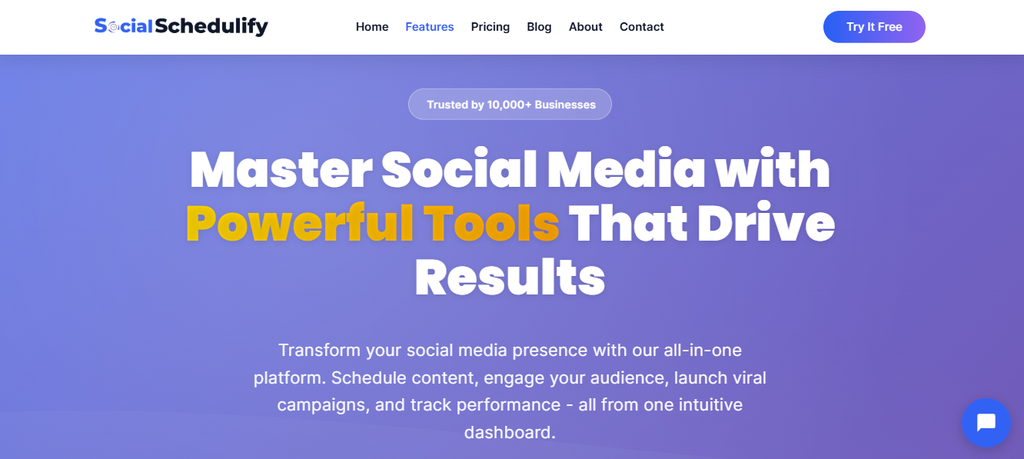
SocialSchedulify combines social publishing, content planning, AI-assisted writing, campaign management, analytics, approval workflows, RSS automation, and user-generated content tools. That mix makes it particularly interesting if your social strategy extends beyond putting posts into a scheduling queue.
Its Smart Social Publish feature lets you create, schedule, and distribute content from one place. The visual content calendar then gives you a clearer view of posting dates and campaigns, helping you spot gaps before they become missed publishing opportunities.
The AI Writer Assistant can help you draft campaign content, while the post approval system lets authorized users approve, reject, edit, or reschedule posts before publishing. These functions can shorten the distance between creating an idea and turning it into approved content.
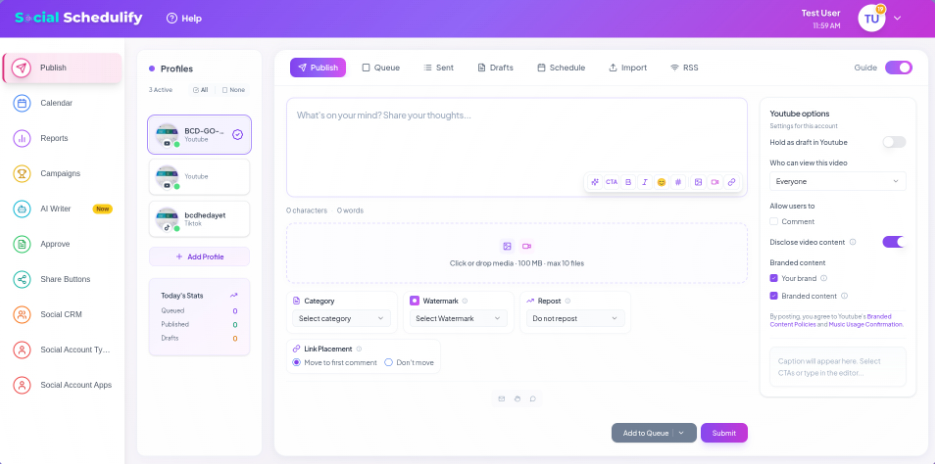
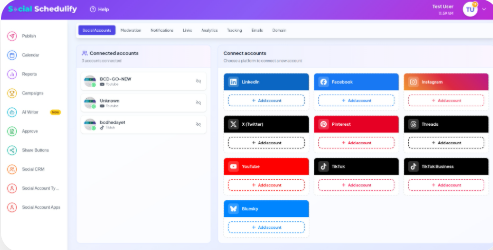
SocialSchedulify also supports campaign analytics, UGC workflows, viral campaigns, and RSS-based content sharing. This combination can appeal to businesses that want scheduling, content generation, promotion, community content, and performance monitoring within the same workflow rather than depending on several separate tools.
Sprout Social’s 2025 research found that 81% of marketers said AI had already positively affected their work, while 73% credited AI with increased efficiency. A tool that combines AI assistance with publishing and approvals can therefore address practical workflow problems rather than treating AI as a standalone novelty.
SocialSchedulify Highlighted Features
- Smart Social Publish: Schedule and publish content across connected social channels from one dashboard, reducing the need to switch between individual platforms.
- Visual Content Calendar: Organize upcoming posts and campaign dates visually so you can identify scheduling gaps and maintain a more consistent publishing plan.
- AI Writer Assistant: Draft social campaign content faster, giving you a useful starting point when ideas or writing time are limited.
- Post Approval Workflow: Review, approve, reject, edit, or reschedule content before publication, helping teams reduce avoidable posting mistakes.
- Performance Reports: Track engagement, reach, impressions, click-through rates, top-performing content, and other campaign data to guide future decisions.
- User-Generated Content Tools: Collect, approve, and share audience-created content, helping your brand incorporate more authentic community material.
- RSS and Campaign Automation: Automatically distribute new website content through RSS feeds while also managing contests, promotions, and audience-building campaigns.
Pros of SocialSchedulify
- Combines scheduling, AI writing, analytics, and campaign management in one workflow.
- Includes approval functionality that helps teams review content before publication.
- Supports UGC workflows for brands that depend on customer and community content.
- RSS automation can turn newly published website content into social distribution without repetitive manual posting.
- Campaign reporting helps you connect publishing activity with measurable engagement.
- PDF, CSV, and Excel report exports provide flexibility when sharing performance information.
- A 14-day free trial lets you evaluate the workflow before committing to a paid option.
Cons of SocialSchedulify
- SocialSchedulify is a less established platform than long-running products such as Hootsuite or Buffer, so organizations that depend on a large integration ecosystem should verify their required connections first.
- Its public documentation focuses heavily on core scheduling, campaigns, approvals, analytics, UGC, and automation. Large enterprises with specialized requirements such as complex SSO policies or detailed governance controls should confirm those needs before migrating.
Cost of Using SocialSchedulify
SocialSchedulify’s current comparison pages show an entry tier at $9/month, although that tier is labeled Basic on one page and Starter on another. The Pro plan costs $29/month, while the Business plan is listed at $59/month. The website also advertises a 14-day free trial.
Must-know Tip: AI should remove repetitive work without removing human judgment. Use AI-generated drafts as starting material, then apply your own knowledge of your audience, offers, tone, and current conversations before publishing.
2. Buffer:
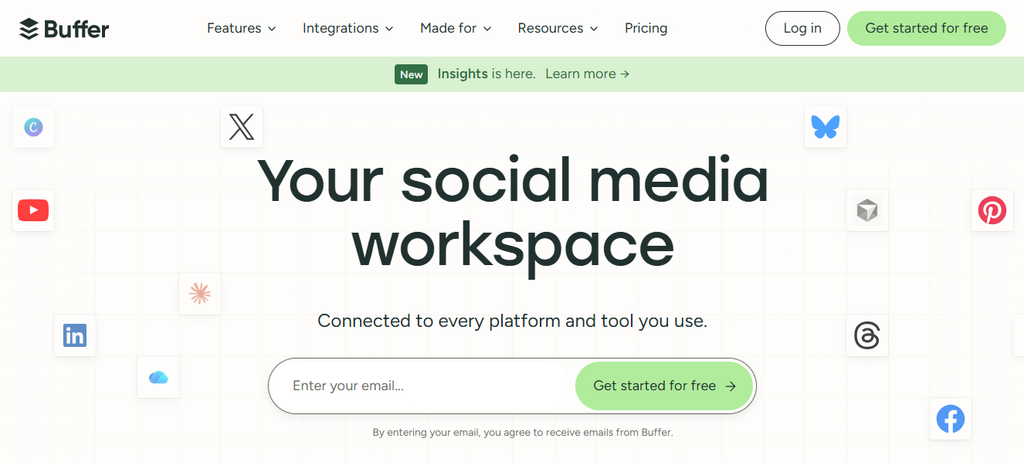
Buffer is one of the simplest Metricool alternatives if your main goal is creating and scheduling content without navigating a large analytics-heavy interface. Its clean workflow suits creators, small businesses, and lean teams, although businesses needing native ad management, deep competitor tracking, or enterprise-level listening may find it lighter than Metricool.
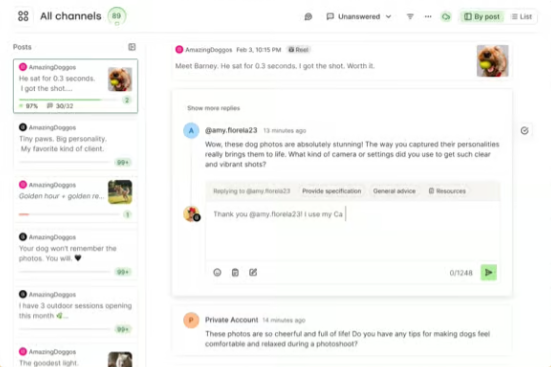
Buffer supports a broad selection of social networks and combines publishing with an AI Assistant, community tools, analytics, content ideas, and API access. Its pricing is channel-based, which works well when you manage only a few profiles but can become more expensive as the number of connected channels grows.
Buffer Features
- Multi-platform scheduling and publishing.
- AI Assistant for creating and repurposing content.
- Advanced analytics on paid plans.
- Community inbox for managing supported conversations.
- API access, integrations, and approval workflows.
Pros of Buffer
- Clean interface with a short learning curve.
- Free plan supports up to three channels.
- AI Assistant is available across plans.
- Team plan includes unlimited team members.
- Integrates with tools such as Canva, Google Drive, Zapier, Feedly, and Bitly.
Cons of Buffer
- Pricing increases with the number of channels you connect.
- It lacks Metricool’s native paid-ad management.
- Competitive benchmarking is more limited.
- Businesses requiring sophisticated enterprise listening may need another platform.
Cost of Using Buffer
Buffer’s Free plan costs $0 and supports up to three channels. Essentials costs $6 per channel per month, or $5 per channel monthly when billed annually for the first ten channels. Team costs $12 per channel monthly, or $10 per channel monthly with annual billing for the first ten channels. Volume pricing reduces per-channel costs as you add more profiles.
3. Planable:
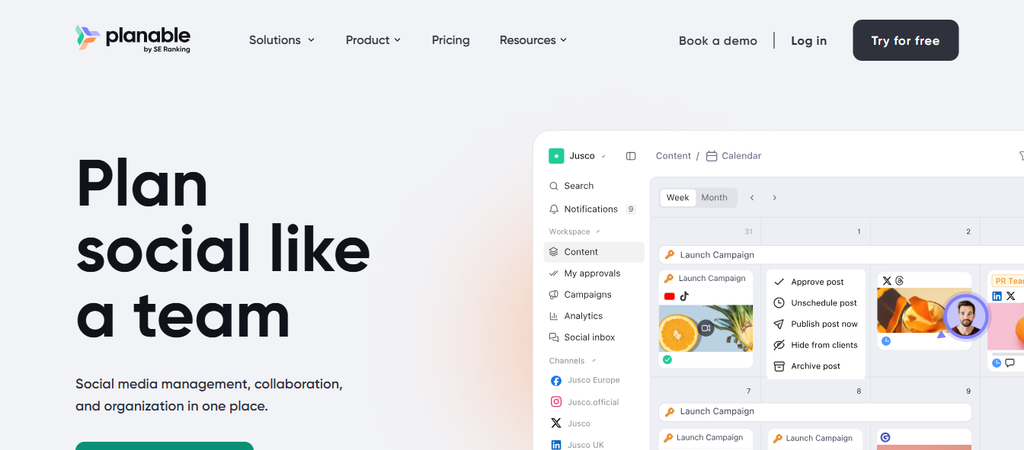
Planable is built around collaboration, content review, and approval. If several employees, agencies, clients, or legal reviewers need to touch content before publication, its workspace structure can feel more natural than an analytics-first platform.
The trade-off is that analytics and social inbox functionality are treated as add-ons rather than the center of the platform. Its pricing is also per workspace, so an agency managing many independent clients should calculate the complete workspace cost before switching.
Planable Features
- Content calendar and feed-style planning.
- Internal comments, suggestions, and annotations.
- Optional, required, and multi-level approvals depending on plan.
- AI-assisted content generation and rewriting.
- Public API and MCP connectivity on qualifying plans.

Pros of Planable
- Excellent workflow for content review.
- Unlimited users on paid workspaces.
- Separate workspaces keep clients and brands organized.
- Strong approval controls reduce accidental publishing.
- Multiple visual planning views make content easier to review.
Cons of Planable
- Analytics requires an additional paid add-on.
- The social inbox also requires an add-on.
- Basic and Pro plans impose monthly post limits per workspace.
- Workspace-based pricing can grow quickly for agencies with many clients.
Cost of Using Planable
Planable lets you create your first 50 posts free without a time limit. The Basic plan costs $33 per workspace per month when billed annually, while Pro costs $49 per workspace per month when billed annually. Enterprise uses custom pricing. Analytics and Social Inbox functionality are optional paid additions.
4. SocialPilot:
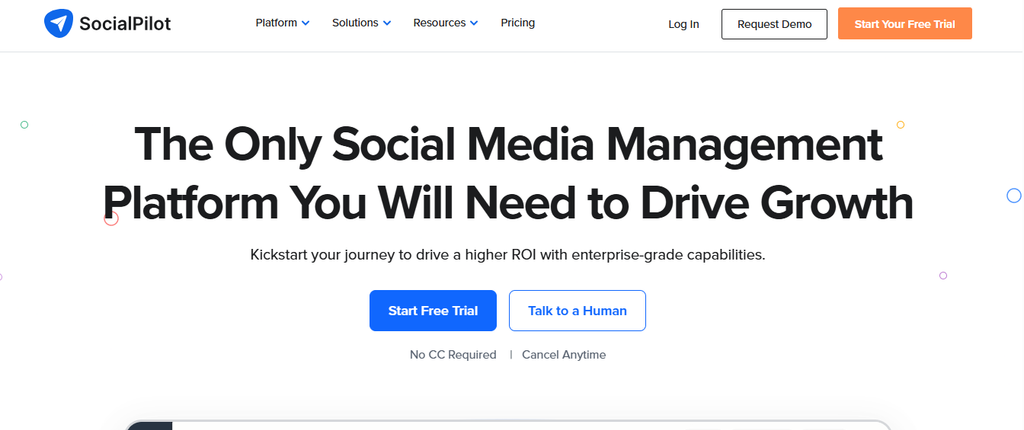
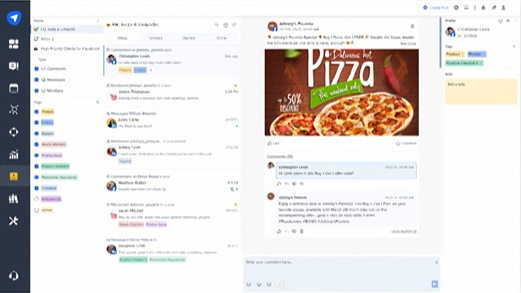
SocialPilot targets professionals, small teams, agencies, and businesses managing many social accounts. Bulk scheduling, approvals, white-label reports, analytics, team collaboration, and client workflows make it practical when account volume matters.
However, the social scheduling product does not have a conventional free-forever plan. Several advanced agency features also sit on Premium or higher tiers, so smaller companies should make sure they need that extra capacity before paying for it.
SocialPilot Features
- Multi-network scheduling across major social platforms.
- Bulk scheduling for large publishing workloads.
- Social inbox and analytics.
- AI credits for content assistance.
- Client approvals and white-label reporting on agency plans.
Pros of SocialPilot
- Supports a high number of social accounts on agency plans.
- Bulk scheduling saves time when handling large content calendars.
- Premium includes client approval workflows.
- White-label reporting helps agencies present branded results.
- Ultimate includes unlimited users and stronger security features.
Cons of SocialPilot
- No full free-forever social scheduling plan.
- Client approvals require higher-priced plans.
- Lower tiers impose monthly AI-credit limits.
- Advanced white-label capabilities sit near the top of the pricing structure.
Cost of Using SocialPilot
On monthly billing, SocialPilot lists Essentials at $30/month, Standard at $50/month, Premium at $100/month, and Ultimate at $200/month. Annual billing provides a 15% discount. Enterprise customers can request custom pricing when they need specialized accounts, SSO, API access, or onboarding.
5. Later:

Later started with a strong visual-social focus and remains especially useful for Instagram-oriented workflows, creators, and teams that care about visual planning. It now supports Instagram, Facebook, Threads, Pinterest, TikTok, LinkedIn, YouTube, and Snapchat.
Its biggest limitations appear when you need more users, higher posting allowances, longer analytics history, or advanced listening. The Starter plan is restricted to one user and 30 posts per profile each month, while stronger collaboration and analytics require Growth or Scale.
Sprout Social’s 2026 data indicates that 60% of Instagram users interact with brand content at least several times each week. That makes visual planning and consistent publishing particularly relevant for Instagram-heavy businesses.
Later Features
- Visual social content planner.
- Automatic publishing across supported networks.
- AI Ideas and Caption Writer.
- Link in Bio functionality.
- UGC collection and collaboration on higher plans.
Pros of Later
- Excellent visual planning experience.
- Supports Stories, Reels, TikTok posts, Shorts, and other visual formats.
- Built-in Link in Bio functionality.
- Growth supports internal and external approvals.
- Scale includes competitive benchmarking and brand monitoring.
Cons of Later
- Starter is limited to one user.
- Starter allows only 30 posts per profile each month.
- Longer analytics history requires more expensive tiers.
- Advanced listening and competitive intelligence largely sit on Scale.
Cost of Using Later
With annual billing, Starter costs $18.75/month, Growth costs $37.50/month, and Scale costs $82.50/month. Later states that annual plans currently save 25%. A 14-day free trial is available.
6. Hootsuite:
Hootsuite is designed for businesses that want publishing, engagement, listening, analytics, AI assistance, competitor monitoring, and structured workflows inside a mature platform. It becomes particularly relevant when social media operations involve many accounts and more sophisticated monitoring.
The main concern is cost. Hootsuite uses per-user pricing and has no permanent free plan, making it difficult to justify if you only need straightforward scheduling.
Hootsuite Features
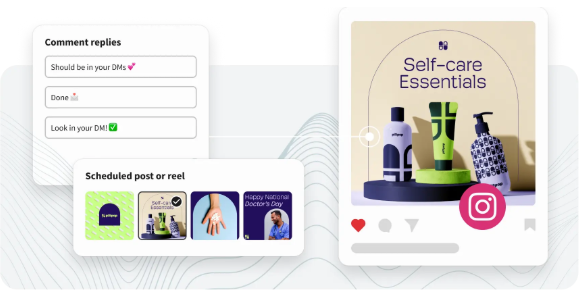
- Unlimited post scheduling on paid plans.
- Unified inbox for messages.
- AI-assisted post and image generation.
- Brand and competitor monitoring.
- Advanced reporting, automation, and approval capabilities.
Pros of Hootsuite
- Mature social management ecosystem.
- Strong monitoring and engagement capabilities.
- Supports complex multi-account workflows.
- AI assistance is integrated into publishing.
- Higher plans provide stronger automation and reporting.
Cons of Hootsuite
- Considerably more expensive than lightweight schedulers.
- Per-user pricing can become costly for larger teams.
- No permanent free plan.
- Smaller businesses may find the feature set unnecessarily complex.
Cost of Using Hootsuite
Hootsuite currently lists Standard from $99, Professional from $199, and Advanced up to $399, depending on billing terms. Enterprise pricing is customized according to organizational requirements. Paid tiers include a free trial.
7. Agorapulse:

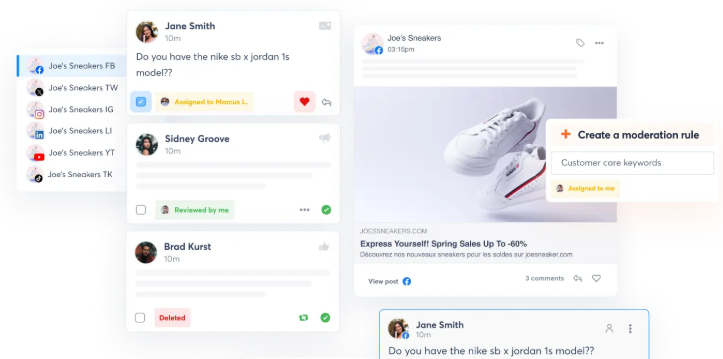
Agorapulse is a strong option when publishing is only one part of your social workflow. Its unified inbox, moderation functionality, assignments, reporting, competitor benchmarking, and ROI analysis make it particularly suitable for teams focused on engagement and customer interaction.
Its main disadvantage is price. Agorapulse charges per user, and the main paid plans include ten social profiles shared across the organization. Additional profiles increase the total cost.
Agorapulse Features
- Unlimited publishing on paid plans.
- Unified social inbox.
- Team assignments and collaboration.
- Advanced reports and ROI analysis.
- Automated moderation and competitor benchmarking.
Pros of Agorapulse
- Strong community and inbox management.
- Useful moderation tools for busy accounts.
- Advanced reporting supports business-focused measurement.
- Team assignments improve accountability.
- Custom tier adds enterprise controls and deeper integrations.
Cons of Agorapulse
- Per-user pricing becomes expensive as teams grow.
- Core paid tiers include only ten shared social profiles.
- Advanced reporting features require more expensive tiers.
- It can be excessive for users needing only simple scheduling.
Cost of Using Agorapulse
On monthly billing, Agorapulse charges $99 per user for Standard, $149 per user for Professional, and $199 per user for Advanced. With annual billing, those effective monthly rates fall to $79, $119, and $149 respectively. Custom pricing is available for larger organizations.
Which Metricool Alternative Should You Choose Based on Why You’re Switching?
Your reason for leaving Metricool should determine which platform you test first.
Choose SocialSchedulify if you want scheduling combined with AI writing, UGC workflows, campaign tools, approvals, analytics, and RSS automation.
Choose Buffer when simplicity matters more than extensive advertising and competitor analytics.
Choose Planable when approvals and stakeholder collaboration dominate your workflow.
Choose SocialPilot when you manage many client accounts and need bulk scheduling or agency reporting.
Choose Later when visual planning and Instagram-focused workflows matter most.
Choose Hootsuite when you need mature monitoring, analytics, engagement, and enterprise-style capabilities.
Choose Agorapulse when inbox management, moderation, engagement, and ROI reporting are priorities.
That approach is more useful than asking which platform has the longest feature list.
Things to Consider When Choosing Metricool Alternatives
Calculate Your Real Total Cost
Don’t compare only the advertised starting prices. Calculate what each tool costs after adding your actual users, channels, clients, brands, workspaces, and required add-ons.
A cheap entry plan can become expensive when your account structure grows.
Check Platform and Post-Type Support
Confirm more than whether a platform says it supports Instagram or TikTok. Check your actual requirements, including Reels, Stories, carousels, Shorts, first comments, Threads, LinkedIn content, and other formats you publish regularly.
Review Collaboration and Approval Needs
If several people review content, look closely at roles, permissions, approval levels, external reviewer access, comments, and audit trails.
A great scheduler can still slow you down if approvals happen through email and spreadsheets.
Compare Analytics History
Analytics availability varies considerably between plans. Consider how far back you need historical data and whether you need competitor benchmarking, cross-network reporting, client exports, paid-social data, or ROI measurement.
Examine Automation and API Access
RSS automation, APIs, Zapier, Make, MCP connectivity, recurring posts, and bulk publishing can remove large amounts of repetitive work.
These capabilities become increasingly valuable as your publishing volume increases.
Plan Your Migration
Find out what can actually move from Metricool. Scheduled posts, drafts, media, reports, analytics history, client permissions, campaign labels, and integrations may not transfer
automatically.
Run both platforms briefly if necessary so upcoming content isn’t disrupted.
Think About Social Search
In 2025, 41% of Gen Z said they turn to social networks first when searching for information. Your software should therefore help you publish consistently across the channels where people increasingly discover products, companies, and answers.
Must-know Tip: Chase Vice President Kikora Mason describes the defining feature of social media clearly: “What defines social media over other forms of media is the ability to participate.” Choose software that helps you manage conversations as well as publishing.
Conclusion
Choosing between Metricool alternatives becomes easier when you stop asking which tool has the most features and start asking which one removes the biggest problem from your daily workflow.
Metricool remains a capable platform, particularly for analytics, reporting, competitor research, advertising data, and scheduling. But your priorities may lie elsewhere.
SocialSchedulify offers an appealing combination of scheduling, AI writing, approvals, UGC, campaigns, analytics, and RSS automation. Buffer emphasizes simplicity. Planable focuses on collaboration. SocialPilot supports agency-scale management. Later excels at visual workflows. Hootsuite provides broad professional functionality, while Agorapulse stands out for engagement and inbox management.
Start with your actual accounts, team size, publishing volume, approval process, analytics requirements, and monthly budget. The best platform is the one that removes unnecessary work while giving you enough control to publish consistently, respond quickly, and understand what is driving results.
Frequently Asked Questions About Metricool Alternatives
What is the best alternative to Metricool?
SocialSchedulify is worth considering when you want scheduling, AI-assisted content, approval workflows, analytics, UGC, RSS automation, and campaign functionality together. Buffer, Planable, SocialPilot, Later, Hootsuite, and Agorapulse may be stronger for specific workflows.
Is there a free alternative to Metricool?
Yes. Buffer has a permanent Free plan supporting three channels and up to ten queued posts per channel. Planable also allows your first 50 created posts free without a time limit.
Is Buffer better than Metricool?
Buffer can be better if you prioritize simplicity, straightforward scheduling, and channel-based pricing. Metricool remains stronger when you need its combination of advertising data, competitor analysis, and broader analytics.
Is SocialSchedulify a good Metricool alternative?
It can be a strong choice when your priorities include AI writing, scheduling, campaign management, UGC, approvals, performance reports, and RSS-based automation.
Is Metricool still worth using?
Yes. Metricool remains useful for marketers who want scheduling, organic analytics, advertising data, competitor tracking, reporting, and SmartLinks within one platform. Switching makes sense only when another platform fits your workflow or pricing structure better.
Does Metricool have AI features?
Yes. Metricool currently includes an AI social media assistant, and higher-level reporting functionality also incorporates AI capabilities. Claims that Metricool completely lacks AI are outdated.
Which Metricool alternative is best for agencies?
SocialPilot is particularly agency-friendly because its higher plans include client approvals, white-label reports, multiple users, and many social accounts. Planable is another strong choice when client review and approvals are the biggest challenge.
Which Metricool alternative is best for Instagram?
Later is particularly strong for visual planning and Instagram-focused workflows. Its features include visual scheduling, Instagram analytics, Reels and Stories scheduling, UGC collection on qualifying plans, and Link in Bio.
Which alternative is easiest for beginners?
Buffer has one of the simplest workflows among the tools covered here. Its free tier also gives beginners an inexpensive way to learn social scheduling before committing to a subscription.
Which alternative is best for social media approvals?
Planable specializes in content collaboration and approvals. It supports different approval structures depending on the plan, including multi-level approval on Enterprise.
Which tool is best for social inbox management?
Agorapulse is particularly strong for inbox-heavy workflows because it combines messages and comments with assignments, moderation, saved replies, and team functions.
Should you cancel Metricool before testing another platform?
Usually not immediately. Test the replacement first, reconnect important profiles, recreate essential workflows, and verify upcoming posts before ending your existing subscription.