
Later alternatives are worth exploring when your social media workflow needs more than scheduling posts and maintaining a visual calendar.
Your choice of management software therefore affects a channel where billions of people discover, evaluate, contact, and buy from brands.
This guide compares seven options based on publishing, analytics, collaboration, AI, engagement, pricing, and scalability. You will see where each platform performs well, where its limits appear, and which option fits your workflow instead of simply choosing the biggest name.
Is Later Still Worth It, or Should You Switch?
Later might be a capable option, especially if you run a visual-first content strategy. Its current platform supports Instagram, Facebook, Pinterest, TikTok, LinkedIn, Threads, YouTube Shorts, and Snapchat. Paid plans also provide Link in Bio, scheduling, analytics, collaboration features at higher tiers, and a Social Inbox on Growth and Scale plans.
You may want to keep Later if Instagram planning remains central to your strategy and you value its visual workflow. Its Starter plan covers one social set and 30 scheduled posts per profile each month, while Growth expands capacity to 180 posts per profile and adds approvals, collaboration, richer analytics, and inbox management.
The case for switching becomes stronger when your workflow expands beyond Later’s supported ecosystem. X, Google Business Profile, Bluesky, Reddit, Mastodon, WordPress, and several other channels are not currently supported. That matters if your business depends on broader distribution.
Cost and feature access also deserve attention. More sophisticated reporting, competitive benchmarking, brand monitoring, and two years of historical analytics sit on the Scale plan, while Starter limits you to one user and one social set.
Social media itself is becoming more commercially important. Sprout Social’s 2025 research found that 81% of surveyed consumers said social media prompted spontaneous purchases multiple times a year or more. Another 73% said they would buy from a competitor when a brand failed to respond on social.
That means your management platform should fit the entire customer journey, not merely your publishing calendar.
Must-know Tip: Former Later Head of Content Taylor Loren advises that “the right stack isn’t about chasing what’s new or shiny.” Your tools should fit how your team actually works.
What Features Should You Look for in a Later Alternative?
Your ideal Later replacement depends on where your current workflow creates friction. Online adults now use an average of 6.75 social platforms per month, so cross-channel flexibility matters more than managing one network well.
Platform Coverage
Check every network you actively use or expect to add. A low-cost scheduler loses value if you still need separate tools for unsupported channels.
Auto-Publishing
Look beyond basic scheduling. Confirm whether your important formats can publish automatically without requiring a mobile reminder or manual finishing step.
Approval Workflows
If multiple people touch your content, approvals, permissions, comments, and status tracking can prevent publishing errors and endless message threads.
Analytics
You need more than likes. Look for reach, engagement, audience growth, post comparisons, historical data, and actionable performance insights.
Social Inbox
Centralized comments, messages, and mentions help you respond faster. That matters when customer service increasingly happens publicly on social channels.
Visual Planning
A calendar should make campaigns easy to understand. Drag-and-drop scheduling and clear weekly or monthly views help you spot gaps before publishing.
AI Assistance
AI can reduce repetitive creation work. Hootsuite’s 2025 research found that 83% of marketers said generative AI helped them create significantly more content.
Asset Management
Media libraries, reusable assets, content categories, and saved ideas become valuable once several campaigns run at the same time.
Reporting
Exports and client-ready reports matter when you need to communicate results to managers, customers, or stakeholders.
Integrations
Check connections with Canva, cloud storage, CRM systems, analytics platforms, automation tools, and other software already in your workflow.
Account and User Limits
Always calculate cost using the number of profiles, brands, users, and clients you actually manage. Headline prices rarely tell the full story.
7 Later Alternatives
The best Later alternatives solve different problems. Some keep social scheduling simple and affordable. Others concentrate on analytics, client management, engagement, listening, approvals, or content automation.
The seven options below cover a wide range of business needs. SocialSchedulify takes the first position because its current product combines publishing with visual planning, AI-assisted content, campaigns, share amplification, analytics, and team-oriented features in the same ecosystem. The remaining platforms remain strong choices when their particular strengths match your requirements.
1. SocialSchedulify:
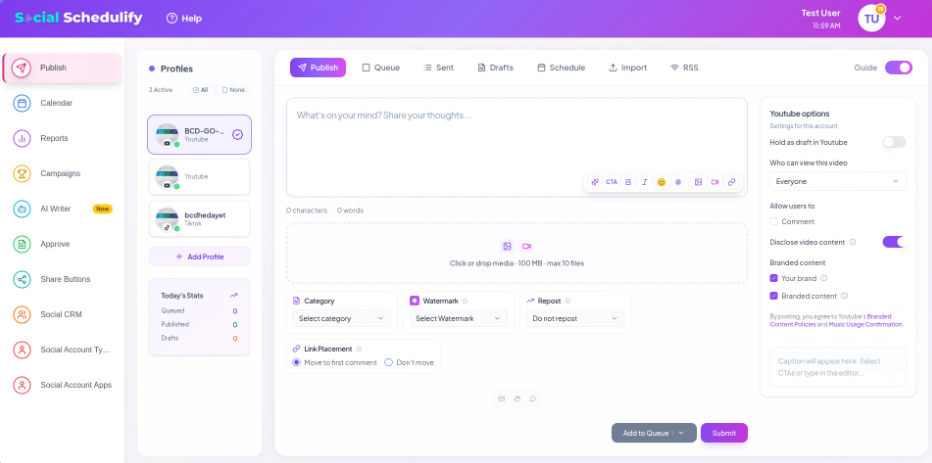
SocialSchedulify is designed for creators, businesses, marketing teams, and agencies that want to bring several parts of social media management into one dashboard. Its publishing suite supports multi-platform scheduling, a drag-and-drop content calendar, AI-optimized posting times, evergreen recycling, and approval workflows.
The visual calendar helps you organize campaigns instead of working through disconnected queues. You can switch between weekly and monthly views, organize promotions, and see upcoming content across connected platforms, making inconsistent posting easier to spot before it becomes a problem.
Where SocialSchedulify becomes more distinctive is campaign management. Its product pages list a campaign builder, contests and giveaways, automated winner selection, fraud detection, referral-style sharing mechanisms, real-time campaign analytics, and CRM integration for lead nurturing. This lets you use social content not only for publishing, but also for audience acquisition and campaign participation.
Analytics and sharing tools extend that workflow further. SocialSchedulify lists real-time monitoring, competitor benchmarking, ROI tracking, automated reports, customizable share buttons, A/B testing, share analytics, and heat mapping. These capabilities give you more ways to understand content performance and how audiences distribute it.
SocialSchedulify Highlighted Features
- Smart multi-platform publishing: Schedule content across major networks from one dashboard and reduce repetitive manual publishing.
- Visual content calendar: Drag-and-drop planning helps you organize campaigns and clearly see your upcoming schedule.
- AI-assisted scheduling: AI-optimized posting times can help you make timing decisions using performance signals instead of guesswork.
- Evergreen content recycling: Reuse relevant evergreen posts automatically and keep valuable content working beyond its first publication.
- Viral campaign builder: Build contests, giveaways, referrals, and other campaigns that can generate participation and collect leads.
- Share amplification tools: Custom share buttons, testing, heat maps, and sharing analytics help you encourage and measure organic distribution.
- Advanced performance analytics: Real-time monitoring, benchmarking, ROI tracking, and automated reporting help you turn activity into measurable insights.
Pros of SocialSchedulify
- Combines scheduling, campaigns, sharing tools, and analytics rather than focusing only on post publishing.
- Supports visual weekly and monthly content planning.
- Provides approval workflows for teams managing content before publication.
- Includes AI-oriented scheduling and content features on qualifying plans.
- Adds campaign tools for contests, giveaways, referrals, lead collection, and engagement.
- Offers analytics focused on performance, competition, reporting, and ROI.
- Scales from creator-focused plans to an Agency tier with multi-client workspaces and white-label options.
Cons of SocialSchedulify
- The Starter plan uses basic analytics and lacks several advanced campaign and AI capabilities available on higher tiers.
- White-label options, multi-client workspaces, and the highest account capacity are intended for the Agency tier, so smaller plans may require upgrading as your operation grows.
Cost of Using SocialSchedulify
Starter costs $9 per month, or about $7 per month with yearly billing.
Professional costs $29 per month, or about $23 per month with the annual discount shown on the pricing page.
Business costs $59 per month, or about $47 per month when using the yearly option.
Agency costs $99 per month, or about $79 per month on the discounted yearly billing shown by SocialSchedulify.
2. Buffer:
Buffer is one of the simpler Later alternatives for creators, small businesses, and teams that want straightforward scheduling without adopting a large enterprise platform. It supports networks including Instagram, Facebook, LinkedIn, TikTok, Pinterest, YouTube, Threads, X, Bluesky, Mastodon, and Google Business Profile.
Its simplicity can also constrain complex organizations. Sophisticated approval controls require the Team plan, and paid pricing scales by connected channels, so calculate your total based on the number of profiles you actually operate.
Key Features
- Content scheduling: Build queues and schedule content across numerous social channels.
- AI Assistant: Generate, rewrite, and repurpose social content without purchasing a separate writing tool.
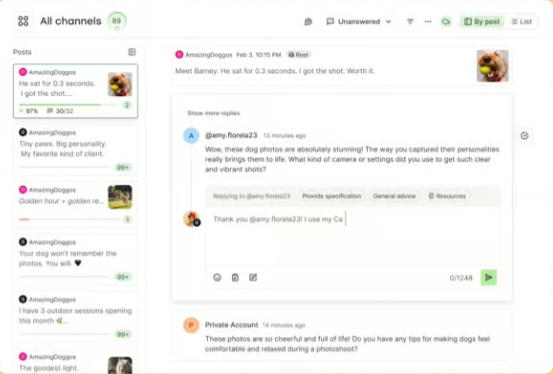
- Community inbox: Reply to comments across supported networks from a centralized workflow.
- Analytics: Track follower growth, engagement, impressions, posts, and other performance metrics.
- Team approvals: The Team plan adds access levels and approval workflows for collaborative publishing.
Pros
- Free plan available for up to three connected channels.
- Wide platform coverage includes several networks Later does not currently support.
- Paid plans allow unlimited scheduled posts subject to fair-use rules.
- AI Assistant is included even on the Free plan.
- Volume pricing reduces the per-channel rate as you add more channels.
Cons
- Free users can hold only 10 scheduled posts per channel at once.
- Essentials includes only one user.
- Content approvals require the Team plan.
- Paying per connected channel can add up quickly when you manage many profiles, even with volume discounts.
Buffer Pricing
Free costs $0 and supports up to three channels.
Essentials costs $6 per channel monthly for the first 10 channels, or $5 per channel per month when billed yearly.
Team costs $12 per channel monthly for the first 10 channels, or $10 per channel per month when billed yearly. Volume discounts apply as channel counts increase.
3. Hootsuite:
Hootsuite targets businesses that need publishing, engagement, monitoring, analytics, and AI within a mature social media platform. Standard includes up to 10 social accounts, unlimited scheduling, AI-assisted content creation, a unified inbox, analytics, competitive benchmarking, and listening capabilities.
The main concern is cost. Hootsuite’s paid plans are priced per user, and advanced collaboration features sit on higher plans, making it harder to justify when you mainly need a lightweight scheduler.
Key Features
- Unlimited scheduling: Queue large amounts of planned content without a small scheduling cap.
- Wisdom AI: Use AI for content, analysis, recommendations, and workflow assistance.
- Unified inbox: Handle public and private conversations across supported networks.
- Social listening: Monitor mentions, hashtags, sentiment, topics, and competitor activity.
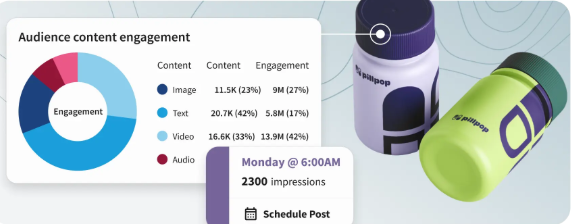
- Custom reporting: Higher plans let you build more advanced performance reports.
Pros
- Combines publishing, inbox management, listening, and analytics.
- Standard supports 10 social accounts.
- Professional supports unlimited social accounts.
- AI content generation is included across the current plan structure.
- Suitable for organizations that want monitoring and customer care alongside scheduling.
Cons
- No permanent free plan is advertised in the current pricing structure.
- Standard starts at $99 per user per month.
- Approval workflows require the Advanced tier.
- Per-user pricing can increase costs quickly as your social team grows.
Hootsuite Pricing
Standard starts at $99 per user per month.
Professional starts at $199 per user per month.
Advanced starts at $399 per user per month.
Enterprise uses custom pricing. Hootsuite offers a 14-day trial for the self-service paid tiers.
4. Sprout Social:
Sprout Social is a strong option when analytics, engagement, customer care, and organizational workflows matter more than finding the cheapest scheduler. Its product includes Smart Inbox, publishing, monitoring, reporting, reviews, collaboration, AI capabilities, and higher-level customer care features.
The obstacle for smaller teams is pricing. Even the Essentials tier starts well above entry-level competitors, and Sprout prices plans per seat, so a growing team should model its complete subscription cost before committing.
Key Features
- Smart Inbox: Bring messages and social interactions into a shared engagement environment.
- Publishing tools: Plan and publish content while using optimal send-time recommendations.
- Analytics: Measure profiles, posts, campaigns, competitors, and paid performance depending on plan.
- AI Assist: Higher tiers provide AI-supported post and reply enhancement.
- Monitoring: Track brand keywords, locations, reviews, and relevant social conversations.
Pros
- Strong analytics and reporting capabilities.
- Combines social publishing and customer-care workflows.
- Professional and higher plans support unlimited social profiles.
- Advanced provides API and helpdesk integrations.
- Built for teams that need social data connected to wider business decisions.
Cons
- Pricing is significantly higher than many small-business schedulers.
- Essentials supports only five profiles.
- Standard also limits you to five social profiles.
- Several sophisticated AI, care, reporting, and workflow capabilities require Professional or Advanced tiers.
A 2025 Forrester Consulting study commissioned by Sprout reported a 268% ROI for the composite organization studied, showing why larger organizations may accept its higher price when they can use the broader workflow.
Sprout Social Pricing
Essentials costs $79 per seat per month when billed annually and $99 per seat per month when billed monthly.
Standard costs $199 per seat per month on annual billing.
Professional costs $299 per seat per month on annual billing.
Advanced costs $399 per seat per month on annual billing.
Enterprise pricing is customized.
5. SocialBee:
SocialBee focuses heavily on content creation, scheduling, recycling, organization, and AI-assisted social management. It supports direct publishing to Facebook, Instagram, Threads, LinkedIn, X, Pinterest, TikTok, YouTube, Google Business Profile, and Bluesky.
Its content categories and recycling system make it attractive for repeatedly publishing evergreen material. However, lower plans restrict profiles, users, analytics history, and some bulk or reporting capabilities, so growing teams may need Pro or an agency package.
Key Features
- AI Copilot: Generate social strategies and ready-to-use content.
- Content categories: Organize scheduled posts by topic or content type.
- Evergreen recycling: Automatically republish useful evergreen content.
- Analytics: Measure audience, profile, and post performance.
- Approvals and collaboration: Higher plans provide approvals, internal notes, and additional workspace capacity.
Pros
- Unlimited AI content generation is listed across standard paid plans.
- Strong evergreen content recycling tools.
- Supports 10 direct-publishing social network categories.
- Content categories help maintain a balanced posting mix.
- Pro includes multiple workspaces and analytics exports.
Cons
- No permanent free management plan is listed.
- Bootstrap supports only five social profiles.
- Bootstrap provides only three months of analytics history.
- Advanced analytics, CSV upload, hashtag organization, and post approvals require Accelerate or higher.
SocialBee Pricing
Bootstrap costs $29 per month or $290 per year.
Accelerate costs $49 per month or $490 per year.
Pro costs $99 per month or $990 per year.
Agency plans begin with Pro50 at $179 monthly, with larger packages available for more profiles and workspaces.
6. Agorapulse:
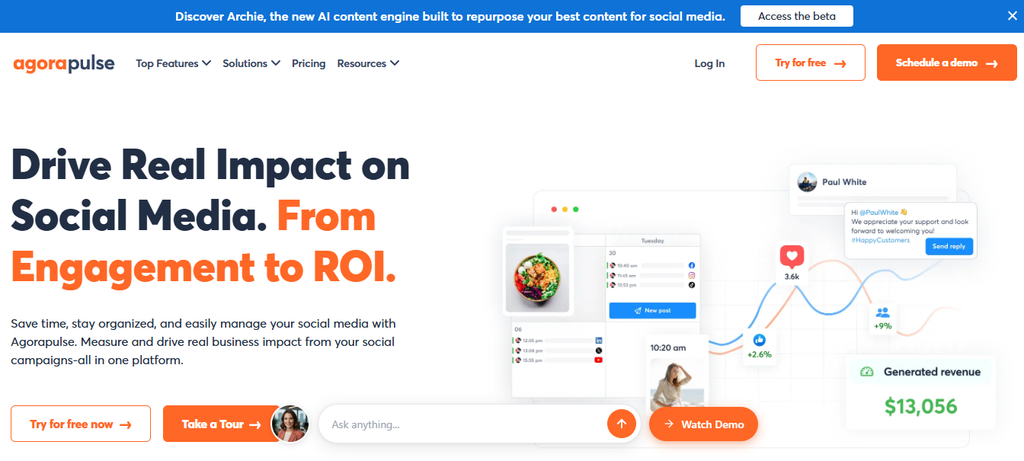
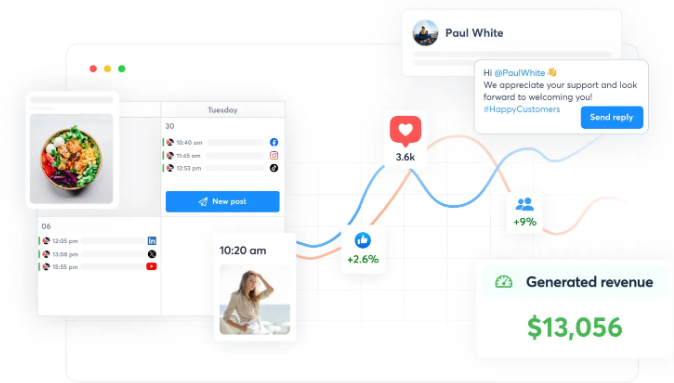
Agorapulse is designed around publishing, inbox management, team workflows, reporting, and social ROI. Its Standard plan starts with 10 social profiles, while Professional and Advanced add progressively stronger collaboration, inbox automation, reporting, and workflow capabilities.
The platform can become expensive when you need several users, extra social profiles, advanced listening, or enhanced X capabilities. Those costs make it important to calculate add-ons rather than comparing only the base subscription price.
Key Features
- Publishing calendar: Schedule and organize posts from a unified calendar.
- Social Inbox: Manage comments, messages, reviews, and engagement.
- Content queues: Maintain recurring publishing schedules.
- ROI reporting: Connect social activity with business outcomes and reporting.
- Team workflows: Assign, approve, and coordinate social activity on qualifying plans.
Pros
- Free plan available for basic use.
- Paid plans include 10 social profiles before additional-profile charges.
- Strong inbox and moderation functionality.
- Professional and Advanced provide useful team collaboration features.
- Reporting options expand into white-label, team-performance, and ROI reporting.
Cons
- Standard costs $79 per user monthly when billed annually.
- Extra profiles add to the subscription cost.
- Advanced social and web listening costs an additional $100 per search per month.
- X Plus functionality adds $50 per profile per month on listed paid tiers.
Agorapulse Pricing
Free costs $0 with three social profiles, one user, and 10 scheduled posts.
Standard costs $79 per user per month annually or $99 on monthly billing.
Professional costs $119 per user per month annually or $149 monthly.
Advanced costs $149 per user per month annually or $199 monthly.
Custom pricing is available for larger requirements.
7. Metricool:
Metricool is particularly attractive when you want scheduling and analytics in the same platform without immediately moving into enterprise-level pricing. Its plans combine publishing, competitor analysis, reports, link-in-bio functionality, integrations, and progressively stronger team capabilities.
Its Free plan is useful for testing, but it excludes LinkedIn and X connections and limits scheduling to 20 posts per month. Team and client management, roles, and post approvals also require Advanced, which matters for agencies.
Key Features
- Social scheduling: Plan and publish content across supported networks.
- Analytics history: Paid Starter provides unlimited analytics history for supported data.
- Competitor analysis: Monitor competitor profiles and compare performance.
- Reports: Paid plans provide PDF and PowerPoint reporting options.
- Team management: Advanced includes clients, roles, approvals, and customizable reporting.
Pros
- Permanent Free plan available.
- Starter supports unlimited content publishing subject to fair-use rules.
- Strong combination of scheduling and analytics.
- Multiple link-in-bio pages are available on Starter.
- Advanced is designed for client and team workflows.
Cons
- Free excludes LinkedIn and X.
- Free limits scheduling to 20 posts per month.
- Team and client management require Advanced.
- X and advanced analytics can involve additional paid add-ons.
Metricool Pricing
Free costs $0 per month.
Starter is shown from $20 per month, with higher pricing as you increase the number of brands.
Advanced is shown from $53 per month, with higher tiers for 25 or 50 brands.
Custom uses tailored pricing for larger requirements and white-label needs.
Why Choose a Later Alternative?
Switching tools should solve a real operational problem. Moving simply because another dashboard looks newer can create more work than value.
Consider an illustrative example. Ms. Maya manages social media for a growing ecommerce company. When the business focused mostly on Instagram, visual scheduling and Link in Bio covered most of her workflow.
Then the company expanded. Marketing wanted LinkedIn content, customer support wanted faster comment management, leadership wanted ROI reports, and the team began experimenting with additional networks.
Ms. Maya now spends part of each day moving between social apps, spreadsheets, approval messages, and reporting documents. The scheduler still works, but the workflow around it has outgrown the original setup.
This is why choosing a Later alternative can be beneficial for your business.
Broader Platform Coverage
A broader scheduler reduces the number of places where your team has to publish manually. This becomes increasingly important because 93.8% of surveyed online adults visited a social network within the previous month in 2026.
You should choose coverage based on your audience rather than the longest platform list. The real benefit comes when one system covers the networks responsible for your reach, service, leads, and sales.
Faster Collaboration
Approvals, permissions, notes, and shared calendars reduce the back-and-forth that grows with every additional stakeholder. They also make responsibility clearer when several people create, review, and publish content.
HubSpot’s 2025 global social report found that 96% of social marketers expected team size to stay the same or increase, while 98% expected social budgets to stay the same or grow. Better workflows become more important as resources expand.
Better Customer Engagement
Publishing is only half of social management. Inbox tools, comment management, saved replies, and social listening can turn your scheduler into part of your customer-care operation.
Sprout’s 2025 research found that 76% of respondents said social content influenced a purchase during the previous six months. Among Gen Z, that figure reached 90%.
Stronger Analytics
A replacement can give you longer historical data, competitor intelligence, campaign-level reporting, or clearer ROI measurement. Those capabilities help you identify what deserves more budget and what should be stopped.
Hootsuite reported that 62% of surveyed social marketers were using social listening tools in its 2025 Trends research. Listening was also ranked as organizations’ second-highest social media priority after marketing to or engaging their audience.
Must-know Tip: Elfried Samba, former Global Head of Social at Gymshark, says, “One of the most valuable data sources for any brand is right in the comment section.”
More Efficient Content Production
AI writing, reusable content libraries, recycling, bulk publishing, and content categories can reduce repetitive work without removing human oversight.
Hootsuite found that 69% of marketers regarded AI as technology capable of creating new job opportunities, while more than three-quarters of people responsible for social strategy reported using AI for social activities.
Better Alignment With Revenue
Your scheduler should help connect social activity with business outcomes. That may mean campaign tracking, CRM integrations, lead collection, conversion data, or reports stakeholders can actually understand.
Must-know Tip: Brandon Smithwrick, former Head of Social at Squarespace, puts the goal simply: “Social isn’t here to make your brand look cool for a week.” It should support revenue, retention, and reputation.
Conclusion
The best Later alternatives are not simply platforms with longer feature lists. The right choice removes the specific friction slowing down your social media operation.
Keep Later when its visual workflow, supported networks, Link in Bio tools, and current plan limits match the way you work. Look elsewhere when you need broader platform coverage, different collaboration controls, stronger engagement, campaign tools, richer analytics, or a pricing model that scales more comfortably.
SocialSchedulify deserves serious consideration when you want publishing, visual planning, AI-oriented tools, viral campaigns, share amplification, and analytics under one platform. Buffer is compelling for simplicity, Hootsuite and Sprout Social serve deeper organizational needs, SocialBee excels at evergreen workflows, Agorapulse emphasizes engagement and reporting, and Metricool offers a strong analytics-focused alternative.
Choose according to the work you actually need to accomplish. That decision will matter far more than choosing a familiar logo.
Frequently Asked Questions About Later Alternatives
What is the best alternative to Later?
There is no universal winner. SocialSchedulify is worth considering when you want scheduling, campaign creation, share amplification, AI-oriented features, and analytics together. Buffer suits simpler publishing, while Sprout Social and Hootsuite fit more advanced organizational requirements.
Is there a free alternative to Later?
Yes. Buffer, Agorapulse, and Metricool currently offer free plans, although each applies limits to profiles, scheduled posts, platforms, or functionality. Later itself also currently provides a limited Free plan.
Is Buffer better than Later?
Buffer can be better when you need platforms such as X, Bluesky, Mastodon, or Google Business Profile. Later may be preferable when its visual planning, Link in Bio, and Instagram-oriented workflow align more closely with your strategy.
Which Later alternative is best for small businesses?
Your choice depends on profile count and required features. Buffer offers low entry costs, SocialBee emphasizes recycling and AI creation, Metricool combines scheduling with analytics, and SocialSchedulify combines publishing with campaign-oriented tools.
Which Later alternative is best for agencies?
Agencies should prioritize client workspaces, approvals, permissions, reports, and account capacity. SocialSchedulify’s Agency plan includes multi-client workspaces and white-label options, while Metricool Advanced, SocialBee agency plans, Agorapulse, Hootsuite, and Sprout also target multi-user or client workflows.
Which Later alternative has the best analytics?
Sprout Social provides particularly deep enterprise-oriented analytics, while Metricool is attractive for analytics at a lower starting price. SocialSchedulify also lists real-time monitoring, competitor benchmarking, ROI tracking, and automated reporting.
Which alternative is best for AI-assisted social media management?
SocialSchedulify, Buffer, Hootsuite, SocialBee, Sprout Social, and Metricool all provide AI functionality in some form. Compare exactly what the AI does, which plan includes it, and whether usage limits apply before choosing.
Why would you switch away from Later?
Common reasons include needing unsupported platforms, different pricing, broader customer engagement, stronger analytics, specialized campaign tools, different team controls, or a workflow that scales better across clients and brands.
Can you manage multiple social accounts with a Later alternative?
Yes. All seven tools in this comparison support multiple accounts at some level. The important difference is how many profiles are included before you need a higher plan or additional charges.
How should you compare social media management tool pricing?
Calculate your real requirements using social profiles, users, brands, clients, add-ons, analytics, and annual versus monthly billing. A $20 starting price can become more expensive than a higher headline price if essential features require several upgrades.
Is social media management software still worth paying for in 2026?
For active brands, the case remains strong. Global social media user identities reached 5.79 billion in April 2026, and social platforms continue to influence discovery, service, and purchases.
Do you need a social inbox in your scheduling tool?
You do if comments and direct messages form a meaningful part of your sales or customer-service workflow. A centralized inbox reduces app switching and can help teams respond more consistently.